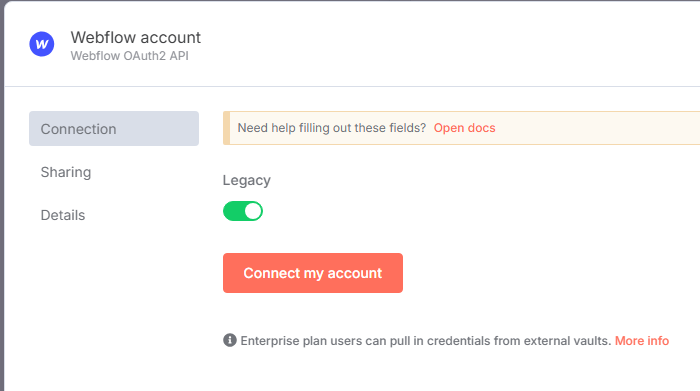
I’m working on a workflow to update articles in a Webflow collection using data from Airtable. When I connect the Webflow app in n8n, the authorization by default is read-only, while I need read and write CMS permissions.
Using the AI agent, I was hinted to create a custom app in Webflow and obtained a client ID and client secret. Which is what I did.
However, when I try to manually create OAuth2 credentials in n8n, I don’t see fields to input the client ID and client secret in the Webflow node’s OAuth2 setup, it directly tries to connect to my Webflow workspace.
I’m thinking it might be linked to my plan since I’m still under the free trial.
If not, I would gladly take any advice on how to do unable the write/read CMS access in n8n.
I’ve also tried to use the API token, which is the second way to authenticate but it wasn’t successful (403 error).
Some Oauth2 Connections in n8n-cloud use n8n’s Oauth2 infrastructure (i.e. Oauth2 for these services use the n8n-cloud app’s clientid and secret instead of requiring you to set up, verify, etc. your own app).
From what I can tell, the requested permissions/authorization for the n8n-cloud app include Edit CMS data so that should allow updates. If you saw a different set of permissions on your authorization page, post a screenshot. It could be a difference in the “free trial” n8n-cloud setup.
Is there a chance that, when you connected your account, you didn’t authorize the credential item for the Webflow workspace you are trying to edit? Also be sure the Legacy option is toggled off (looks like it defaults to “on” for a new Webflow Credential item).
You are right, toggling off the Legacy option did allow n8n for editing access to Webflow. Not really sure why it is “on” by default since it only allows reading access …