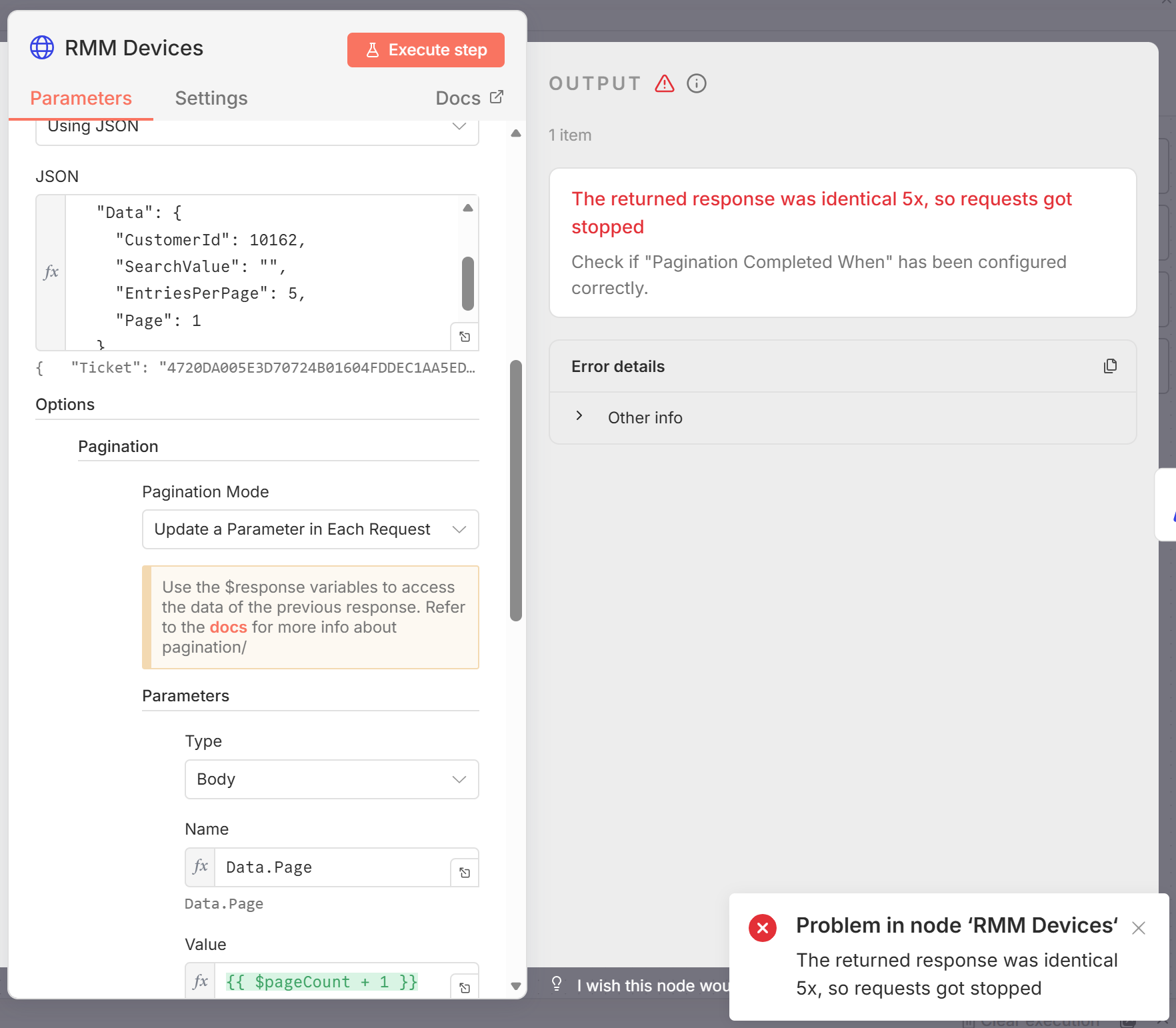
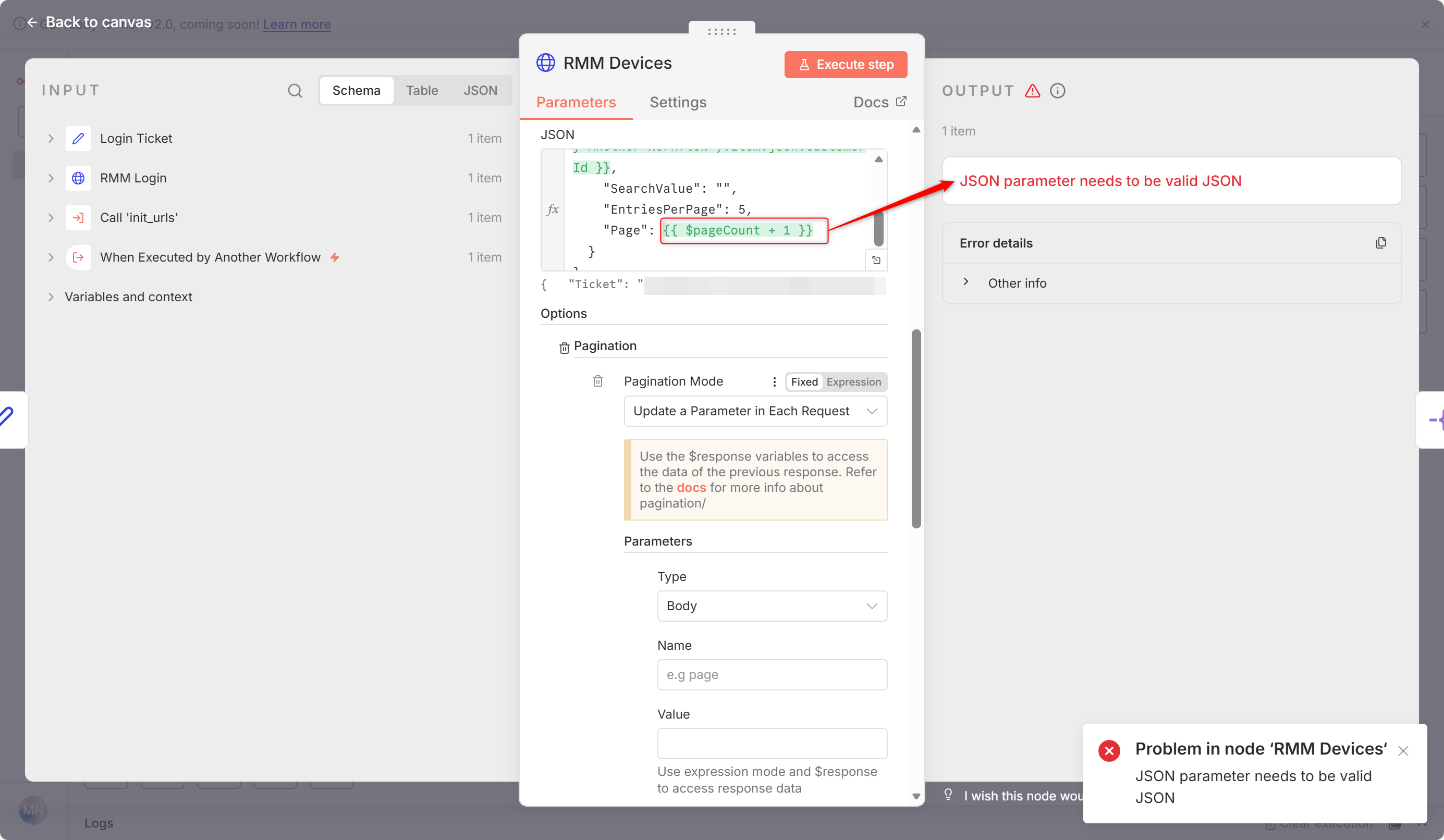
$pageCount does not increment when inside an array like here:
{
“Ticket”: “{{ $(‘Login Ticket’).item.json.Ticket }}”,
“TrimResponse”: 0,
“Data”: {
“CustomerId”: 10162,
“SearchValue”: “”,
“EntriesPerPage”: 5,
“Page”: 1
}
}
This is the way i try to update the page by body-parameter:
Data.Page
{{ $pageCount + 1 }}
Information on n8n setup
- n8n version: 1.122.4
- Database (default: SQLite): Postgres
- n8n EXECUTIONS_PROCESS setting (default: own, main): ?
- Running n8n via (Docker, npm, n8n cloud, desktop app): Docker
- Operating system: Ubuntu
Hey @RepeatToAutomation !
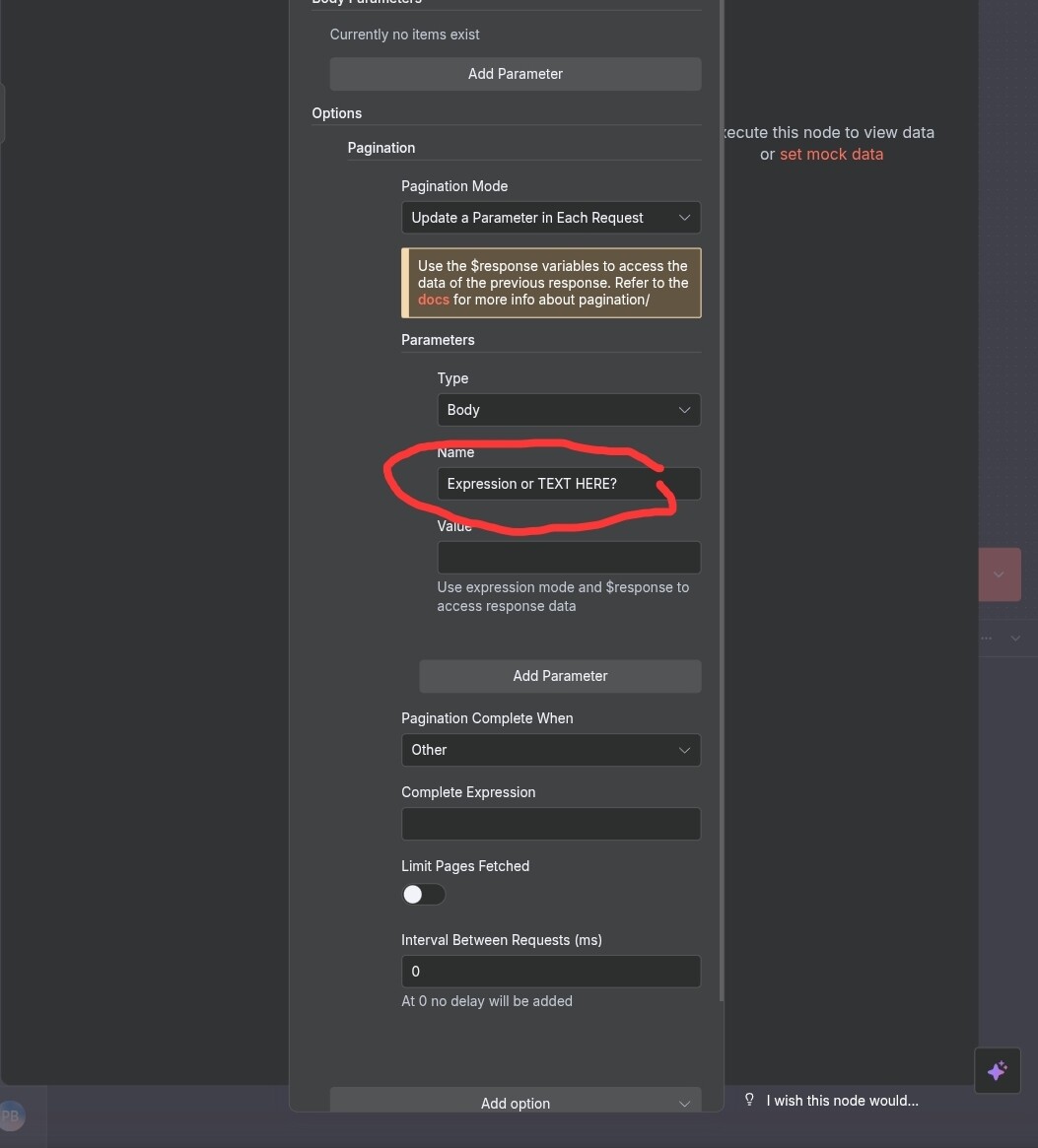
First , I think you are using wrong the Data.Page field input as text, and is selecting expression, but wonder how would you call that as expression there, or use as text fixed, but switch to that.
But make use as well on the Response , maybe you receive the page number already.
Cheers!
1 Like
Hey @Parintele_Damaskin,
thanks for your reply.
I tried both “Fixed” and “Expression” in Name Field with “Data.Page” in it. Both did not work.
But i´m not sure what your recommendation is.
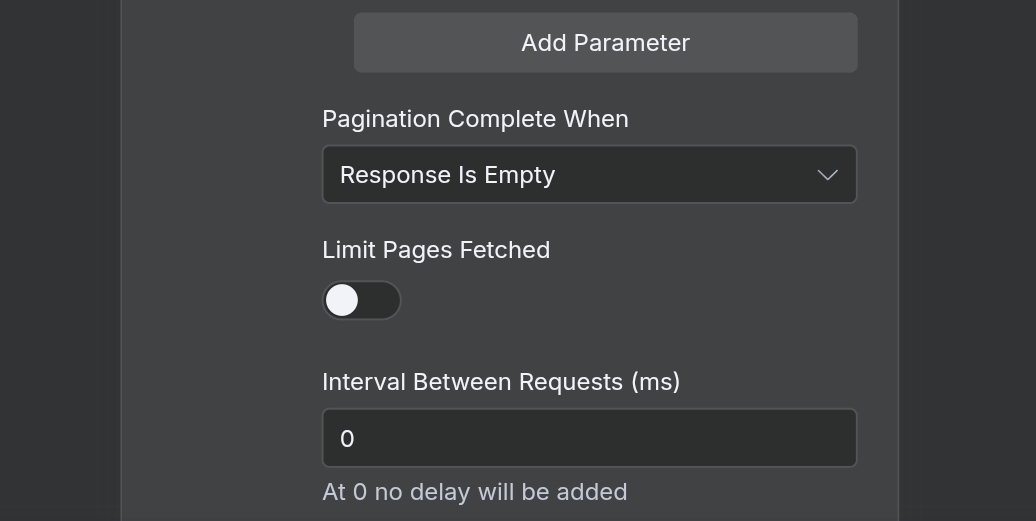
Pagination Completed When (Missing/Incorrect Setting)
The error message explicitly says: “Check if ‘Pagination Completed When’ has been configured correctly.”
configure the Pagination Completed When expression. This expression must evaluate to true when there are no more results.
Example: If the API returns a field like “hasNextPage”: false when finished, the expression should be:
{{ $response.hasNextPage === false }}
Example: If the API returns fewer than the requested EntriesPerPage, the expression could be: {{ $response.Items.length < 5 }} (assuming your EntriesPerPage is 5)…ETC
I am not aware of the API you wanna hit, don’t know the format that expects …
The API might be ignoring the updated Page parameter, or it might have a very low EntriesPerPage limit that you are hitting immediately, or s the pagination parameter truly named Data.Page?
Or maybe the value you are trying to update from your body needs another way, since you have a fixed value in a object.
Does the API documentation provide a specific parameter (like next_page_token) instead of a simple page number that should be used for pagination?
Hi @Parintele_Damaskin ,
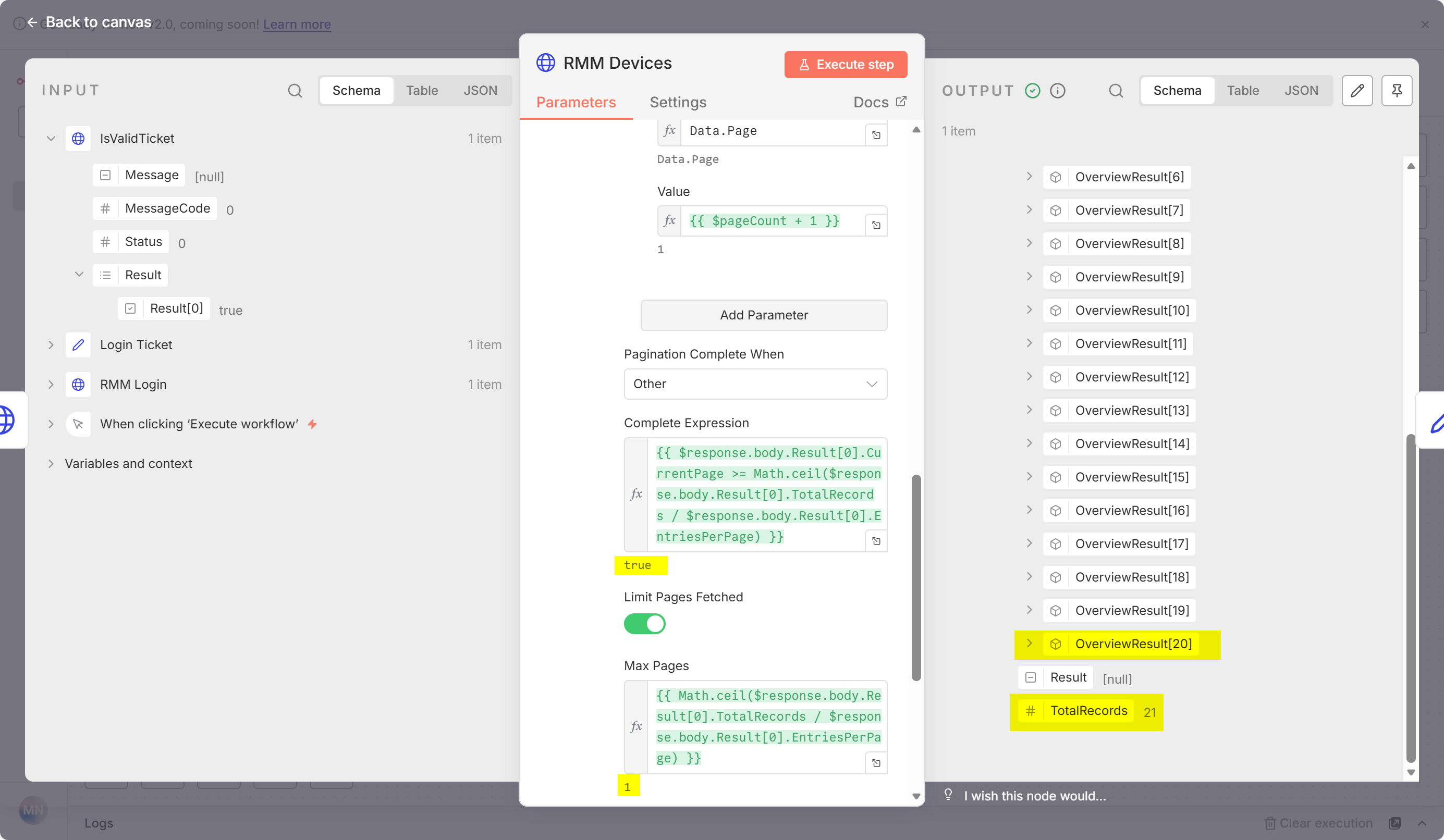
so in this example i have 21 TotalRecords. I have set EntriesPerPage to 5 (if i set it to 30 i will see all records but i wan´t to keep it working with paging for situations with to mutch TotalRecords for one request). It seems that the Value is not updated:
Data→Page
Here are screenshots showing the rest (with set EntriesPerPage to 30 to get it without error):
Hey @RepeatToAutomation … I am not a js guru soo…
I am supposing that the node is either only running once or the $pageCount variable is not updating correctly.
In this case the HTTP node runs only once, but is needed a looping (Loop node), so the HTTP node run once with 5 records and 1 page, and when the page has less than 5 records(or 4 , it means records are finished)…
Can you show an image or share workflow (without sensitive informations and pinned data preferably  ).
).
But as I presume , a Loop node is needed so your HTTP node runs and the $page var increase.
Cheers!
Instead of using the pagination feature’s “Name” field, build the entire JSON body as an expression that includes the incrementing page number:
-
In your HTTP Request node, go to the Body section
-
Set the Body to JSON mode (not using the pagination parameter feature)
-
Replace your JSON body with this expression:
{
“Ticket”: “{{ $(‘Login Ticket’).item.json.Ticket }}”,
“TrimResponse”: 0,
“Data”: {
"CustomerId": 10162,

"SearchValue": "",

"EntriesPerPage": 5,

"Page": {{ $pageCount + 1 }}
}
}
-
Keep the Pagination settings, but you can remove the “Parameters for Pagination” section since you’re handling it in the body expression
-
Configure “Pagination Completed When” to detect when there are no more pages (e.g., when the response array is empty or when a specific field indicates no more data)
Hi @abdeveloper ,
thanks for your reply. I have tested what you have suggested. But now i directly get this error: