Describe the problem/error/question
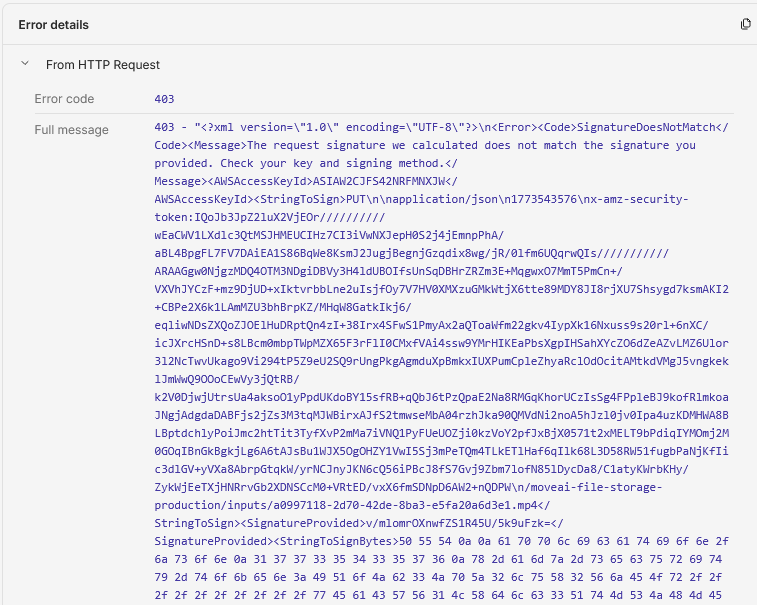
I can't send raw data to given url.
Url looks like this.
I can upload plain/text data, but with binary I have error “Forbidden - perhaps check your credentials?”
I can't send raw data to given url.
Url looks like this.
I can upload plain/text data, but with binary I have error “Forbidden - perhaps check your credentials?”
Hi @NeonMind Welcome!
Have you tried setting up the body content type to n8n binary file instead of raw data? And i am assuming that content type headers are matching the content type used to generate that URL, cause most of the type any mismatch between URLs causes this S3 return 403 errors.
Thanks for quick reply!
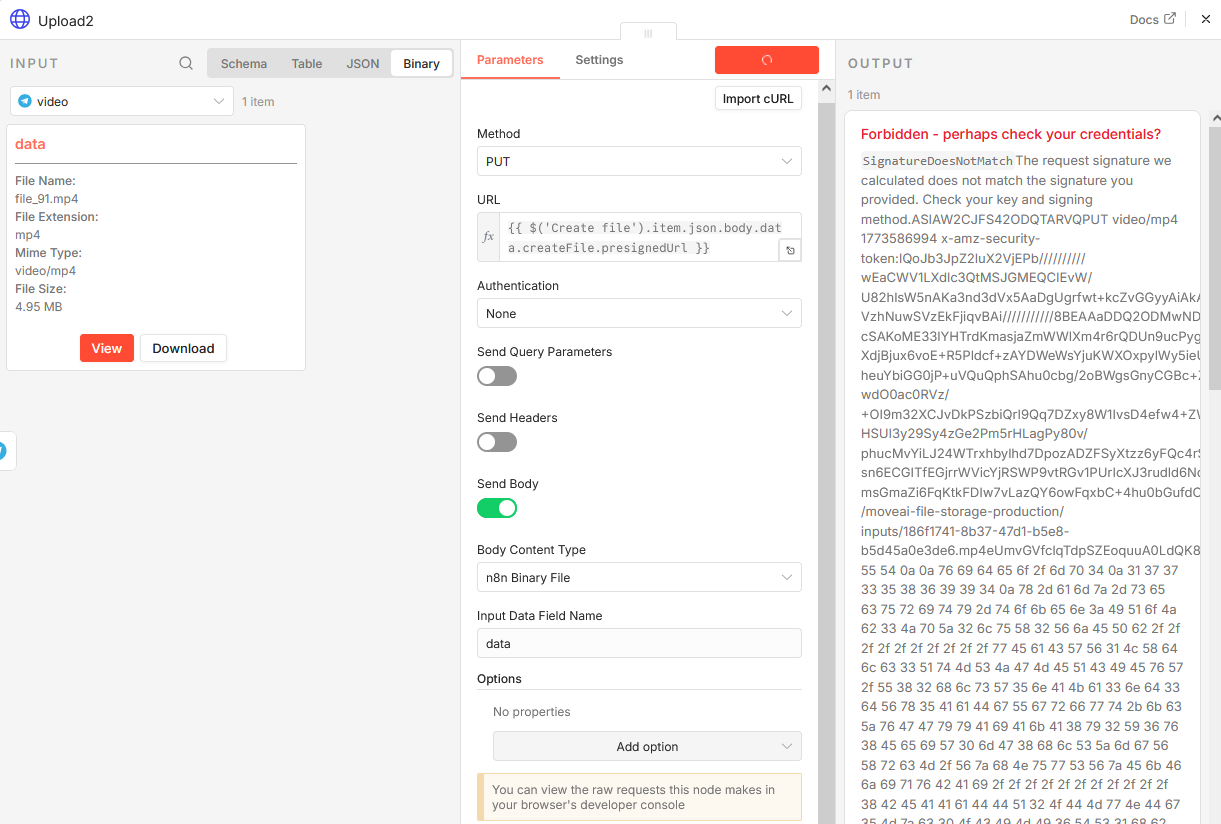
Sure, I tried n8n binary with same results.
I have python script, that successfully uploads the same file - it’s super simple
with open(video_path, ‘rb’) as f:
requests.put(video_file.url, data=f.read())
@NeonMind understood, as your python script works with PUT and raw binary data.
Try something like this:
Set Auth to NONE, and in body content type make it n8n binary file, and in headers remove any content-type header. Let me know if that works.
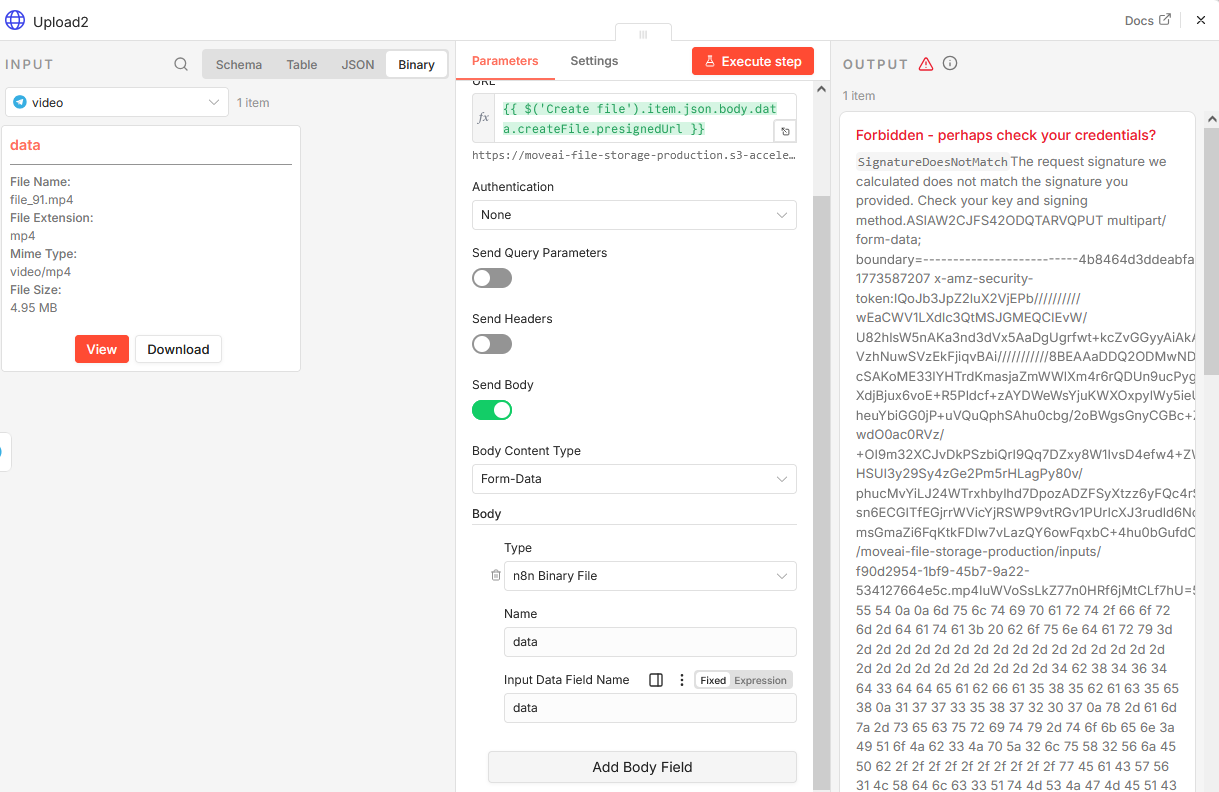
@Anshul_Namdev here is screens - I tried many different combinations, all ends with fobidden, is there any way to process binary data another way?
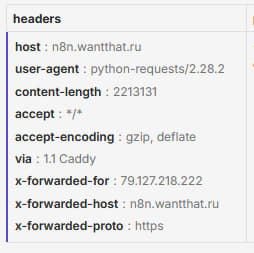
After series of test I found that only difference in requests form n8n and python is content-type header
moreover, if I add ANY content-type header in python - request will fail too..
Is there way to remove content-type header from HTTP Request? (even if it’s blank - it sends it with empty data)

@NeonMind Although currently there is no built in way of suppressing content type header in HTTP, but i think the setting body content type to n8n Binary File should have worked, also the signature i mean that file signature should be matching as the error says.
I would say that this would be a good feature request to be raised as HTTP node is the last hope of customization and it needs some more features like that.
I’m affraid that n8n binary not helping in this case, it’s ok for other services and webhooks, but for this case it’s somehow breaks upload process
Also credentials and signatures are ok (I can upload text data using the same mechanizm)
@Anshul_Namdev here is screenshot with n8n binary in body, still not working
If I’m using another binary source (http get) and n8n binary content type - i’m having this error every second time I launch workflow
and still error with upload
@NeonMind understood lets drop that, for now i want you to try using Code Node i think you would like python more so use that with HTTP module, and then try again so that there you will have 100% control over the request which will be sent using that, this should solve your problem.
@Anshul_Namdev Thank you, but I can’t execute python code currently. **
“Python runner unavailable: Python 3 is missing from this system”
**
Can I achieve result with javascript ?
@NeonMind YES! you can try something like this:
let binaryDataBufferItem = await this.helpers.getBinaryDataBuffer(0, 'data');
return [{ json: {}, binary: { file: { data: binaryDataBufferItem, fileName: items[0].binary.data.fileName, mimeType: items[0].binary.data.mimeType } } }];
ofc this can be different in your exact use case but this is what you can do to get closest to the full control over requests.

It’s killing my n8n  every time I try execute this step. Await is the key - without it - it’s executing
Ah.. @NeonMind that is like i would not say a hardware limitation but CodeNode is not actually configured to go wild with like HTTP , so that CodeNode is a workaround we are testing to see does it actually work or just nothing happens, you try local N8N also if that VPS is not actually that capable let me know if that works.
I’ got it working - here is code that works with WebHook (for test) and returns 403 error for AWS
const newItems = ;let url= $(‘Create file’).first().json.body.data.createFile.presignedUrl;
for (const item of $input.all()) {const binaryKey = ‘data’;const fname=$(‘Create file’).first().json.body.data.createFile.id.split(‘file-’)[1]+“.mp4”;const newItem = {json: item.json,binary: {[binaryKey]: {…item.binary[binaryKey],fileName: fname,}}};let options={“url”: url,“method”: “PUT”,“body”: newItem.binary}
const response = await this.helpers.httpRequest(options);newItem.json.resp=response;newItems.push(newItem);}
return newItems;
it adds “content-type” anyway… I can see in webhook that it comes with “application/json”
@NeonMind Try using this one:
const newItems = [];
const url = $('Create file').first().json.body.data.createFile.presignedUrl;

for (const item of $input.all()) {
  const binaryKey = 'data';
  const fname = $('Create file').first().json.body.data.createFile.id.split('file-')[1] + ".mp4";

  // Get the actual binary buffer
  const buffer = await this.helpers.getBinaryDataBuffer(0, binaryKey);

  const response = await this.helpers.httpRequest({
    url: url,
    method: "PUT",
    body: buffer,  // raw buffer, not the binary metadata object
    headers: {
      'Content-Type': item.binary[binaryKey].mimeType
    }
  });

  item.json.resp = response;
  newItems.push(item);
}

return newItems;
It works with webhook - but produces unreadable file that 4x larger then source but still not working with AWS (403 error)
@NeonMind the data being larger means that the encoding is base64 so lets try setting encoding: 'arraybuffer' , i think AWS needs a content-type header and that is why it acting this way adding that back might help. Try using this one:
const newItems = [];
const url = $('Create file').first().json.body.data.createFile.presignedUrl;

for (const item of $input.all()) {
  const binaryKey = 'data';
  const buffer = await this.helpers.getBinaryDataBuffer(0, binaryKey);

  const response = await this.helpers.httpRequest({
    url: url,
    method: "PUT",
    body: buffer,
    // Only include Content-Type if it was part of the presigned URL generation
    // headers: { 'Content-Type': item.binary[binaryKey].mimeType }
  });

  item.json.resp = response;
  newItems.push(item);
}

return newItems;
although removing that content-type header should be the one for this fix.
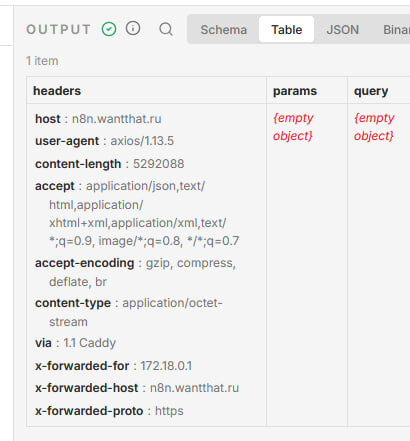
@Anshul_Namdev webhook - 200 with headers / 500 without
AWS - 403 / 403