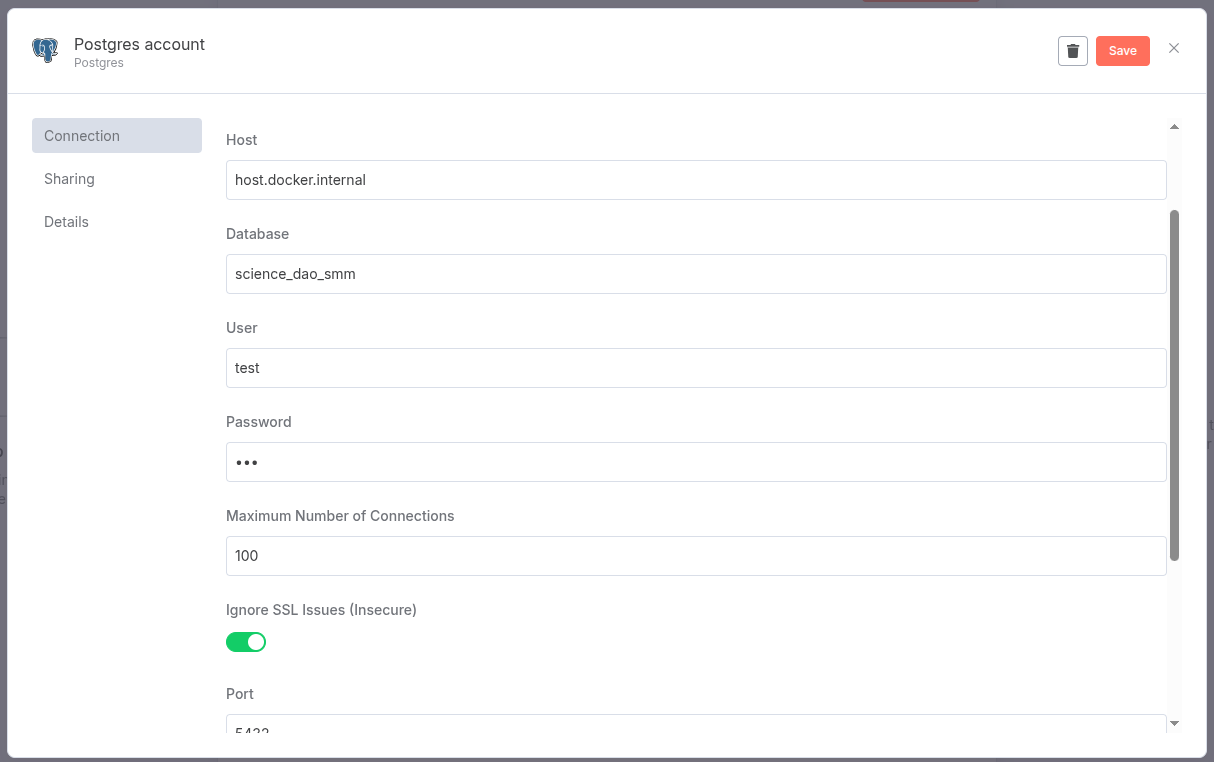
Try replacing localhost with host.docker.internal in your connection string.
However, some times it won’t resolve correctly in wsl environments. In that case, instead of host.docker.internal, use the actual IP address of your WSL host:
# Get the IP address of the WSL shell ip addr show eth0 | grep "inet " | awk '{print $2}' | cut -d/ -f1
For example, if your WSL IP is 000.00.000.000: postgres://test:[email protected]:5432/science_dao_smm
Alternatively, you can run n8n with --network host to share the host’s network stack: docker run -it --rm --name n8n -p 5678:5678 -v n8n_data:/home/node/.n8n --network host ``docker.n8n.io/n8nio/n8n
Then use localhost in n8n: postgres://test:123@localhost:5432/science_dao_smm
The error was that my PostgreSQL allowed connections only from localhost and contrary to what I expected the address of Docker as visible from host was not 127.0.0.1.