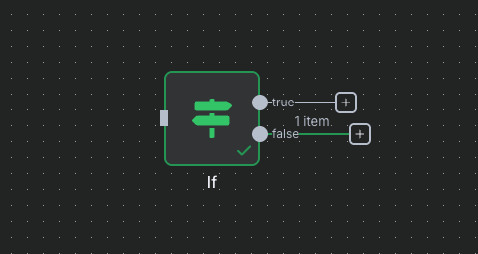
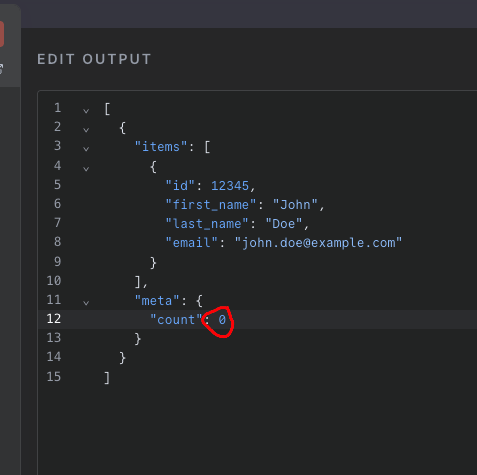
I can’t figure out why I’m not getting any output from my IF Node. It shows that it’s running sucessfully but no output is passed when I execute the IF statement.
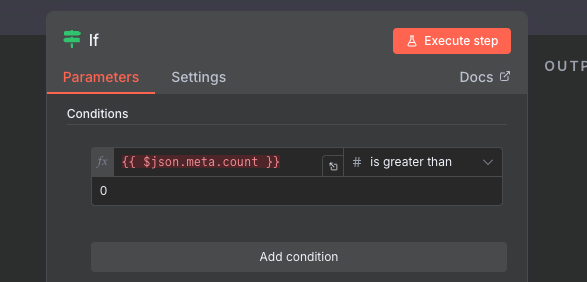
This is because $json.meta.count is not defined, since we have none of the previous nodes in your workflow. Would you like to add another node just before the If node and pin the data in it, so that we could take a look at the input?
The code you provided is the IF node itself, and without context it is hard to spot where the issue lies. But I have noticed that you are using an unnecessary logic by doing this:
if {{ $json.meta.count > 0 }} is boolean & true
Instead if meta.count item returns a number then use this:
if {{ $json.meta.count }} is a number & greater than ( 0 )
Note: This is the same logic with a different approach, but if you really need to stay at your first approach then from node settings toggle on ‘‘Always Output Data’’ which allows the node to return an item even if it’s empty.
The full workflow is too big to post here. I’m trying to recreate an existing Zapier workflow for my eCommerce site. Here’s what I noticed just now, even though I’m trying to test this IF step with Pinned data, if it’s on a Switch path that’s not green then the IF doesn’t run. I’m still new here so I’m not sure how to build and test all these pathways if the data doesn’t pass through while I’m building it.
Please make sure not to expose any API Keys (or sensitive information) while sharing your code. Use the preformatted text section to put your code in instead.
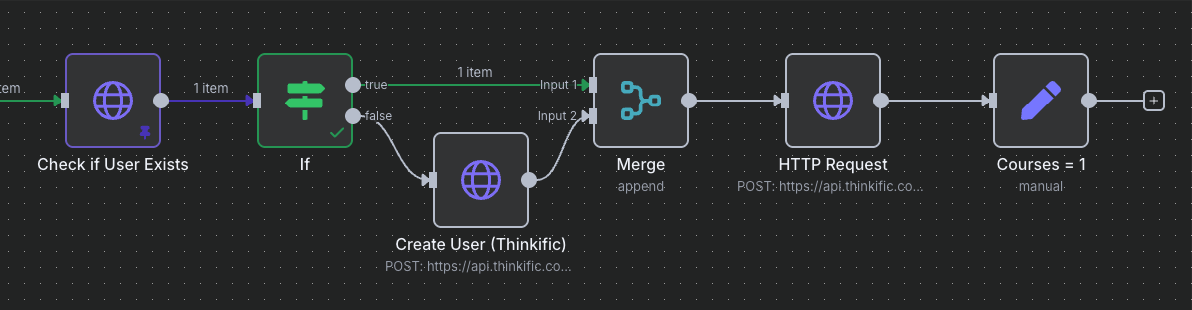
Here’s what I mean with the merge: Step 5: Merge User Data
Add a Merge node to combine the user data from both paths (existing user or newly created user):
Configuration:
Mode: Choose Merge by Position
Input 1: From IF node (True branch - existing user)
Input 2: From Create User node (False branch - new user)
This ensures the enrollment step always receives the correct user_id regardless of whether the user was found or created.
If I can only see the fields for one path during the build phase, the only way to build this out is to change the data to trigger the other path, I’m just confused on how anything can get done if I can’t see fields during the build.
That’s from my outline for the workflow I’m trying to create. I wanted to be clear on what I’m trying to accomplish with the merge, and why there would be data sometimes from one input and sometimes from a second.
Actually, I take that back. The Append mode doesn’t wait for all inputs, as the documentation suggests. Sorry about that.
When I execute your workflow I do get the output past the merge node (the only change I had to make is I removed the first node, and changed it to the Manual trigger.
I appreciate the help. Circling back, it appears athat I need to build out my workflow one path at a time, and that my if statement is going to continue to not show output even with pinned data if the upstream switch is selecting a different path. The issue I was trying to uncover is WHY I can’t test an if statement with pinned data that I was trying to use.
I was just hoping to pass the data down both the true and false pathways so I could continue to build the downstream nodes with upstream data as if each path were true.
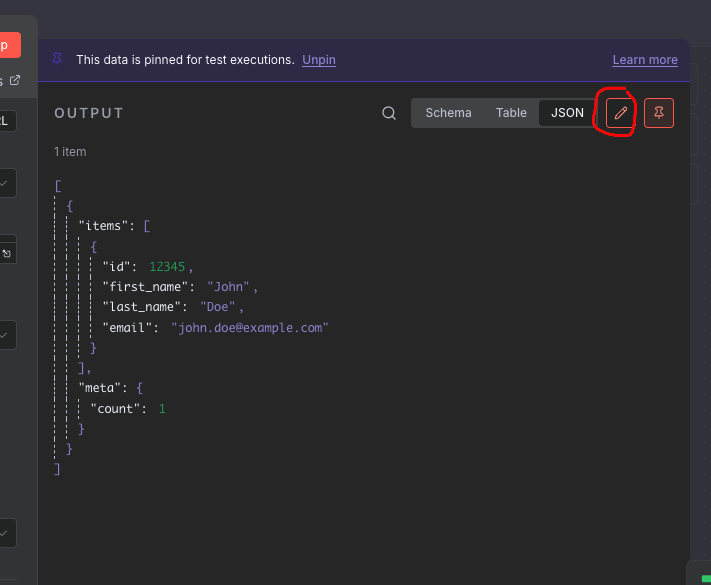
I see, yes, when you “test” a node, the execution will try to run from scratch and will use pinned data where it is possible. If you need to test the “IF” statement, all you need to do is make it fail by changing pinned data, like so
Hey Jab - just trying to do the same approach - but when I go to edit the output I don’t have the same button on the IF node. Are you using a different version of n8n?