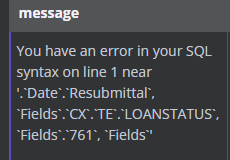
Recently updated from 1.20 to 1.46 and it appears some behavior changed on the mysql nodes. I have an existing workflow that pulls a variety of fields including some commentary and metadata fields. Same workflow no longer runs due to these fields sometimes containing characters like semicolons in them (example : email field containing “[email protected];[email protected]”) Checking backwards in the data shows that some of these datapoints existed prior to the update so it wasn’t a showstopper at that point. Just need some guidance on whether I need to figure out a Code function to strip these characters out now or if there is a setting toggle somewhere I can adjust that I’ve missed.
What is the error message (if any)?
Please share your workflow
(Select the nodes on your canvas and use the keyboard shortcuts CMD+C/CTRL+C and CMD+V/CTRL+V to copy and paste the workflow.)
Share the output returned by the last node
Information on your n8n setup
n8n version: 1.46
Database (default: SQLite): default for cloud hosted
n8n EXECUTIONS_PROCESS setting (default: own, main): default for cloud hosted
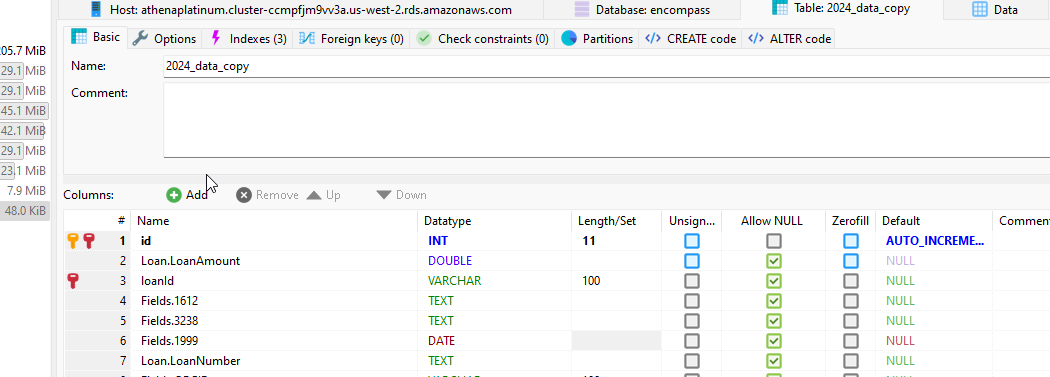
Last bump for support. Still having this issue even when I only pass a handful of valid data against an empty table copy with correct column names and data types
Are you able to share bigger versions of the error message so we can see the full thing? There is a newer version of the MySQL node available as well so it could be worth adding the node again to see if anything is different. You can see the node version under the node settings at the bottom.