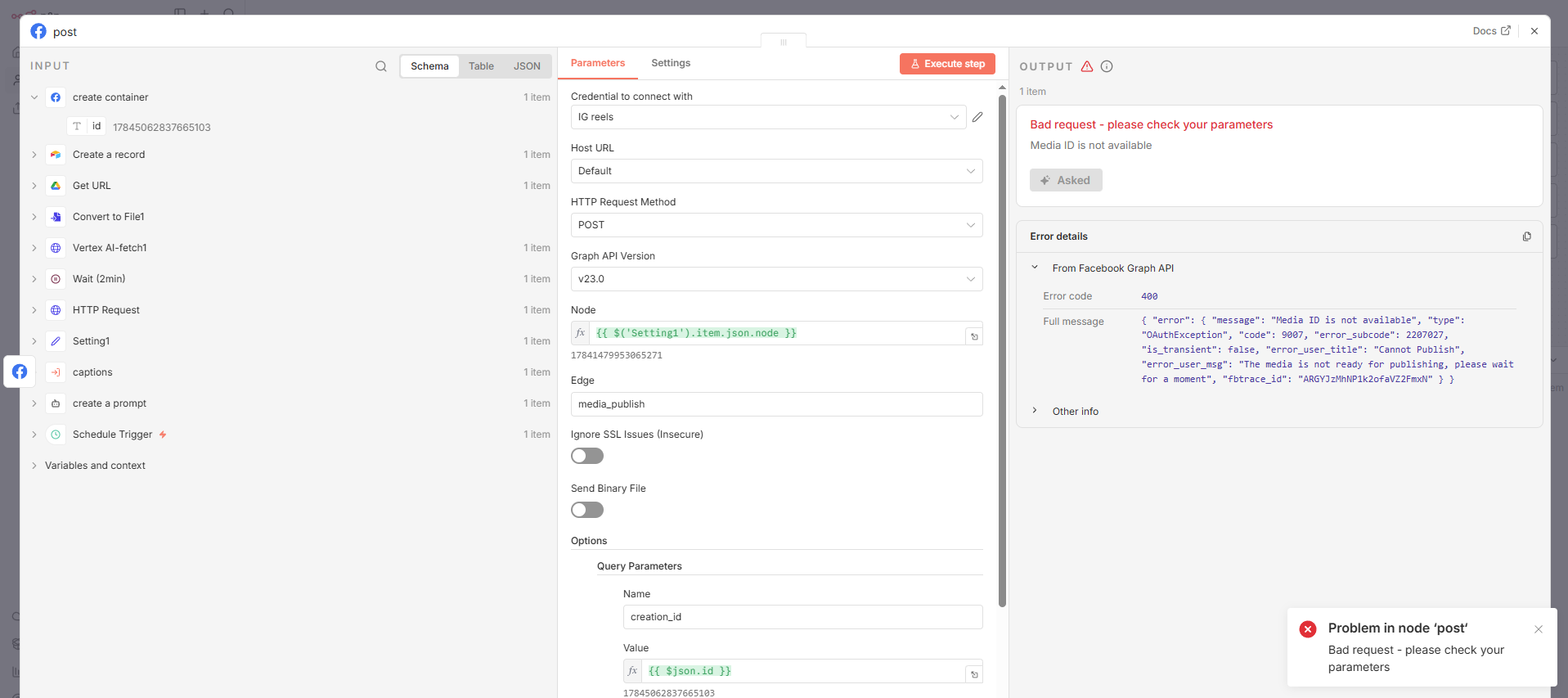
The 400 error usually means something with your parameters is off. First thing I’d check is if your creation_id is actually valid and if the media container was created succesfully before you’re trying to publish it. Also make sure your Instagram account is a business or creator account and that it’s properly linked to your Facebook page, because the Graph API won’t work without that setup.
Can you check the output from the previous node to see if the creation_id is actually being passed correctly?
Containers created have a short lifespan. The wait node between the graph nodes could be causing the container to die and make the creation ID useless.
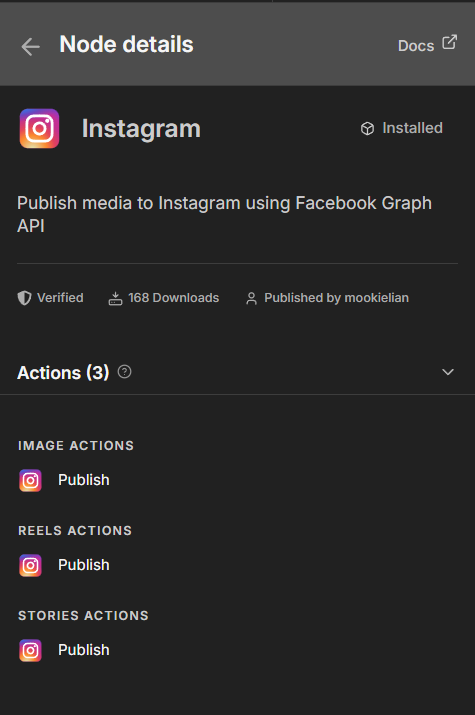
Also, I made a node for instagram that makes it absolutely easy for you to post reels, images or stories; its available on Cloud too.
Your ID is being passed correctly, but your error says it in the message - “The media is not ready for publishing.” Play around with the wait node time, that should fix it!
Try making it longer like 60 Seconds, and see what the error is. If it still errors, send it back and I’ll try to fix it.
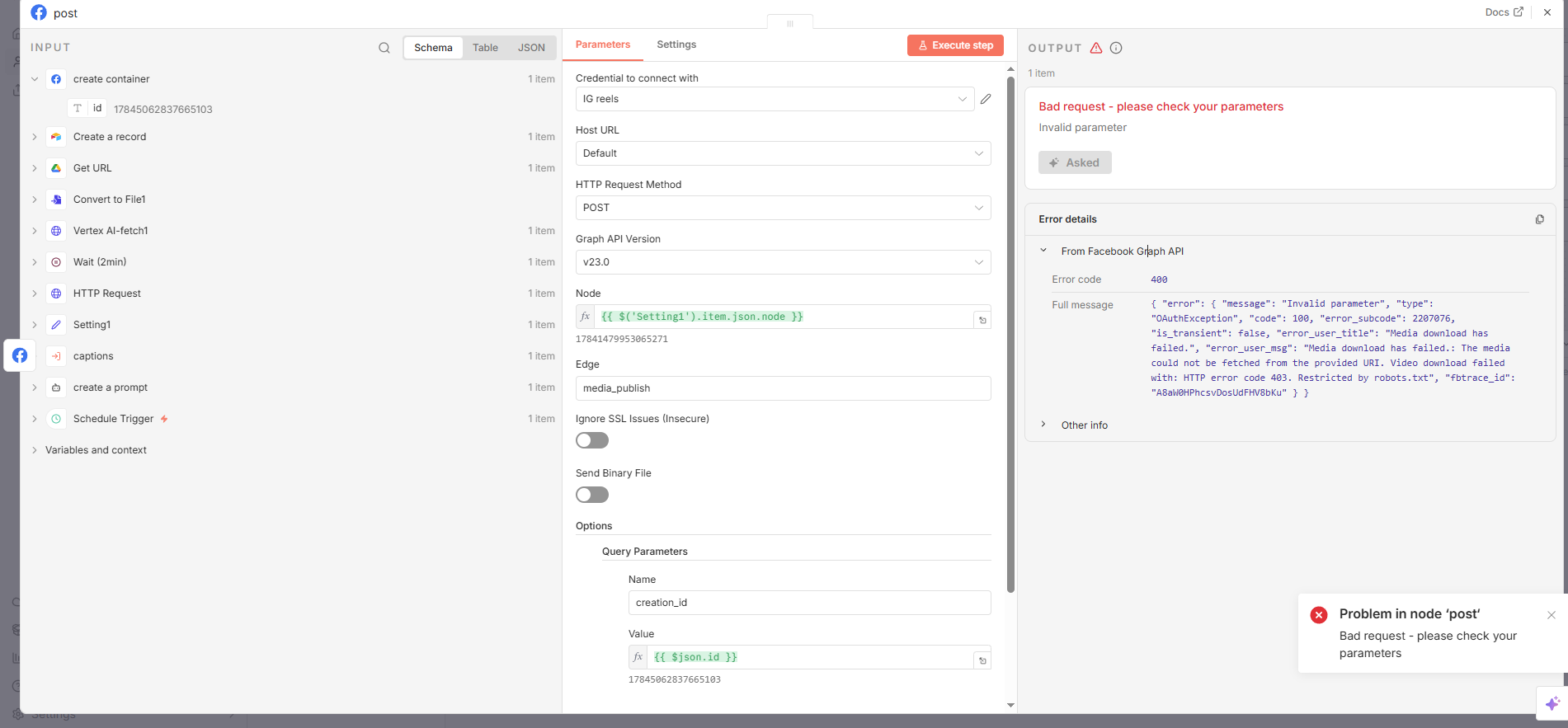
restircted by robots.txt, thats what robots use to get website directory’s, idk how thats related. Try running the full workflow again and create a new container but make the duration 40 seconds?
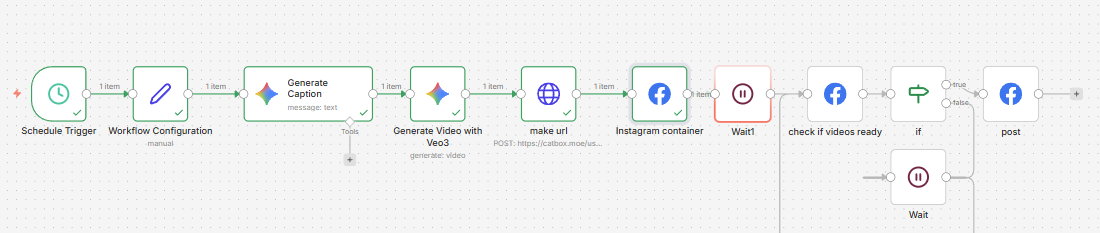
It wont let me upload the video. A summary of what’s happening is that it goes through all the nodes normally and after the second wait it gives an error automatically as it goes into the Facebook post node. I have currently tried changing the wait time of the node but it gives me the same error prompt if the wait is long enough for the video to process.”
{ "error": { "message": "Invalid parameter", "type": "OAuthException", "code": 100, "error_subcode": 2207076, "is_transient": false, "error_user_title": "Media download has failed.", "error_user_msg": "Media download has failed.: The media could not be fetched from the provided URI. Video download failed with: HTTP error code 403. Restricted by robots.txt", "fbtrace_id": "ABDamrhdwaD6i8gY6tC4zSu" } }
@Jeron_LeDoux To point out where the issue lies, could you upload the media file(video) to tmpfiles.org and use the URI it provides instead?
If it works with the URI provided by tmpfiles.org, the issue is most likely that your Drive folder is restrictred, or the URI pointing to your file is malformed.
NodeApiError: Bad request - please check your parameters at ExecuteContext.execute (/usr/local/lib/node_modules/n8n/node_modules/.pnpm/n8n-nodes-base@file+packages+nodes-base_@[email protected]_asn1.js@5_8da18263ca0574b0db58d4fefd8173ce/node_modules/n8n-nodes-base/nodes/Facebook/FacebookGraphApi.node.ts:439:12) at processTicksAndRejections (node:internal/process/task_queues:105:5) at WorkflowExecute.executeNode (/usr/local/lib/node_modules/n8n/node_modules/.pnpm/n8n-core@file+packages+core_@[email protected]_@[email protected]_ec37920eb95917b28efaa783206b20f3/node_modules/n8n-core/src/execution-engine/workflow-execute.ts:1045:8) at WorkflowExecute.runNode (/usr/local/lib/node_modules/n8n/node_modules/.pnpm/n8n-core@file+packages+core_@[email protected]_@[email protected]_ec37920eb95917b28efaa783206b20f3/node_modules/n8n-core/src/execution-engine/workflow-execute.ts:1226:11) at /usr/local/lib/node_modules/n8n/node_modules/.pnpm/n8n-core@file+packages+core_@[email protected]_@[email protected]_ec37920eb95917b28efaa783206b20f3/node_modules/n8n-core/src/execution-engine/workflow-execute.ts:1662:27 at /usr/local/lib/node_modules/n8n/node_modules/.pnpm/n8n-core@file+packages+core_@[email protected]_@[email protected]_ec37920eb95917b28efaa783206b20f3/node_modules/n8n-core/src/execution-engine/workflow-execute.ts:2274:11
@Jeron_LeDoux You don’t have to make your workflow that complicated, by adding that “check if videos ready” node. I would really recommend if you use the community node made for Instagram I mentioned above; it creates a container for your videos, waits for it to be ready and publishes it in the same node.
If you must stick to the core nodes, I will share the nodes I have used before to publish posts into Instagram below; you just have to change the edge to videos.