Subject: Feature Suggestion: Nested JSON Support in HTTP Request Node (“Using Fields Below” Mode)
Hi n8n Team,
First, I want to say that n8n is a fantastic tool, and I really appreciate the work you do.
I’m writing with a suggestion to enhance the HTTP Request node.
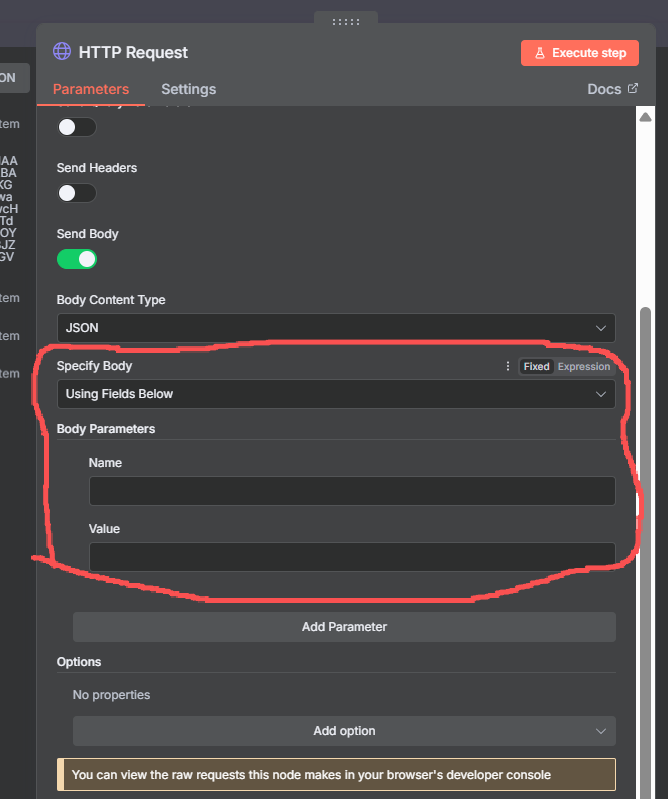
Currently, when setting the Specify Body to Using Fields Below, the UI is limited to a flat key-value pair structure. This is great for simple APIs, but it doesn’t support the nested JSON objects and arrays required by many modern, complex APIs (for example, the Google Vertex AI API).
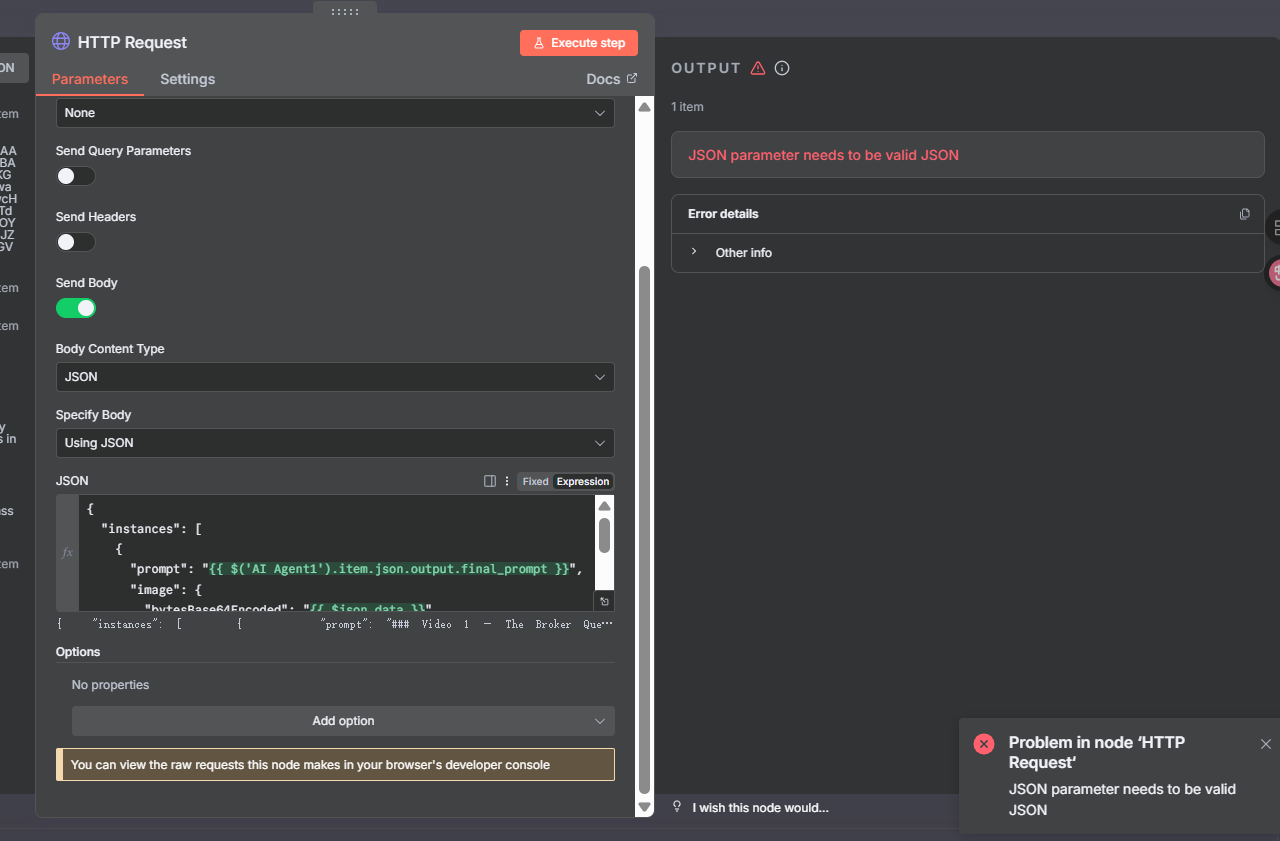
This forces users to switch to the Using JSON (raw editor) mode for these complex calls. While the raw JSON mode works, it is less intuitive and more error-prone, especially when mixing static data with multiple dynamic expressions ({{ ... }}). It’s very easy to make a syntax error (like a missing comma or bracket) in a large JSON block.
My suggestion is to enhance the Using Fields Below UI to visually support the creation of nested JSON.
For example, you could add a “type” selector (e.g., Text, Number, Object, Array) for each parameter’s value.
-
If a user selects Object as the type, the UI would then allow them to add nested key-value pairs inside that parameter.
-
If they select Array, it would allow them to add a list of items.
This would create a guided, visual way to build complex API requests without forcing users to write raw JSON by hand. It would make n8n even more user-friendly for complex integrations and reduce common syntax errors.
Thank you for considering this feedback!
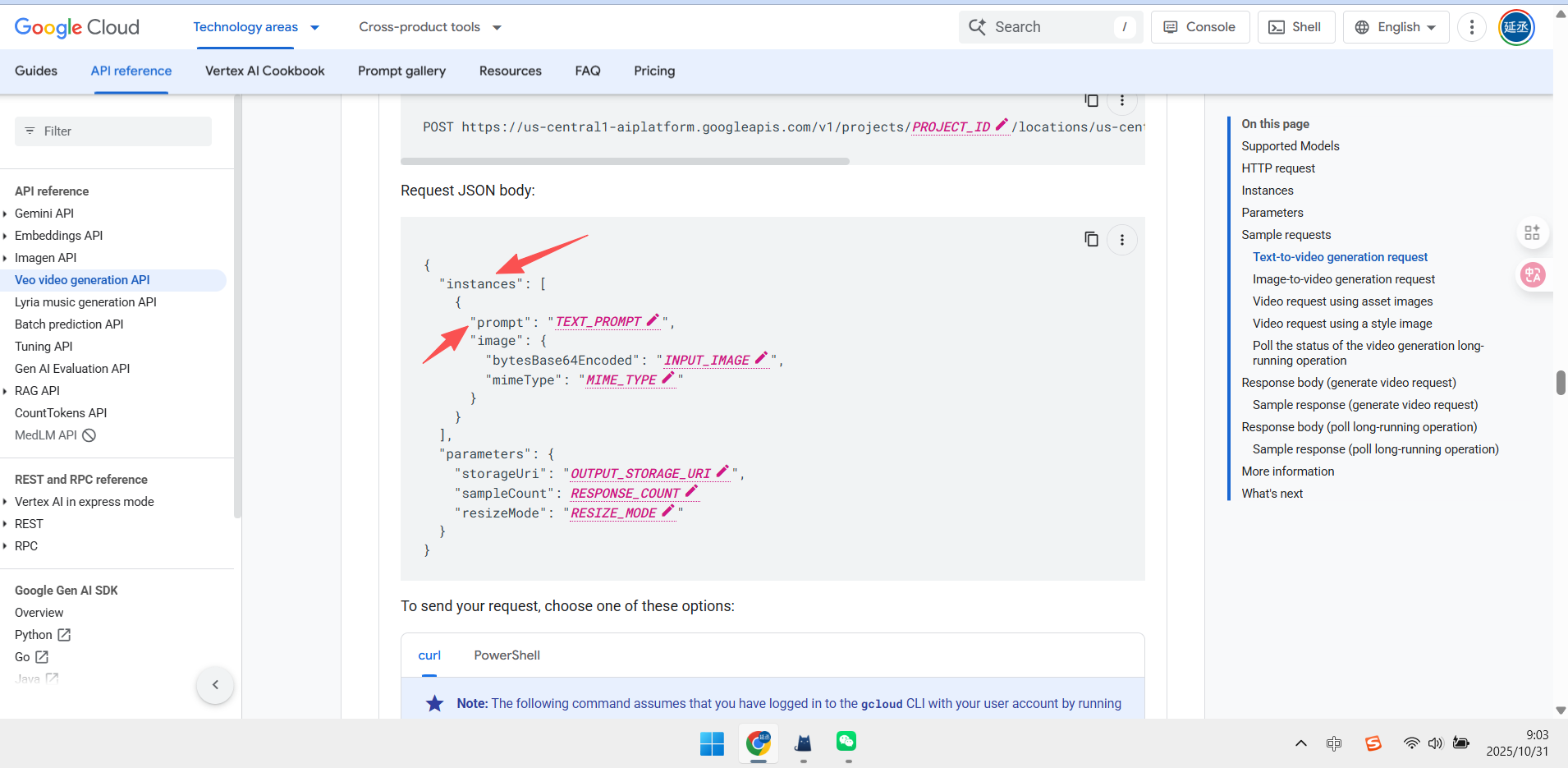
and when i use (using json) it still flase.I’m wondering if this error is caused by an incomplete nested structure.