Hi everyone,
I’m a beginner with n8n, thank you for your introduction and guidance .
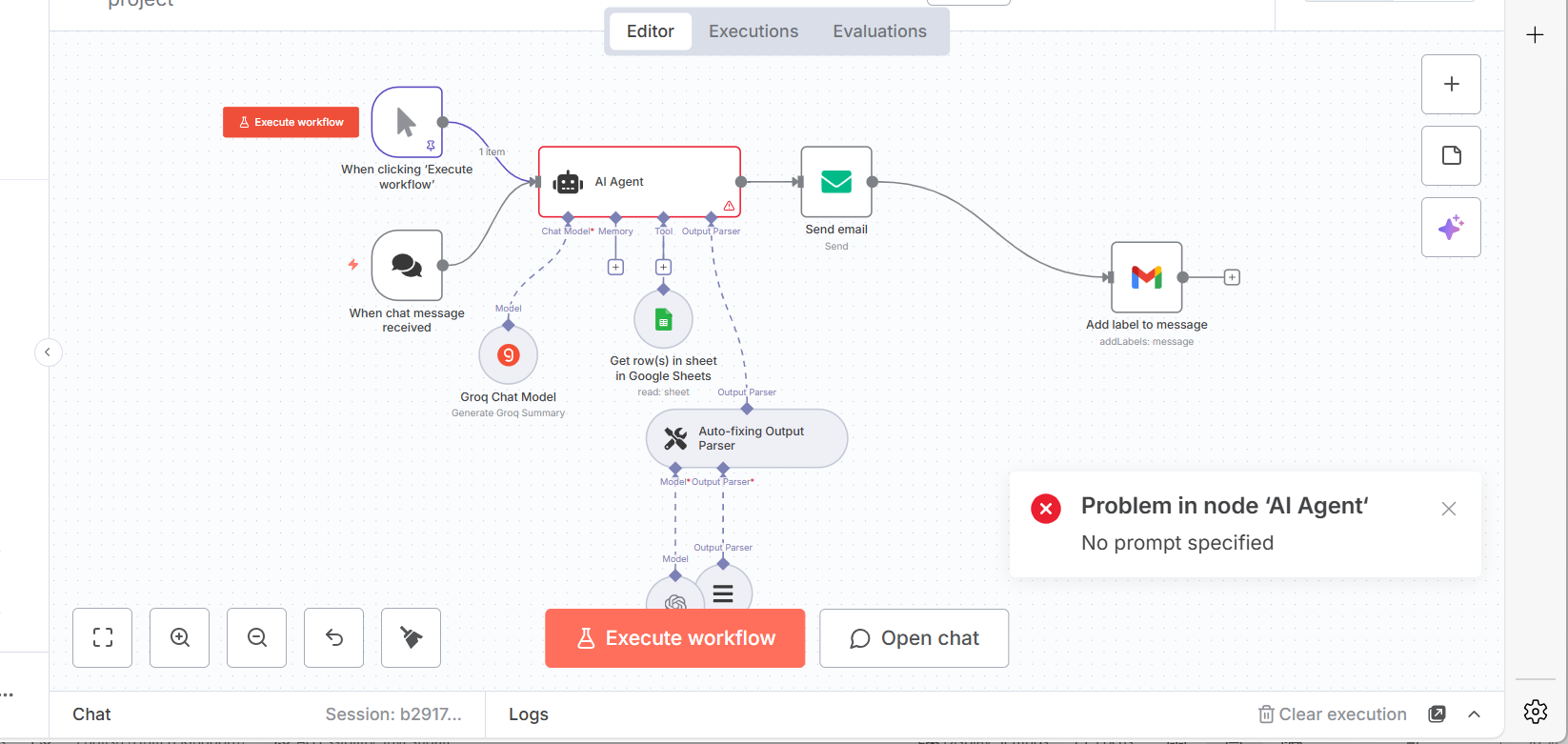
I am working on an n8n workflow to automate sending biweekly regulatory intelligence updates via email. I am using an OpenAI Chat model to generate a list of updates that include fields like source, date, title, link, category, summary, tags, and impact. I want to parse this output using the Item List Output Parser node so that I can convert the text output into structured items for further processing and formatting.
Can you please explain:
- How to configure the item List Output Parser node parameters (such as delimiters, separators, and output kys) to correctly parse a list of updates generated by the AI?*
- What format should the AI output be in, to ensure the parser can properly separate each item and its fields?
- How to map the parsed output fields so I can use them easily for composing an HTML email summary?

json

What is the error message (if any)?
Please share your workflow
(Select the nodes on your canvas and use the keyboard shortcuts CMD+C/CTRL+C and CMD+V/CTRL+V to copy and paste the workflow.)
- **n8n version:1.103.2
- **Database (default: SQLite)postgres
- **n8n EXECUTIONS_PROCESS setting (default: own, main):main
- **Running n8n via (Docker, npm, n8n cloud, desktop app):docker
- **Operating system: Mac OS