Hey , Guys!
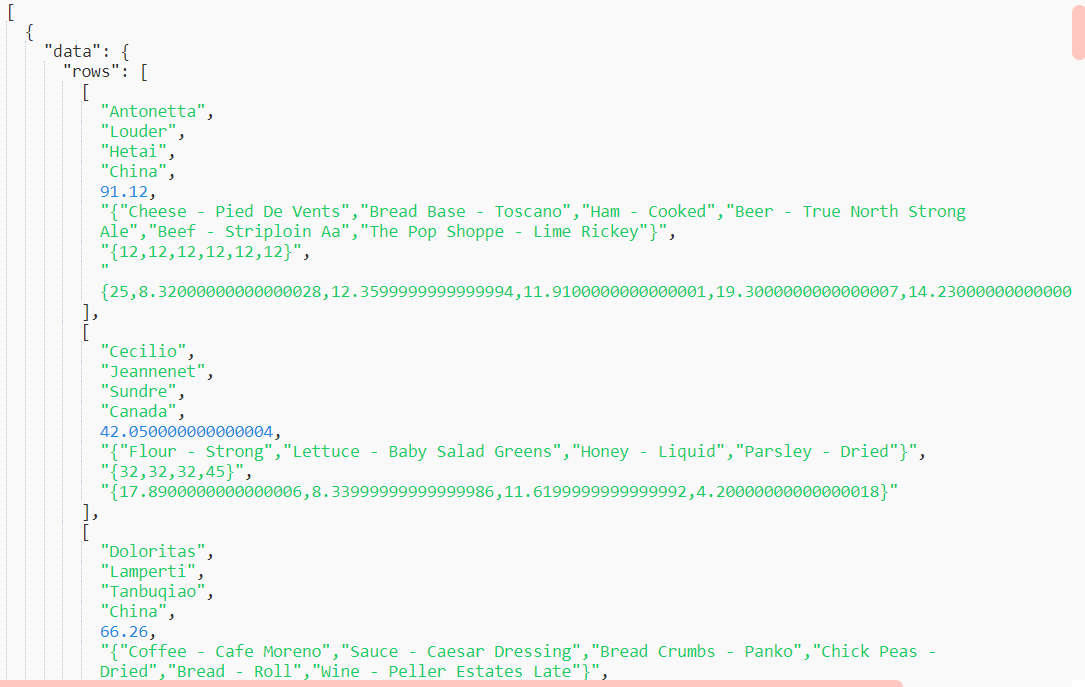
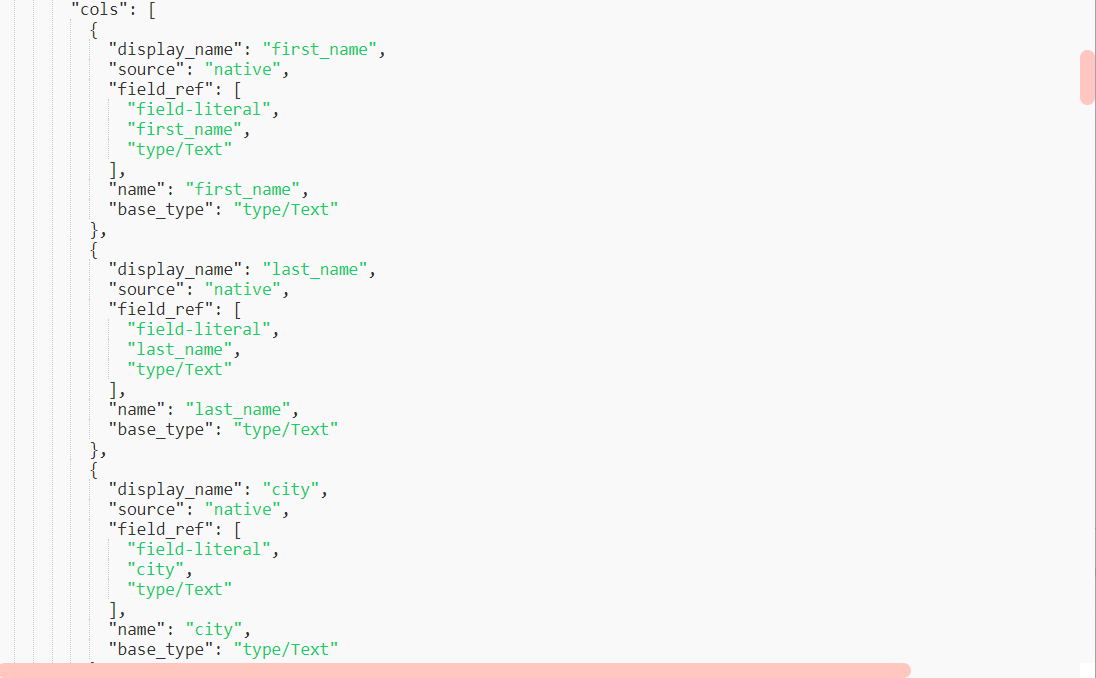
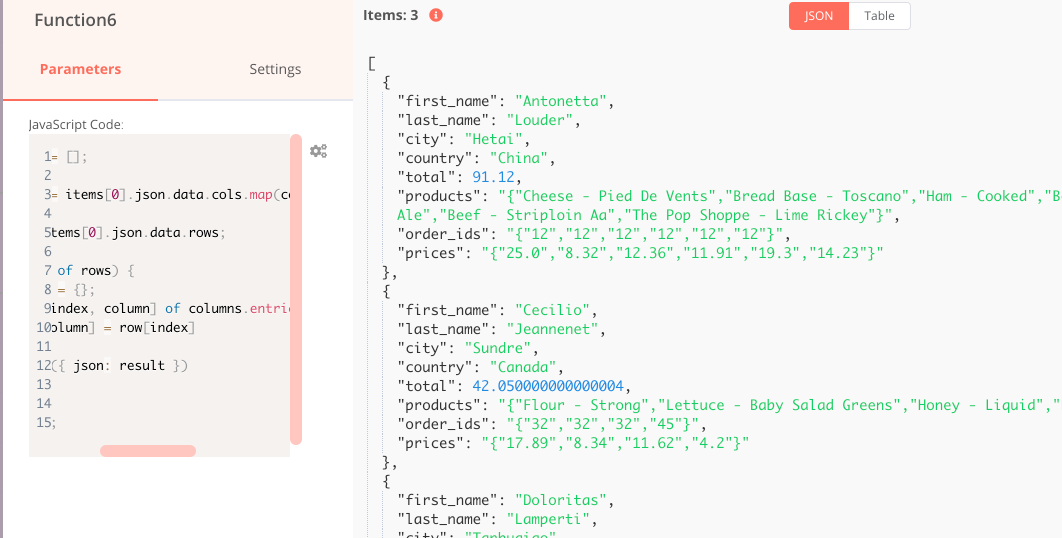
I’m doing a workflow , which takes a query from Metabase and returns an object with arrays. The first array , which is called “rows” contains the values (name,products,address etc) and the second one is called “cols” and contains the keys (the names of the columns). Is there a way I can map the [0] member of “cols” to refer to the [0] element of “rows”. Here’s a screenshot of the outcome of the metabase question.
Hi @PavelEfremov! Very valid question about the JS dialect, and I’m curious to why you’re asking. Is there something you’ve tried that’s not working as expected?
To add to Jan, n8n is written in TS and transpiled into the JS that gets executed. In the Function node input box, you enter a string that is the body of a param-less JS function, which gets executed in a VM2 sandbox, so if you use TS-specific constructs, it will error out.
function myFunction() {
  // your input
}

myFunction();
Bear in mind the above restrictions about data structures and methods still apply. At first glance this is what might make it look different from vanilla JS.
Thanks so much @ivov and @jan !
It finally makes sense .
If I work with an external API and it returns multiple projects or mixed format, then I can wrap it inside n8n specific json/binary data structure and connect it to the core n8n nodes.
Okay, I still don’t really understand why it works sometimes and sometimes doesn’t.
Is there a way to get more debug info than just checking the response between the two nodes?
“Split in batches” node is sometimes not updating.
I’d like to know exactly what is sent between the two nodes.
Sorry I do not understand. If you open a node and look at its data then you see exactly the data that the node does output and which does get send into the next node.
Can you please also elaborate what you mean with ““Split in batches” node is sometimes not updating.”.
Hi Jan,
I think I understand it now. It was how data is flowing while still debugging with having a “split in batches” loop in the middle with the different way how to trigger each node:
Open Node > Execute workflow
Click on “>” icon on workflow
Click on “Execute Workflow” button (–> this appears to be the ideal way to test) when a loop is involved.
Thanks for your help and sorry for being a bit off topic here


 .
.