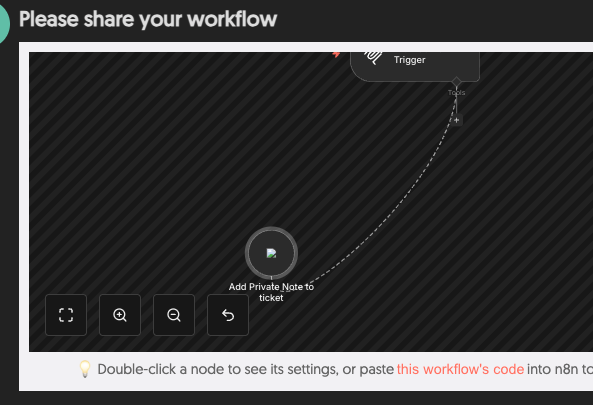
After working perfectly for a few months, out of the blue my MCP server trigger just stopped working. As of March the 9th. I think i updated to n8n 2.10.3 the day before.
What is the error message (if any)?
The MCP returns
{“error”:{“message”:“Bad request - please check your parameters”,“name”:“NodeApiError”}}
I also notice in my cloudflared container it is constantly showing the below info
2026-03-09T18:32:40Z ERR error=“stream 412453 canceled by remote with error code 0” connIndex=2 event=1 ingressRule=2 originService=http://n8n:5678
When I look at the MCP server trigger workflow for the same run it just says:
”None of your tools were used in this run. Try giving your tools clearer names and descriptions to help the AI “
Everything sent to the tool was correct and parameters were correct.
When it starts getting htis error, every call returns that from the MCP.
If i unpublish and publish the MCP workflow, it immediately starts working again.
Testing now how long till it stops working.
Its a fairly simple MCP server with multiple HTTP nodes attached to do different ticket actions.
Please share your workflow
Share the output returned by the last node
Information on your n8n setup
Debug info
core
n8nVersion: 2.11.2
platform: docker (self-hosted)
nodeJsVersion: 24.13.1
nodeEnv: production
database: postgres
executionMode: scaling (single-main)
concurrency: 200
license: enterprise (production)
consumerId: c4b8d293-4d76-478f-9247-30ae5e7e8dbb
storage
success: all
error: all
progress: false
manual: true
binaryMode: database
pruning
enabled: true
maxAge: 1440 hours
maxCount: 15000 executions
client
userAgent: mozilla/5.0 (windows nt 10.0; win64; x64) applewebkit/537.36 (khtml, like gecko) chrome/145.0.0.0 safari/537.36 edg/145.0.0.0
Hey this sounds like a webhook registration caching issue, Ive seen MCP triggers get into a stale state after updates. Since unpublish/republish fixes it temporarily try restarting your n8n container fully and see if that holds longer. If it keeps happening it might be worth opening a bug report on GitHub for the n8n team since this started right after updating.
The http tool was a couple min versions behind. I have recreated each of them with the newest http tool (would be nice if there was an easy way to update a node)
The error was happening when the auth token failed, but I guess in an update it has stopped the MCP server node from responding with the error and instead just responds with a generic nodeapierror.
This is the auth token refresh bug — #22893 and #26812 track it. Your diagnosis is correct: the session goes stale, but instead of erroring cleanly it silently fails tool calls.
We ran into the same class of instability with n8n’s native MCP nodes and eventually routed around them: Code Tool Nodes as HTTP facades to MCP servers via supergateway with --stateful. The --stateful flag keeps sessions warm across requests, and we added auto-reinitialization when a 4xx comes back. Eight weeks of 24/7 operation, zero stale-session incidents.