Describe the problem/error/question
I have successfully installed n8n using Docker. I am now trying to connect it to Office 365, specifically Sharepoint. Creating the credentials according to the documentation works (kind of, see below), but when using it in a Sharepoint node, for instance “Download file”, I get the error:
Could not load list
403 - Forbidden
Access denied
Check your credential
What is the error message (if any)?

Details
First issue: when trying to set up the credentials, the documentation states that following permissions are required:
Application permissions (note: these are from the “SharePoint” API)
-
Sites.Read.All -
Sites.ReadWrite.All
Delegated permissions (note: these are from the “Microsoft Graph” API)
-
SearchConfiguration.Read.All -
SearchConfiguration.ReadWrite.All
The problem is that the “SearchConfiguration.*” permissions are not available for an application with type “Accounts in any organizational directory (Any Azure AD directory - Multi-tenant) and personal Microsoft accounts (for example, Skype, Xbox).”, e.g. “All Microsoft account users”, as specified in the documentation. If I try to add them, I get the following error:
Updating permissions: Unable to save changes. One or more of the following permission(s) are currently not supported: SearchConfiguration.Read.All, SearchConfiguration.ReadWrite.All. Please remove these permission(s) and retry your request.
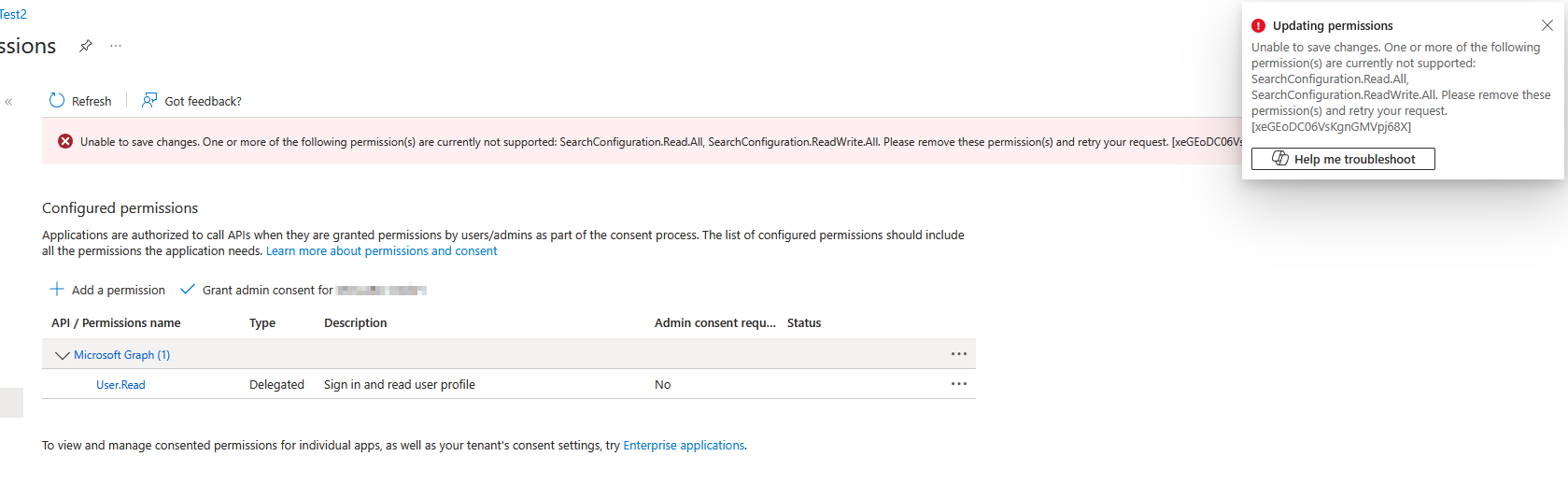
If I register an application with “Accounts in this organizational directory only”, then I cannot even register it:
AADSTS50194: Application '...'(...) is not configured as a multi-tenant application. Usage of the /common endpoint is not supported for such applications created after '10/15/2018'. Use a tenant-specific endpoint or configure the application to be multi-tenant.
So I went on with “Accounts in any organizational directory“, but without the SearchConfiguration permissions, and I get the error above. The weird part that that it worked the first time I set it up, e.g. some sites were displayed. After I removed the credentials and the app registration and added them again, it does not work anymore, whatever I try.
Other users had similar issues in the forum: Microsoft SharePoint Node - List Sites - 403 Forbidden
But unfortunately, none of the messages helped. There is nothing useful in the log files. I don’t know what to do anymore.
Information on your n8n setup
- n8n version: 1.119.1
- Database (default: SQLite): PostgreSQL
- n8n EXECUTIONS_PROCESS setting (default: own, main): default
- Running n8n via (Docker, npm, n8n cloud, desktop app): Docker
- Operating system: Linux
