Describe the problem/error/question
What is the error message (if any)?
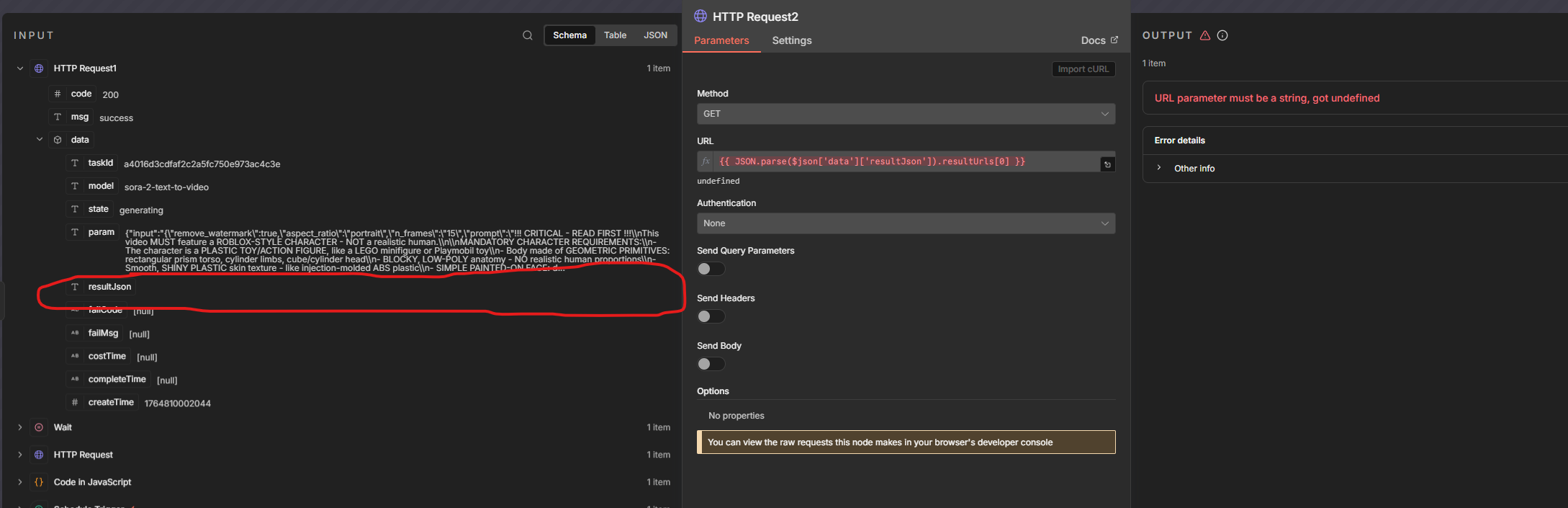
Problem in node ‘HTTP Request2‘
URL parameter must be a string, got undefined
when I run my workflow manually it works flawlessly , but when it’s on the schedule it craps out after it creates the video in sora. I noticed this field doesn’t show up when it’s automatically ran any idea why this would be happening?
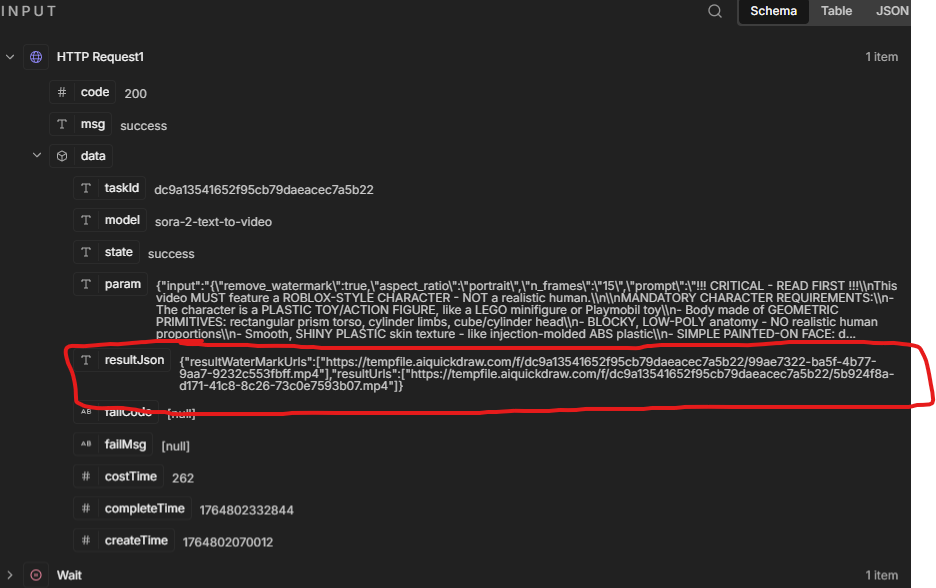

when I run it manually that area is populated (outlined in red) and it works as indicated above, but when it’s ran via scheduler that field is empty and causing it to break. (screenshot below)
Please share your workflow
(Select the nodes on your canvas and use the keyboard shortcuts CMD+C/CTRL+C and CMD+V/CTRL+V to copy and paste the workflow.)
Share the output returned by the last node
Information on your n8n setup
- n8n version:
- Database (default: SQLite):
- n8n EXECUTIONS_PROCESS setting (default: own, main):
- Running n8n via (Docker, npm, n8n cloud, desktop app):
- Operating system: