n8n Community Node Installation Issue (n8n Cloud)
1. Environment
-
Platform: n8n Cloud (not self-hosted)
-
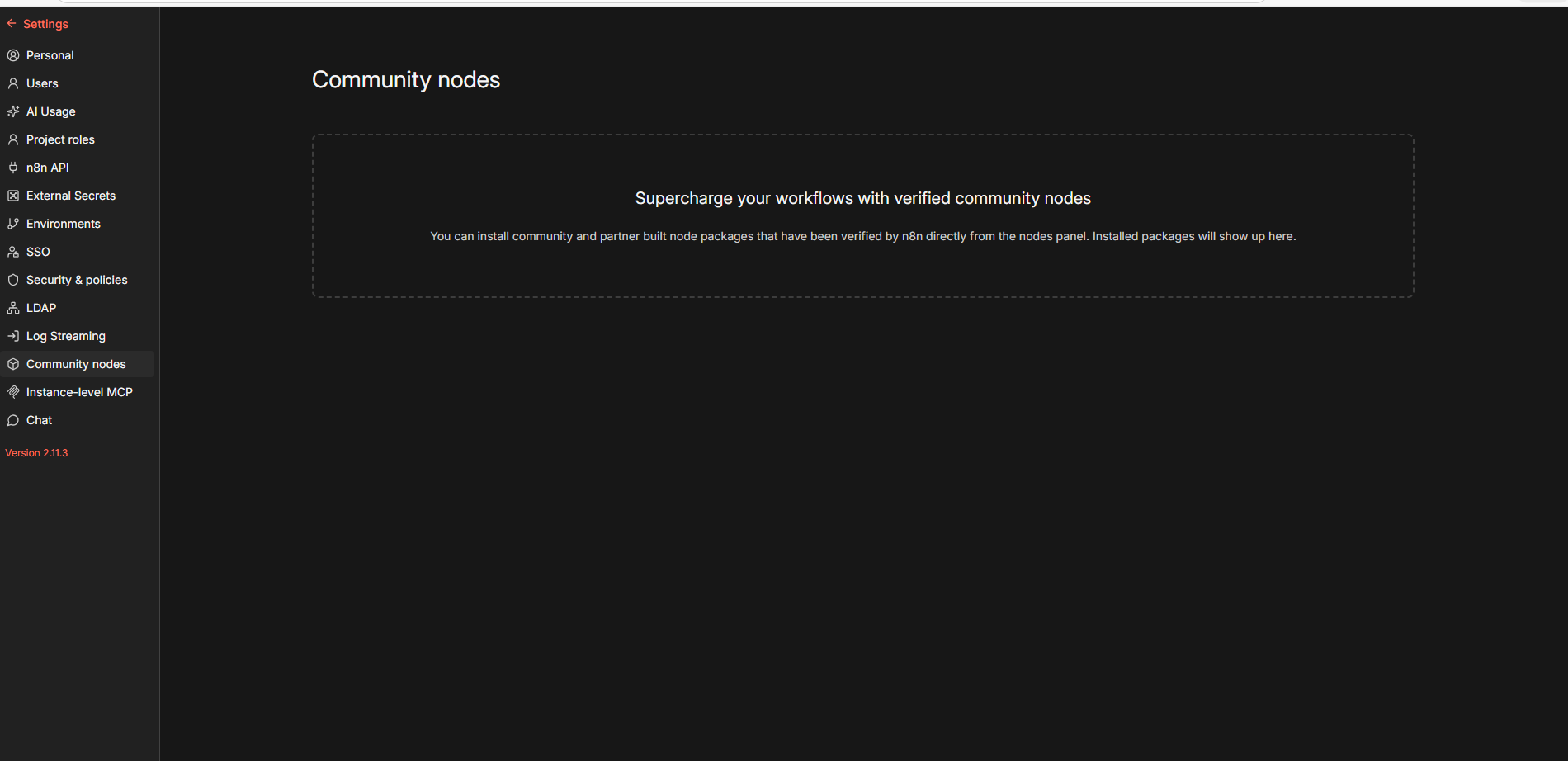
Instance Version: n8n 2.11.3 (latest stable)
-
Role: Admin access confirmed
2. Problem
The Install option for community nodes is not visible in the n8n UI, even though the instance meets the documented requirements.
Specifically, we attempted to install the TOON Community Node, but there is no install button available anywhere in the interface.
3. Expected Behavior (Based on n8n Documentation)
According to the documentation and AI support response:
-
Only instance owners or admins can install verified community nodes.
-
On n8n Cloud, community node installation must be enabled from the Cloud Admin Panel.
-
CLI installation is not supported on n8n Cloud (only for self-hosted setups).
-
Verified community nodes should appear under “More from the community” in the nodes panel with an Install option.
4. Troubleshooting Steps Already Taken
We verified the following:
-
Admin permissions confirmed
-
Checked Cloud Admin Dashboard settings
-
Upgraded the instance (it was previously a few versions behind)
-
Restarted / upgraded the workspace (workflows backed up beforehand)
-
Confirmed that manual or CLI installation is not possible on n8n Cloud
Result:
 The Install option is still missing after completing all checks.
5. Support Interaction
-
Contacted n8n Support
-
Initial responses came from the AI Assistant, which reiterated documentation but did not resolve the issue
-
The case was escalated to a human support representative
At the time of writing, no fix or enablement from the n8n Cloud side has been confirmed.
6. Current Understanding
Based on the troubleshooting completed so far, this appears to be a Cloud-side limitation or configuration issue, rather than:
-
A version issue
-
A permissions issue
-
A user configuration error
7. Current Status
-
 n8n upgraded to latest version
 -
Admin access confirmed
-
 Community node install option missing