Describe the problem
I am trying to create a credential for connecting Zoho mcp server to the n8n instance, through a MCP OAuth2 API. At the first time, it worked with just copying a zoho mcp server link with key as a parameter. After I added new tools (which increased a Zoho scope) and trying mcp connect once again I am getting a error message mentioned later. After I removed these new tools (so reducing scope) I am getting same error. I am not sure if there were any changes in n8n instance version or Zoho version. This is my first posting in the n8n community, so if I missed some requirements/info for this, please let me know and I will update them.
What is the error message (if any)?
Zoho error message:
{"status":"failure","data":{"error_code":"MORE_THAN_MAX_LENGTH","message":"Please check if the length of the input is in the correct range"}}
Information on your n8n setup
- n8n version: 2.4.8
- Running n8n via: n8n cloud
- Operating system: macOS
Hi @Samuel_Sulan203
Welcome to the n8n community!!
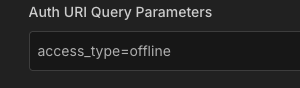
If possible, could you share here on the forum an anonymized example of the full URL provided by Zoho to the MCP (with the real key removed), as well as your OAuth2 credential configuration, especially the scopes and the Auth URI Query Parameters?
Hi Tamy thanks for quick response. Of course I will share them.
Full URL from zoho is https://PLACEHOLDERFORSERVERNAME.zohomcp.eu/mcp/message?key=PLACEHOLDERFORKEY
For OAuth2 credential configuration I was using this option “Use Dynamic Client Registration” but these are values when I turn it off.
Scopes:
”ZohoSubscriptions.subscriptions.READ ZohoSubscriptions.invoices.READ ZohoSubscriptions.settings.READ ZohoMCP.tool.execute”
@Samuel_Sulan203
Thanks for sharing the details
Based on what you provided, the MCP URL format itself looks correct.
The most likely issue here is related to the OAuth2 configuration rather than the MCP endpoint.
To move forward in a clean and supported way, I’d recommend Disable “Use Dynamic Client Registration”, Start with a minimal scope set, Remove access_type=offline from Auth URI Query Parameters ( here we ensure the authorization flow is fully aligned with Zoho’s expectations.), After authorization, confirm that Zoho is returning a refresh token and that n8n can successfully refresh the access token. MCP execution depends on valid token refresh behavior.
If it works after these adjustments, you can gradually reintroduce additional scopes if needed. To my knowledge, there isn’t a workaround beyond this documented and standards-based OAuth configuration.
Hi @tamy.santos, I am not able to remove access_type=offline from Auth URI Query Parameters as it is predefined there.
I can only replace it with different value, but when I replace it even with access_type=offline I am getting this error:
{"status":"failure","data":{"error_code":"INVALID_INPUT","message":"either the request body or parameters is in wrong format"}}
Reducing scope did not help with a original problem.