Suroy
1
I’m getting a 422 error in n8n when trying to send an email via the GoHighLevel API. The error says:
n8n HTTP Request Node: 422 Error
I’ve followed the API documents but can’t seem to get it to work no matter what and completely stuck on what else to try.
This is how I’ve tried to set it up:
The emailFrom is the same email that I’ve tested sending emails from directly in GHL and it works fine.
Any ideas on what I’m doing wrong?
Thanks in advance
most probabily body is syntactically valid JSON, but one or more fields are missing or could be invalid for this endpoint
- I hope you are calling create conversation endpoint for your API version.
- The version header/body field is what the docs show, like many newer examples use 2021-07-28 or similar; 2021-04-15 may be outdated
- Ensure the headers are exactly what the docs specify:
- Content-Type: application/json
4. Also i see your ss you are sending individual body parameters as flat json fields, and conversation endpoint nested structure for eg:
{
“type”: “Email”,
“contactId”: “CONTACT_ID”,
“subject”: “Subject here”,
“message”: “Body here”,
“email”: {
“from”: “[email protected]”,
“to”: “[email protected]”
}
}
5. sometimes its also caused by if required fields are missing and inconsistent.
How to debug quickly
-
Use a working cURL/Postman example from the GHL docs and confirm it returns 200.
-
Once that works, copy the exact url, headers, and json body into n8n’s HTTP node using raw json.
-
Then replace literal values with your n8n expressions one by one; if it breaks again, the field you just changed is wrong in name, nesting, or value.
please do cross check above things
If solution works, mark my answer as the solution.
Thank you
Suroy
3
Thanks for the quick response Prajwal,
- I’m not sure what this means, could you explain?
- I’m using these API docs: Send a new message | HighLevel API which I believe is the latest version (2021-04-15)
- I’ve tried matching the headers exactly as shown.
- I made the change from using “fields below” to JSON.
- Based on the documentation I have included all the required fields.
I tried debugging by sending a request from the documentation page, and got it to work.
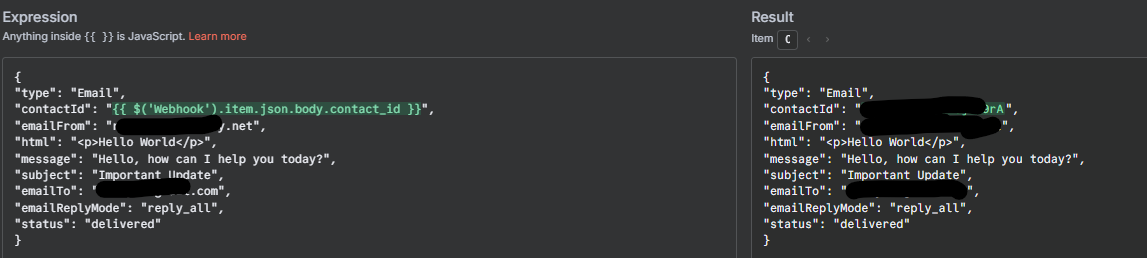
So then I copy and pasted the JSON body into n8n and got this to work:
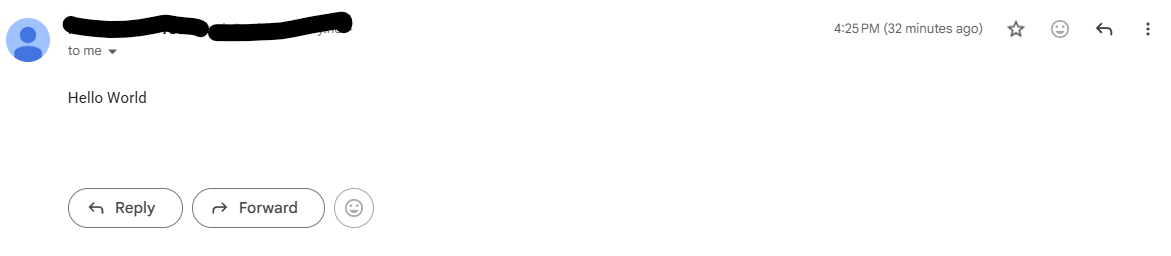
And it works fine:
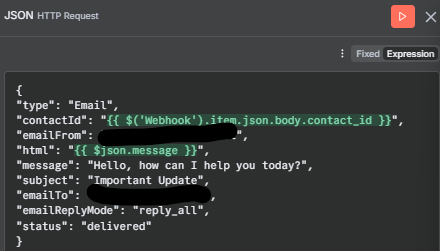
However, once I try to add variable in the “html” field: (which seems to be the body of the email not message) like so:
I get a JSON error.
Edit as I was testing it, I used a “set fields” node, for the message and that seems to have resolved the issue.
1 Like
system
Closed
4
This topic was automatically closed 7 days after the last reply. New replies are no longer allowed.