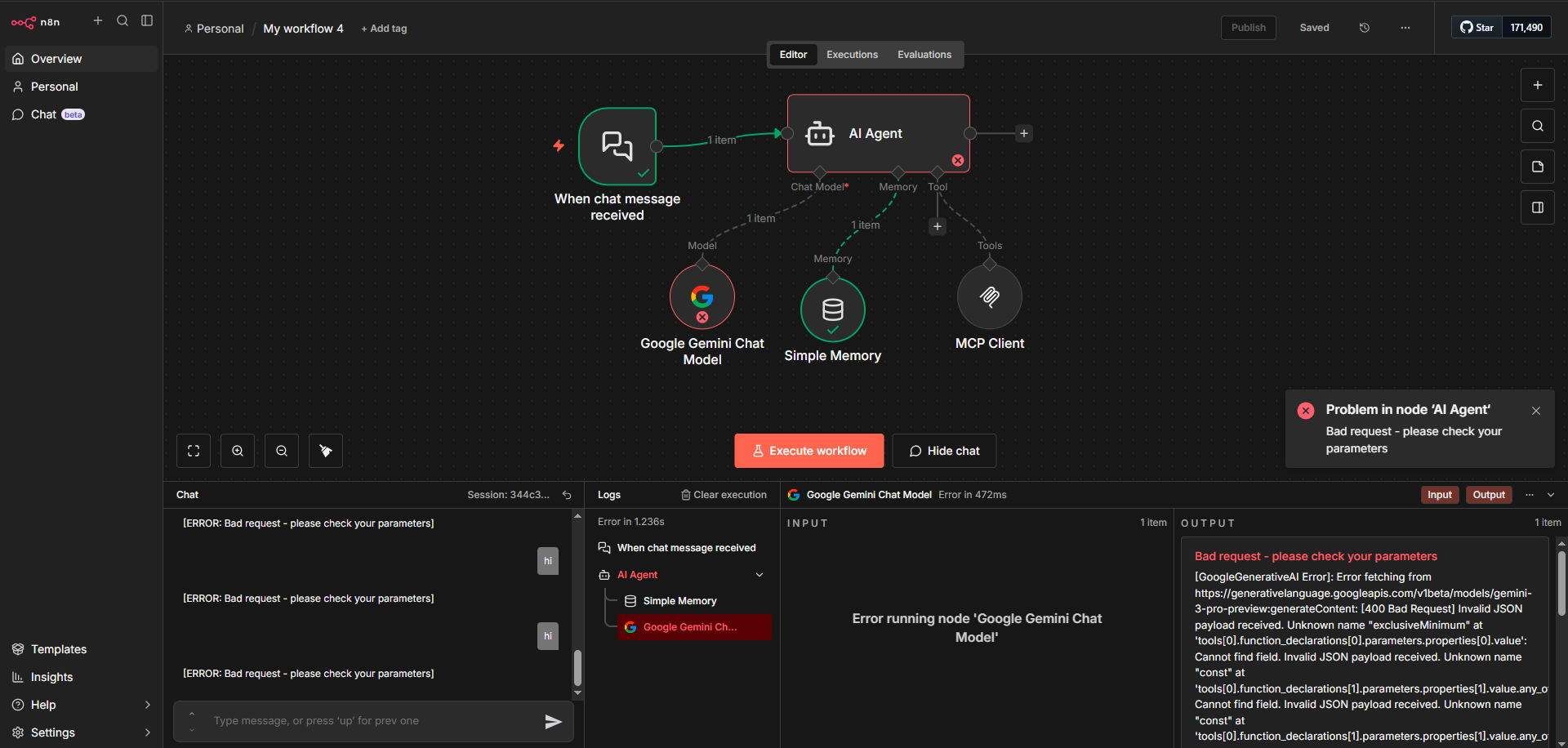
I’m trying to connect n8n’s instance level mcp to an ai agent within n8n itself, This is so that i can interact with my instance from a chat interface like within claude for example. but when i add the mcp client tool to the agent with gemini chat model it is throwing this error. It is working perfectly when i test the tool separately in isolation but not when connected to the agent node. Would also love any insights and help working with n8n’s instance level mcp. I’m pretty new to using instance level mcp.
Please share your workflow
Information on your n8n setup
- n8n version: 2.2.6
- Database : postgres
- Running n8n via (Docker, npm, n8n cloud, desktop app): docker desktop
- Operating system: windows 10
@Habeeb_Mohammed Your Gemini AI Agent fails with the built-in MCP Client Tool node due to a known compatibility issue.
Fix:
- Install community node: Go to Settings → Community Nodes → search for
n8n-nodes-mcp → install
- Set environment variable:
N8N_COMMUNITY_PACKAGES_ALLOW_TOOL_USAGE=true
- Replace node: Swap your current MCP node with the new “MCP Client” community node
- Configure:
- Transport: HTTP Streamable
- URL:
https://unmottled-archetypal-ardelle.ngrok-free.dev/mcp-server/http
- Auth: Access Token (get from Settings → Instance-level MCP)
This works because the community node generates tool schemas compatible with Gemini’s API requirements, unlike the built-in node.
2 Likes
thanks! let me give this a try
1 Like