Hello everyone, I would like to know how the PDF data is processed when uploaded via an n8n form? I am trying to create a workflow where the user uploads raw pdf data, then the agent gets the information and builds a new docs so the user can create a new guide. The idea is that the system ingests 4 or 5 pdfs, and the agent can pick and choose the right data to build the final “report”.
I am using OCR.PDF through an HTTP call to identify and read the PDF data but I keep getting errors like this: **
Not a valid base64 image. The accepted base64 image format is ‘data:<content_type>;base64,<base64_image_content>’. Where ‘content_type’ like ‘image/png’ or ‘image/jpg’ or ‘application/pdf’ or any other supported typ

The code from the PREPARE PDF NODE and output:
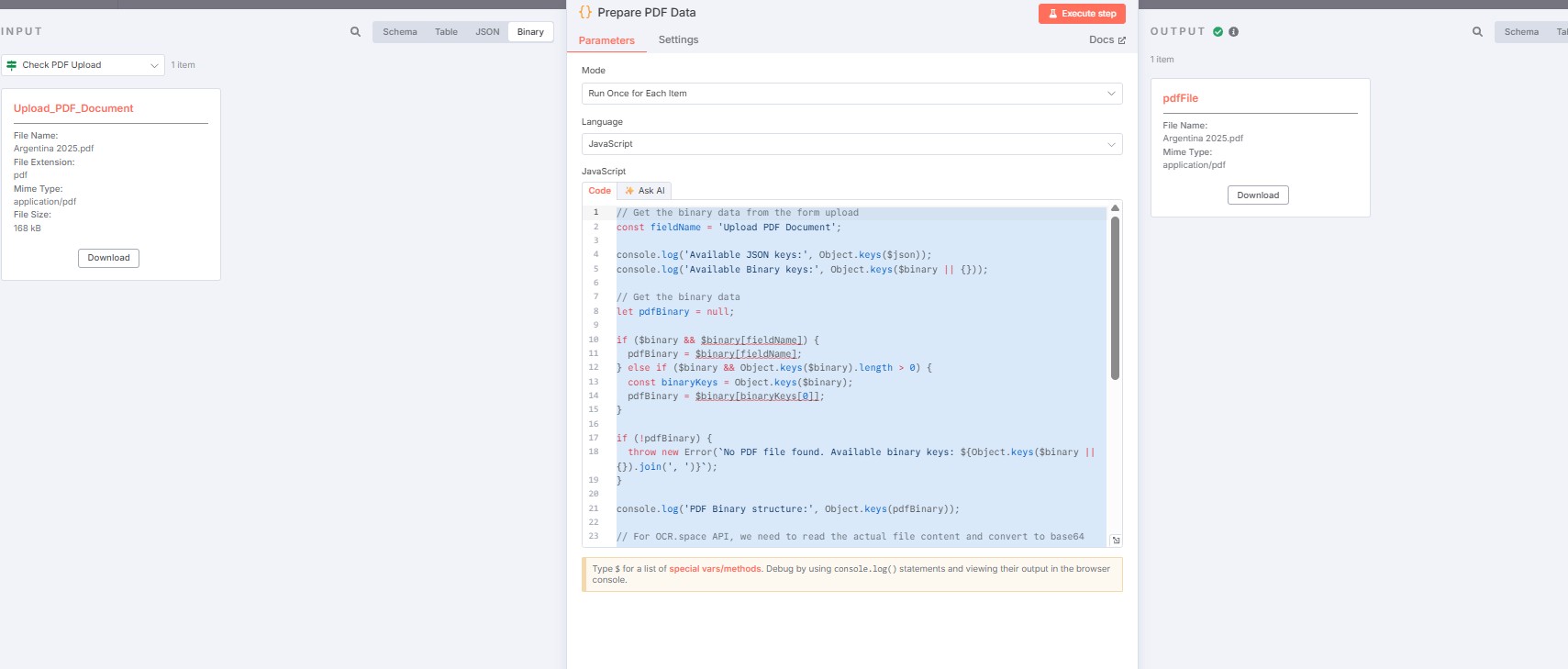
// Get the binary data from the form upload
const fieldName = ‘Upload PDF Document’;
console.log(‘Available JSON keys:’, Object.keys($json));
console.log(‘Available Binary keys:’, Object.keys($binary || {}));
// Get the binary data
let pdfBinary = null;
if ($binary && $binary[fieldName]) {
pdfBinary = $binary[fieldName];
} else if ($binary && Object.keys($binary).length > 0) {
const binaryKeys = Object.keys($binary);
pdfBinary = $binary[binaryKeys[0]];
}
if (!pdfBinary) {
throw new Error(No PDF file found. Available binary keys: ${Object.keys($binary || {}).join(', ')});
}
console.log(‘PDF Binary structure:’, Object.keys(pdfBinary));
// For OCR.space API, we need to read the actual file content and convert to base64
// n8n stores the file content internally, we need to access it properly
return {
json: {
country: $json[‘Country Name’],
company: $json[‘Company Name’],
email: $json[‘Email for Delivery’],
needsOCR: true,
fileInfo: {
fileName: pdfBinary.fileName,
fileSize: pdfBinary.fileSize,
mimeType: pdfBinary.mimeType,
id: pdfBinary.id
}
},
binary: {
pdfFile: {
data: pdfBinary, // Pass the binary object for n8n to handle
mimeType: pdfBinary.mimeType || ‘application/pdf’,
fileName: pdfBinary.fileName || ‘employment_terms.pdf’
}
}
};
Information on your n8n setup
- n8n version: - 1.95.2, - Cloud