We’ve been thinking a lot about how to give humans more control in AI-powered workflows without hindering the speed and versatility that make AI valuable. Our latest additions to human-in-the-loop (HITL) capabilities do just that while making it easier to support complex business processes involving multiple users and services.
What’s new
If you’re building agentic flows, you now have more granular control over AI behavior. Drop in human feedback exactly where it’s needed, using native features that are flexible and easy to configure.
Here’s what you can do with updates in v2.5 and v2.6:
-
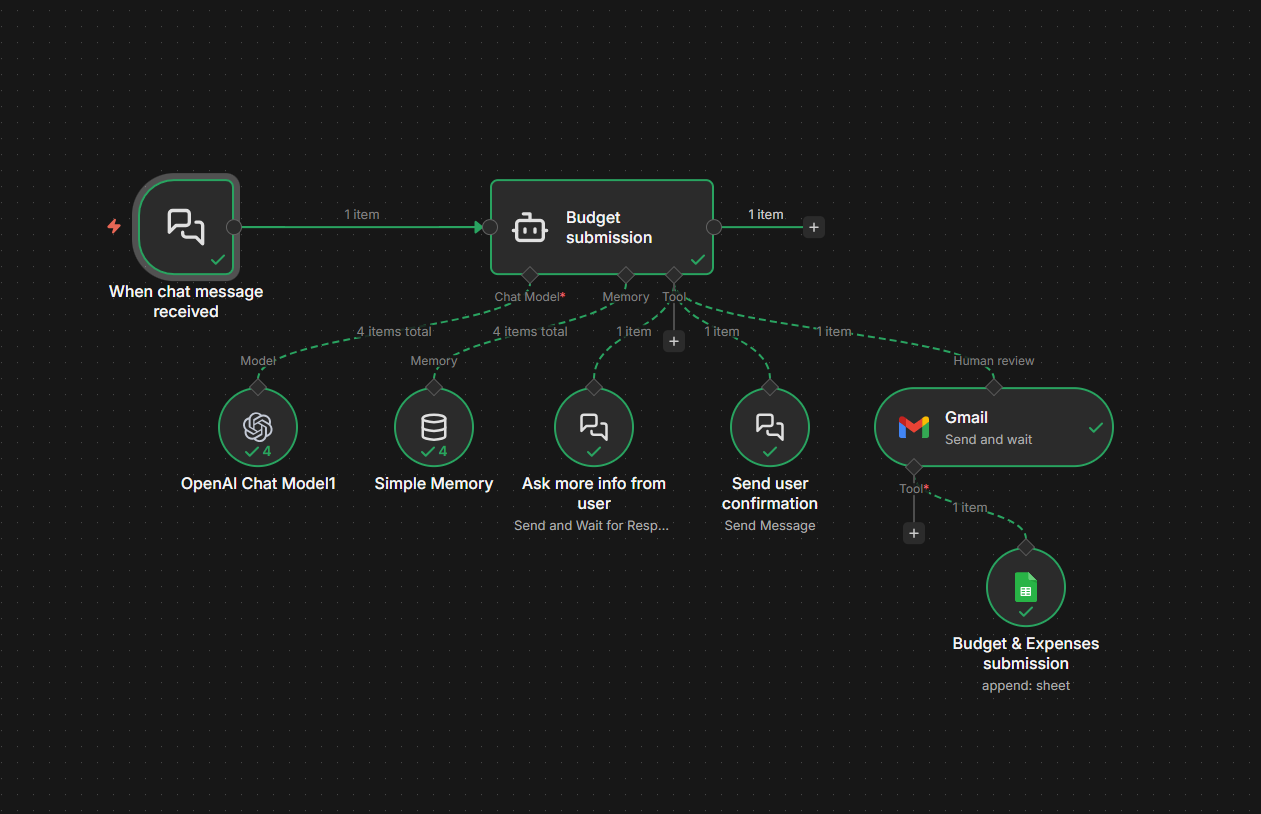
Enable multi-turn conversation within a single execution using the Chat node. This capability supports things like conversational forms, branched flows based on replies, or step-by-step approvals as part of a deterministic workflow in conjunction with the Chat Trigger node.
-
Let AI Agents send chat updates, ask for clarification, and optionally pause for a response using the Chat tool. It’s great for cases when prompts are unclear, and keeping users updated during longer-running processes or multi-step workflows.
-
Enforce human intervention before a specific tool executes by requiring an explicit approval. Get targeted control over potentially risky steps like deleting records, writing to live systems, or sending sensitive emails.
-
Support review and approval processes within your agentic workflows that involve multiple users across a number of messaging and email platforms like Slack, Microsoft Teams or Gmail.
Why this really matters (and yes, you should be smiling)
These capabilities unlock all sorts of useful scenarios: Maybe your AI Agent is processing a big dataset, and gives you an update on progress periodically. Maybe it finds a sales lead and drafts a message, but gets approval from you in Slack before the email goes out. Maybe it processes your expense report from a form, but sends anything over $1,000 to your manager in Outlook before submission.
The magic here is in the flexibility and ease of implementation. Whether you’re automating approvals, building interactive chat experiences, or just want human checkpoint in production workflows, these features give your AI Agents the ability to be fast and thoughtful without going off the rails.
Adding human-in-the-loop to AI workflows might be easier than you think
With these new features, you can add human review in just a few steps.
 Learn more about the new Send Message and Send and Wait for Response Actions for Chat (V 2.5) here.
Learn more about Human-in-the-loop for AI tool calls [v2.6] here, or see how it works in 90 with this demo:
Got an interesting use case or question? Drop it below. We excited to see what these new features unlock. 