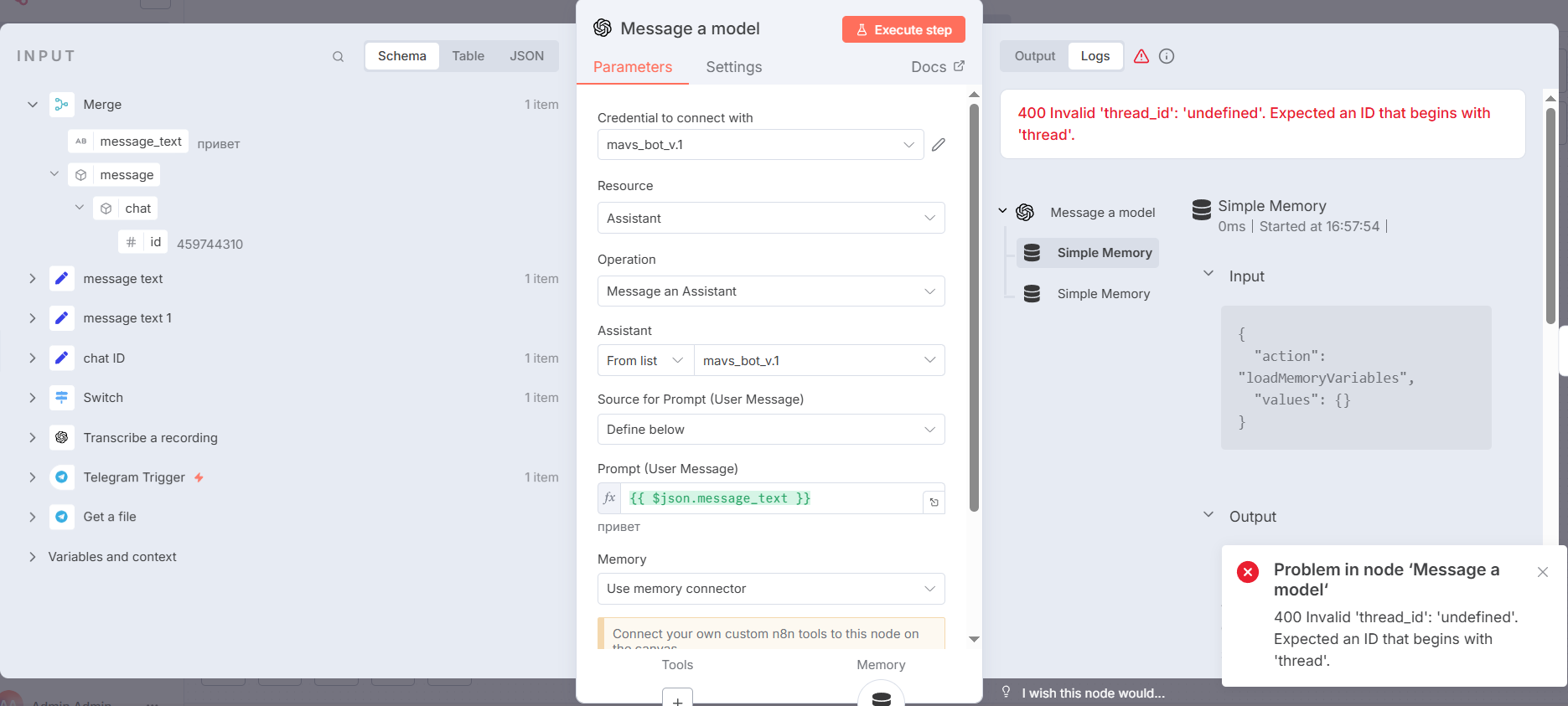
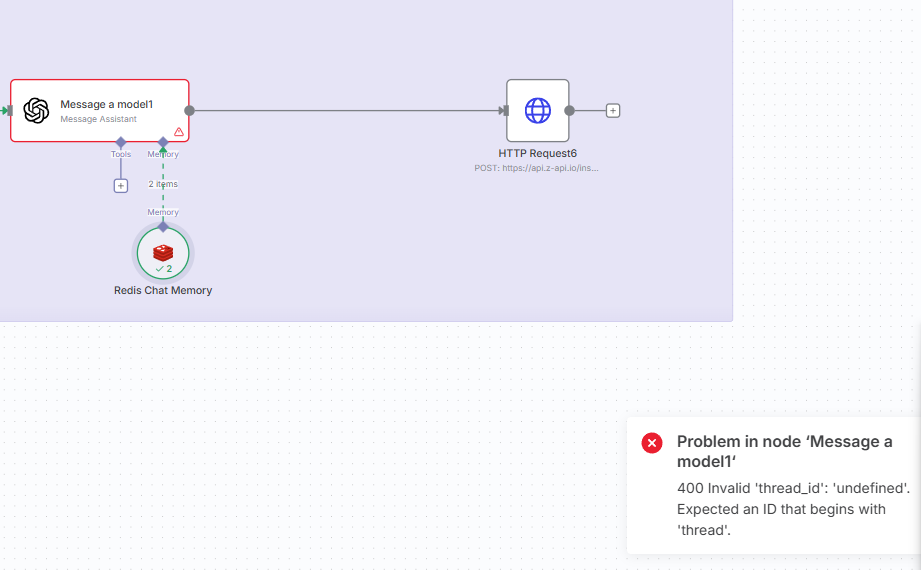
I started getting error in OpenAI message a model node. I had been using my assistant for a long time and now I am getting invalid threadId error. Is there any one else getting the same error? I was wondering if this was a temporary issue.
What is the error message (if any)?
ERROR: 400 Invalid ‘thread_id’: ‘undefined’. Expected an ID that begins with ‘thread’
Hi @victor.arocha@Ceylan_Kesenek! Welcome to community!
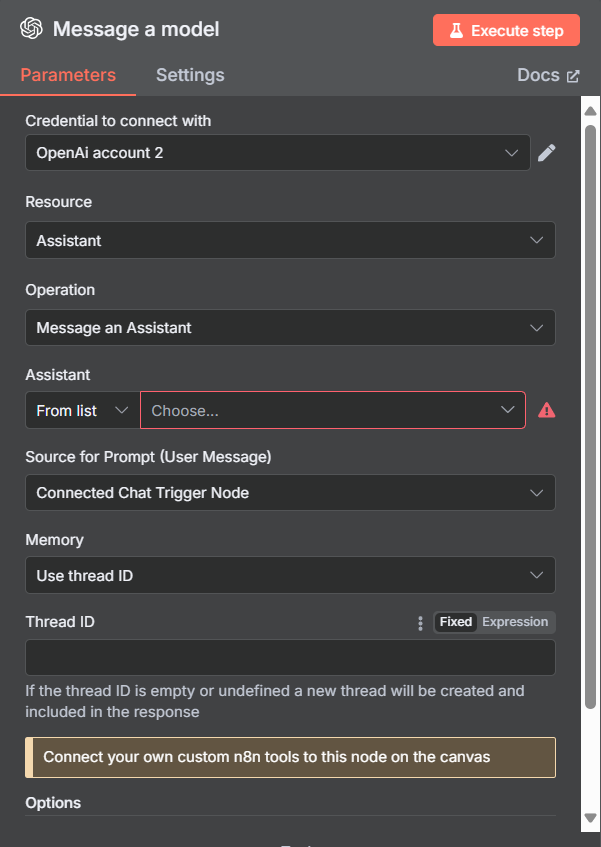
When you are using GPT Assistant, you need to define the thread ID for the conversation (see below)
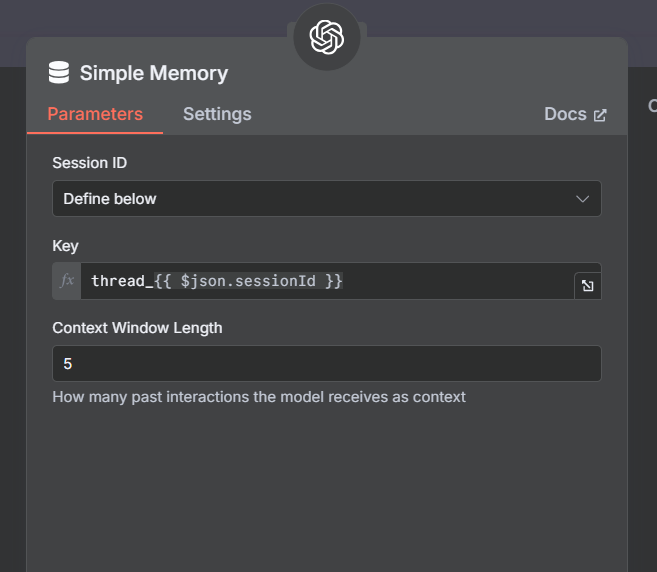
You can customize your memory tool to match with Assistant needs (In your case, the assistant need thread_id that starts with thread)
You can change it to thread_{{ $json.sessionId }} since you’re using chat trigger.
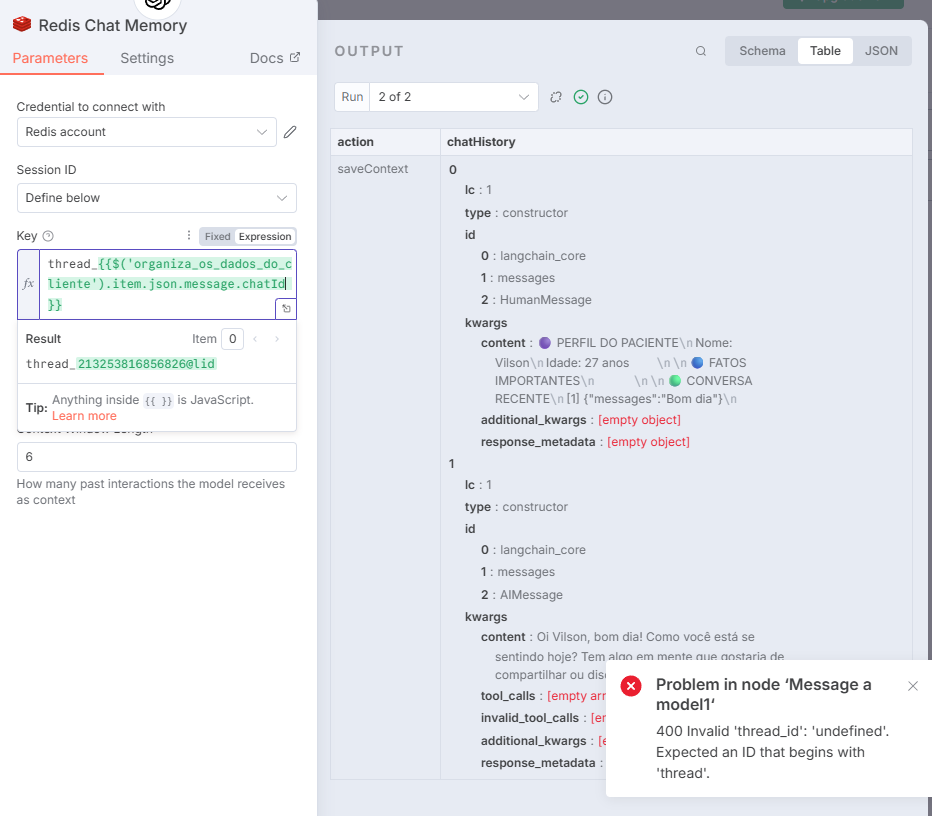
Hi! Im having the same problem, tried your solution but nothig… I’m using redis chat memory on a message assistant node…
Its funny that using an AI Agent it works, but when i plug it directly to a message assistant node it doesn’t work. Any ideas?
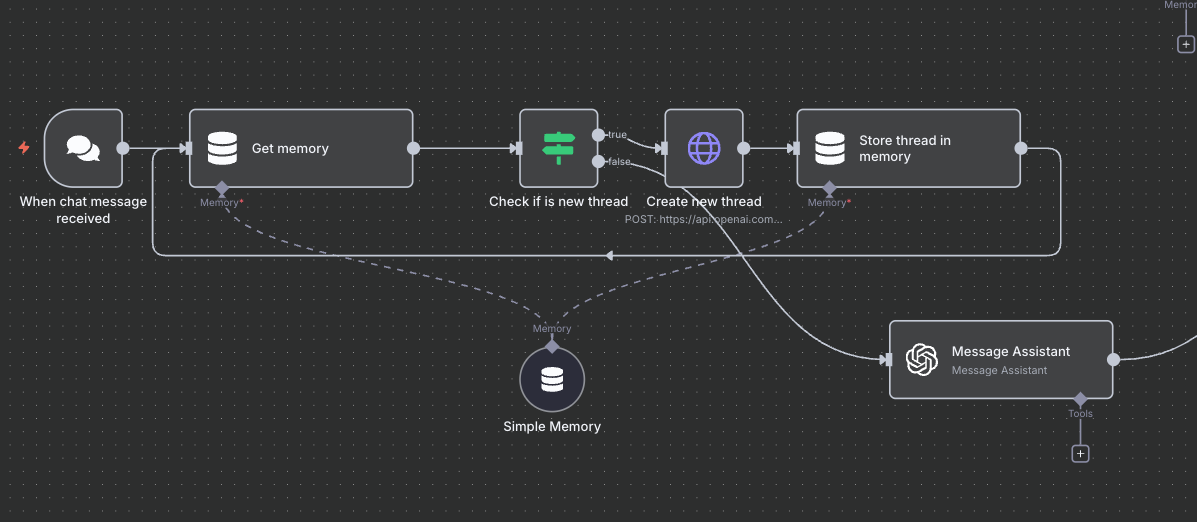
Hi, I had the same problem and I did something like this. instead of using “use memory connector” l chose “use thread ID”, you can send “undefined” the “thread_id” field but, Open AI will going to create a thread for each time, for that reason l send a custom “thread_id”, this “theard_id” is generated by OpenAI, for it is necesary send post request method “https://api.openai.com/v1/threads”.
if you need to save the data in your own database, will be necesary add extra node and save the most important information there, but if it doesn’t necesary, just sends the thread_id and OpenAI will be in charge of data.
the idea is to store the mapping between your chat session_id and openai’s thread_id into the simple memory. For my case I’m using Slack as my chat interface so I customized the thread_id from Slack’s format, but I’m sure you’ll get the point.


 …
…