OpenRouter Model Node Suddenly Failing with “Incorrect API key provided”

Describe the problem/error/question

I’m having an issue with the n8n OpenRouter Model node.

It was working perfectly fine until recently, but suddenly started failing.

I have not changed the API key, regenerated it, or modified the workflow. Everything was the same as before when it was working. I’ve tested a curl command with the same API key and it works.

If I use the OpenRouter Chat Community node it works. But with the model for the AI agent doesn’t work.

Is this an n8n-related issue or something on OpenRouter’s side?

What is the error message (if any)?

Authorization failed - please check your credentials
Incorrect API key provided: sk-or-v1*************************************************************0e1d.
You can find your API key at <https://platform.openai.com/account/api-keys>.

In the cmd logs I see the following errors for the same request:

Invalid URL
NodeApiError Invalid URL

Please share your workflow

Share the output returned by the last node

Authorization failed - please check your credentials
Incorrect API key provided: sk-or-v1*************************************************************0e1d.
You can find your API key at <https://platform.openai.com/account/api-keys>.

Information on your n8n setup

  • n8n version: 1.106.3

  • Database (default: SQLite): [default or other]

  • n8n EXECUTIONS_PROCESS setting (default: own, main): default

  • Running n8n via (Docker, npm, n8n cloud, desktop app): npm

  • Operating system: MacOS

I’ve just noticed that the error:
Invalid URL
NodeApiError Invalid URL
Appears when I switch between different credentials

Hi @PsykeTech

It could be because the credential you switch to has no base URL set or is using the wrong type (OpenAI instead of OpenRouter). Please check inside the credential and make sure the base URL is exactly OpenRouter and that your API key has no extra spaces. Also, after switching credentials, reselect the model in the node (and try without “:free” in the name) before saving.
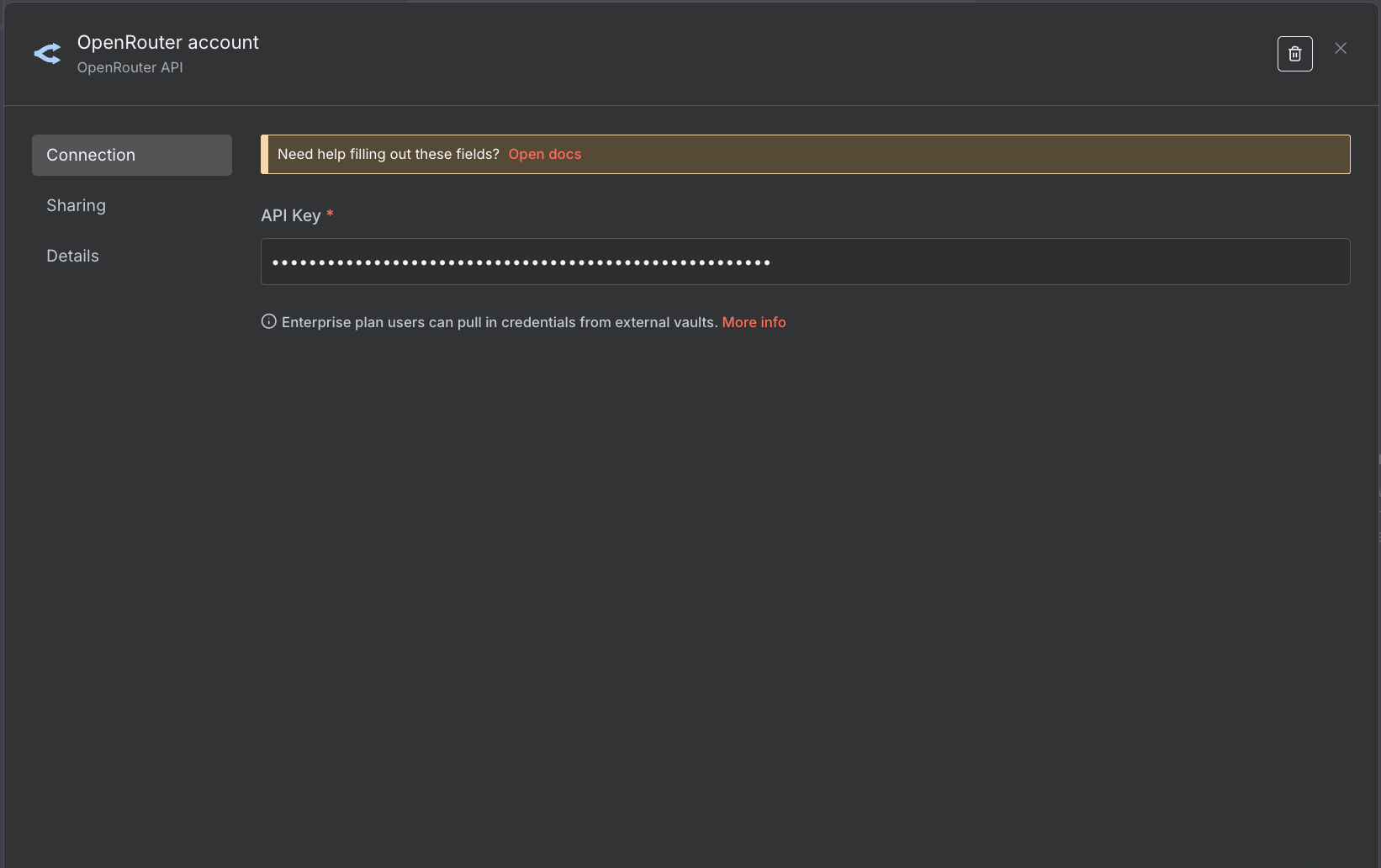
I’ve just added console.logs in the LmChatOpenRouter.node.js (the js code for the open router node) and I see the following code:

const credentials = await this.getCredentials("openRouterApi");
const modelName = this.getNodeParameter("model", itemIndex);
const options = this.getNodeParameter("options", itemIndex, {});
const configuration = {
    baseURL: credentials.url,
    fetchOptions: {
    dispatcher: (0, import_httpProxyAgent.getProxyAgent)(credentials.url)
      }

    };

You can see it tries to get the baseURL from credentials.url.
But the result I get from:
console.log(JSON.stringify(credentials))

is just the apiKey there is no url field:
{"apiKey":"sk-or-v1-*********************************************"}

I’m using the correct node 100 %. I haven’t changed this.

The credential type is OpenRouter API you can see it here as well and from the node json I’ve provided in the workflow:

In LmChatOpenRouter.node.js - supplyData I have added the following:

if (!configuration.baseURL) {      
    configuration.baseURL = "https://openrouter.ai/api/v1"
}

and now it works. But this should not be needed. There is some bug in n8n code on how it handles the credentials at least for OpenRouter model node.

1 Like

This topic was automatically closed 90 days after the last reply. New replies are no longer allowed.