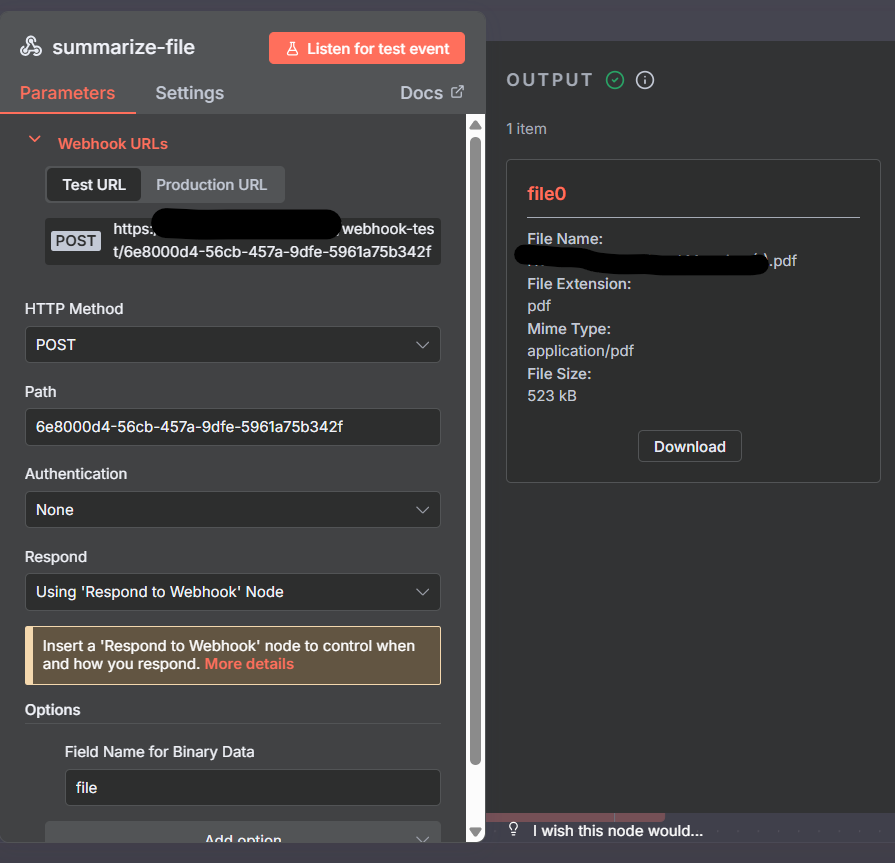
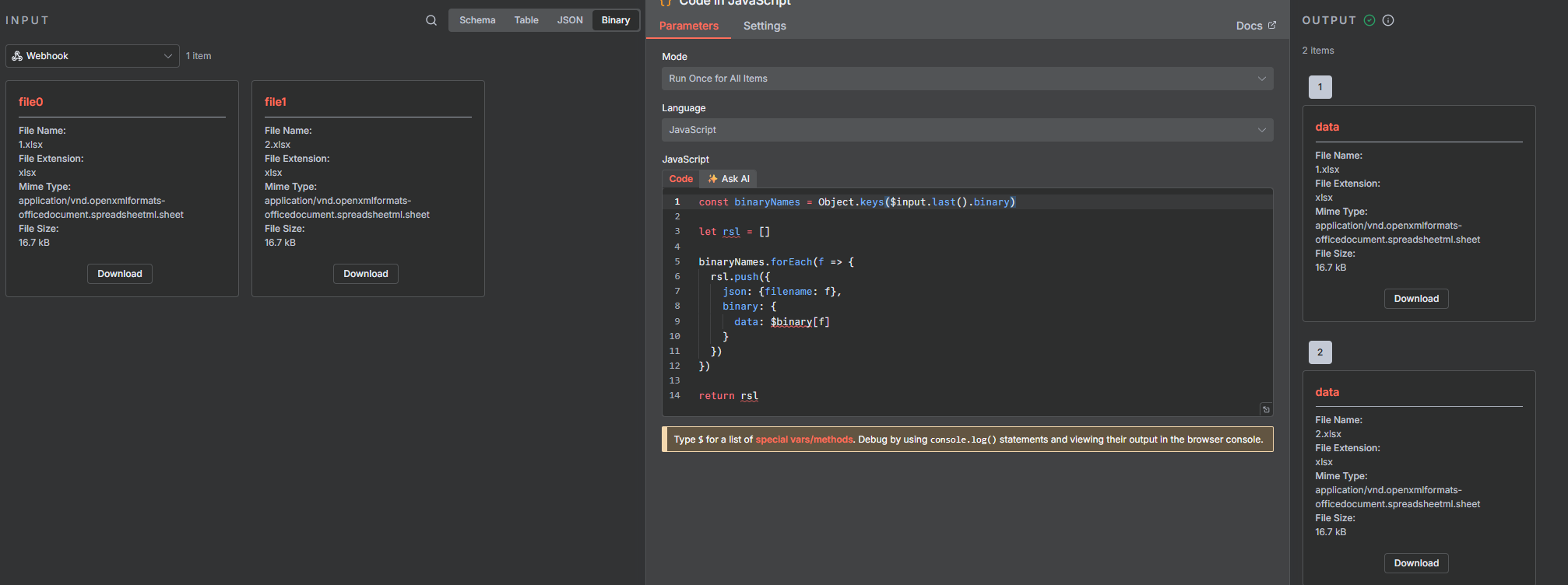
For context, I would an website that enables user to upload pdf files and webhook should handle the get the file payload as well as fileName, fileSize. However only 2 attributes cam through but not the file payload. I tried various ways such as naming the “Field Name for Binary Data“ to “data“ and “file“ but that doesn’t work. Moreover, I also tried turning on raw output but also did not work.
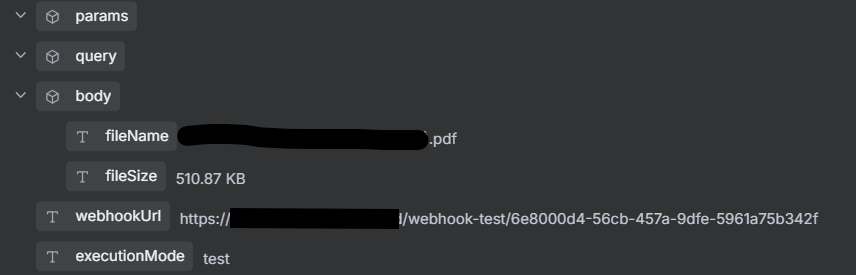
I do understand that the file came through since I was able to download the file in webhook n8n node however the payload did not come through as I do not see any file in the body of the output as you can see in the 2nd figure.
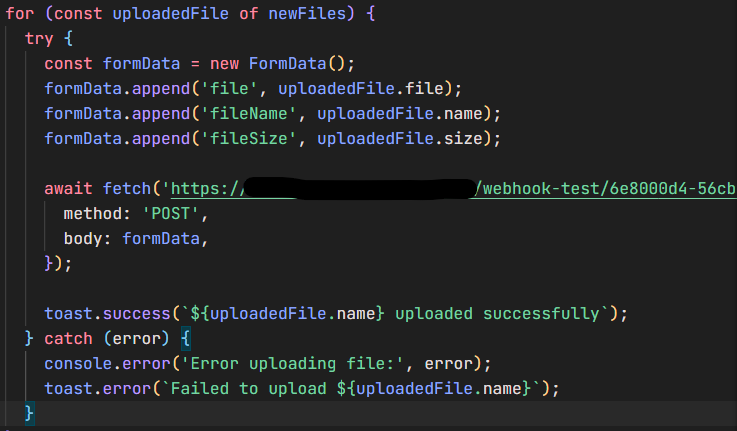
Additionally, the code in the 3rd figure was not the code used in code node. It was the code from source code which is a website that will send file to the webhook through post request.
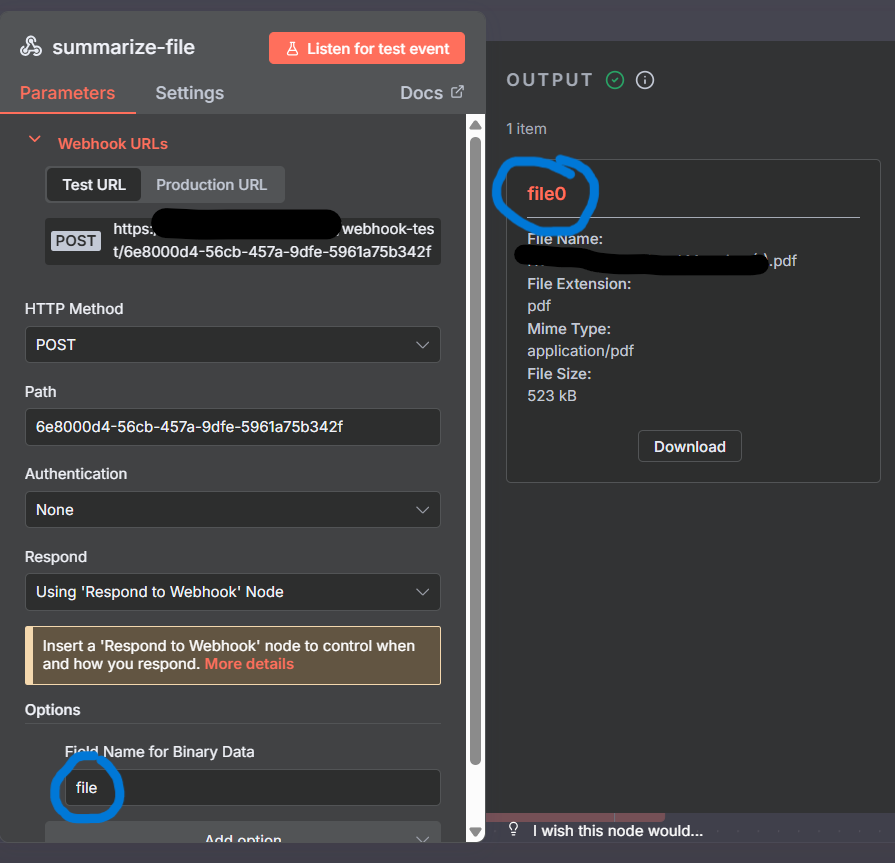
Another thing I noticed is that whatever the field name would, in this case, “file”, the title of the file in the output would always be concatenated with 0, in this case, “file0“. I tried changing to “file0” and the output tile is “file00“. I tried changing it to “data”, it then becomes “data0“