I am experiencing persistent “Connection lost” errors and UI instability.
Important context: This setup was working perfectly for over a month. The issue started appearing immediately after updating to the latest version, without any configuration changes on my side (Cloudflare or Docker settings remained untouched).
The Issue:
The behavior is intermittent: sometimes I can open a workflow, but as soon as I try to view “Executions” or navigate further, the connection drops.
It seems that Cloudflare Access is intercepting n8n’s internal API requests (REST/Push). In the browser console, I see multiple CORS errors. The requests to endpoints like /rest/push?pushRef=… or /rest/telemetry are being redirected (302) to the Cloudflare Access login page, which the browser blocks due to CORS policy.
My Setup:
Host: Self-hosted on Debian via Docker.
Version: Latest (issue appeared after update).
Network: Exposed via Cloudflare Tunnel.
Security:Cloudflare Access (Zero Trust) is enabled.
What I have tried so far:
Switched to SSE backend (N8N_PUSH_BACKEND=sse).
Configured N8N_EDITOR_BASE_URL, WEBHOOK_URL, and N8N_HOST correctly.
Disabled “Rocket Loader” in Cloudflare.
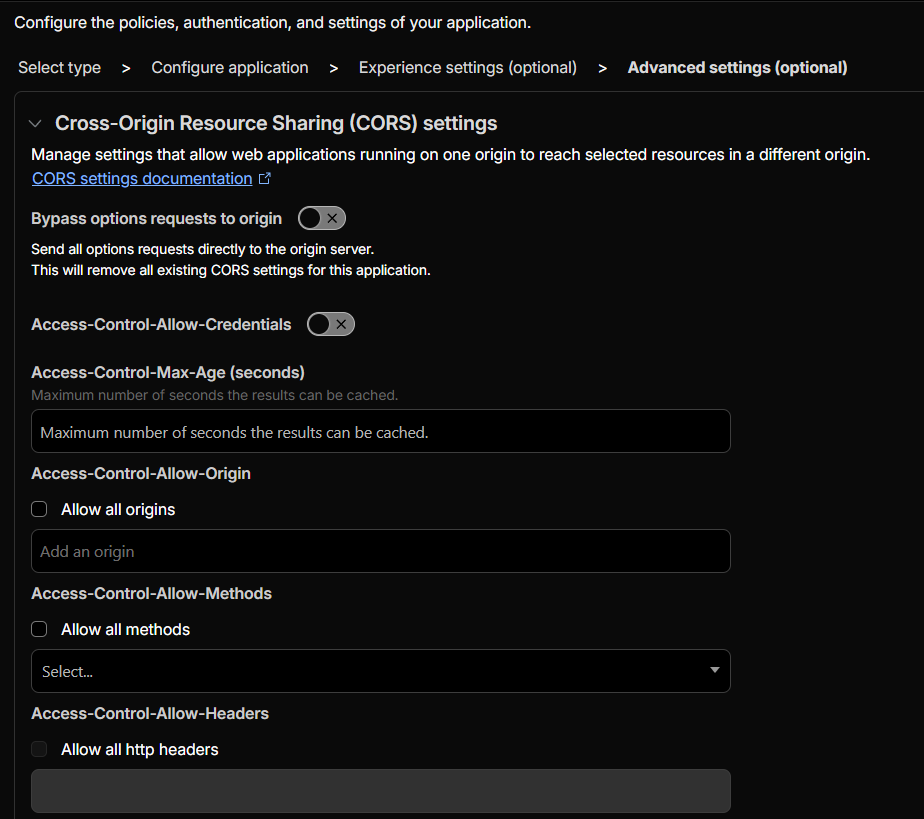
Attempted to configure CORS settings in Cloudflare Access (allowing methods OPTIONS, GET, POST and headers), but the issue persists specifically for the internal API calls.
Has something changed recently regarding how n8n handles authentication or headers for internal requests? Since it worked fine before, it feels like the new version conflicts with Cloudflare Access authentication flow for XHR/SSE requests.
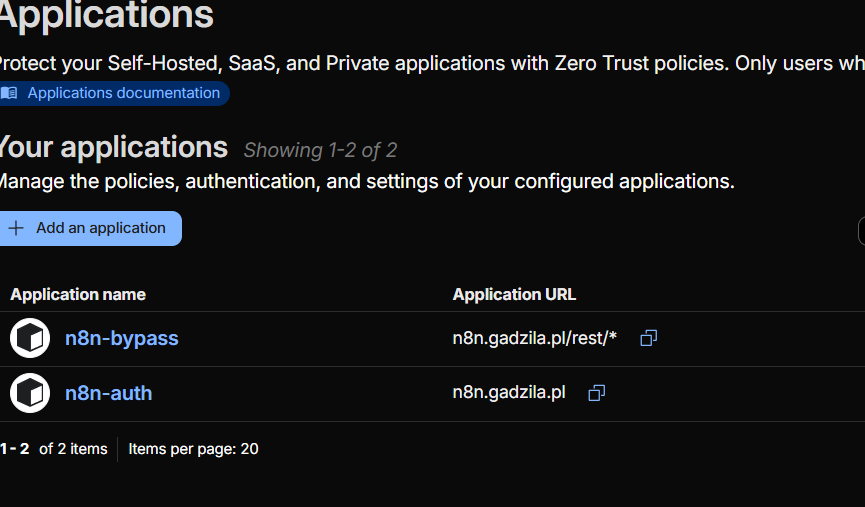
Configure Cloudflare Access to bypass authentication for n8n internal endpoints such as /rest/, /webhook/, and /healthz, and keep Access enabled only for the UI routes.
This prevents Cloudflare Access from redirecting XHR/SSE requests (302), which causes the persistent “Connection lost” errors.
This looks like Cloudflare Access is now catching n8n’s internal endpoints after the update (the 302 to the Access login page is the giveaway). The UI calls /rest/* and /rest/push from the browser, and if Access forces auth on those, the browser blocks it as CORS.
A few things to try (quick checklist):
In Cloudflare Access, add an allow / bypass policy for the n8n internal paths:
/rest/*
/rest/push*
/rest/telemetry*
(sometimes) /healthz and /metrics if you use them
Keep Access on the main domain, but don’t force it on these XHR/SSE calls.
Double-check cookies: you’ve set N8N_SECURE_COOKIE=false while using HTTPS. I’d try removing that or setting it to true
If you’re on Tunnel + Access, also make sure websocket/SSE isn’t being “rewritten”:
keep Rocket Loader off (you did)
turn off any caching / transformations for /rest/*
If you can share your Cloudflare Access policy screenshot (what paths it protects) + a single network log showing the /rest/push request turning into a 302, it’ll confirm which rule is grabbing it.
Thanks for the help. I followed the instructions (enabled N8N_SECURE_COOKIE=true, set up CORS, and configured the Bypass policy).
Current situation: The main interface works better now, but some critical parts are still broken:
The Workflow Editor fails to load (I see frame-ancestors 'none' errors in the console).
The Active/Inactive switch shows “Connection Lost”.
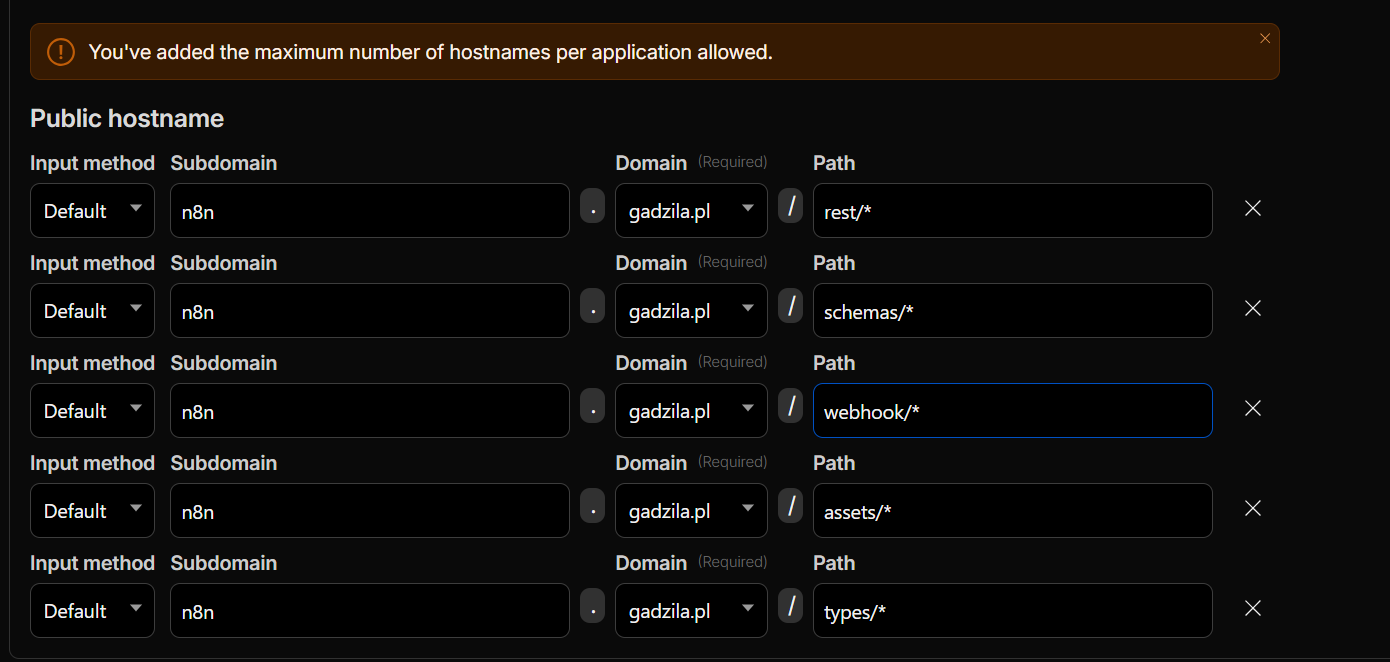
The main problem: I am on the Cloudflare Free plan, so I am limited to only 5 Public Hostname rows in the Access Application. Currently, I have filled all 5 slots with:
rest/*
assets/*
types/*
schemas/*
webhook/*
It seems like I need to whitelist even more paths to fix the remaining errors (like the Editor framing issue), but I physically cannot add more rows.
Is there a way to optimize this list or a different workaround to bypass auth for all these static assets without hitting the 5-row limit?
One thing I’m noticing is that Cloudflare Access and other security rules are still being applied to n8n internal routes. In practice, this often causes issues on the Free plan, even when the configuration looks mostly correct.
A setup that tends to work reliably is bypassing Cloudflare Access only for the internal routes used by n8n, specifically /rest/* and /webhook/*, while keeping Access enabled only for the UI routes.
Additionally, make sure that Cloudflare security features such as WAF and Access are skipped for /rest/*. These routes are used by the n8n API and by the editor itself. There have been cases where 403 responses and editor-related errors were resolved by creating a rule to skip Managed Challenge, JS Challenge, Browser Integrity Check, or Security Level when the request host matches the n8n domain and the request path starts with /rest/.
Once /rest/* is fully bypassed at both the Access and WAF levels, the editor usually stops receiving redirects or security challenges on XHR and SSE calls, and issues like Connection Lost messages, a blank editor, or other UI failures tend to disappear, without the need to whitelist every static path.