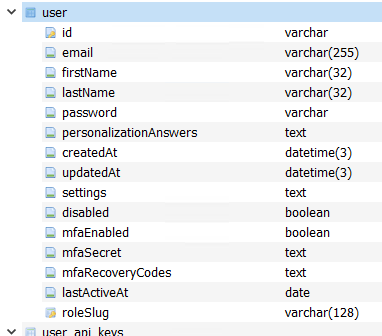
Problem logging in column User.role does not exist

Describe the problem/error/question

I am not able to log into my deployed version of n8n on RailWay

What is the error message (if any)?

Problem logging in

column User.role does not exist

Please share your workflow

It is not a workflow problem, but rather that I am not able to access my n8n instance with all my workflows.

Share the output returned by the last node

Not a workflow problem

Information on your n8n setup

  • n8n version: 1.110.1
  • Database (default: SQLite): Postgres
  • n8n EXECUTIONS_PROCESS setting (default: own, main):
  • Running n8n via (Docker, npm, n8n cloud, desktop app): docker / railway
  • Operating system: Ubuntu

Hi @hinzzx

Have you migrated to a newer version of n8n recently?

I think so, as after I checked the docker image n8n version it said: 1.110.1 (Railway did this themselves)

Thank you for confirming.

This typically means that your n8n database schema is out of sync. Specifically, n8n is expecting a role column in the User or user_entity table that doesn’t exist. That often happens when a database migration fails or doesn’t run properly after an upgrade.

  • This could be resolved by triggering or reapplying migrations.
  • Alternatively, export your workflows, deploy a fresh n8n instance on Railway and re-import to avoid schema issues.

If migrations keep failing, the only way I could think of is to consider rolling back your n8n version and re-upgrading gradually to apply migrations one-by-one.

Hope this answers your question. :slight_smile:

I’m having the same problem… I’m using Docker and updated to lastest today, and I’m having the same issue. How should I restart the migration process? By rebooting the instance? By entering the image and running a command? Thanks for the help.

Ok, solved! I restarted the instance and ran the migration. Everything’s working correctly!

1 Like

The solution for me in a Railway App was this (thanks to the guys here and a little assitance of ChatGPT):

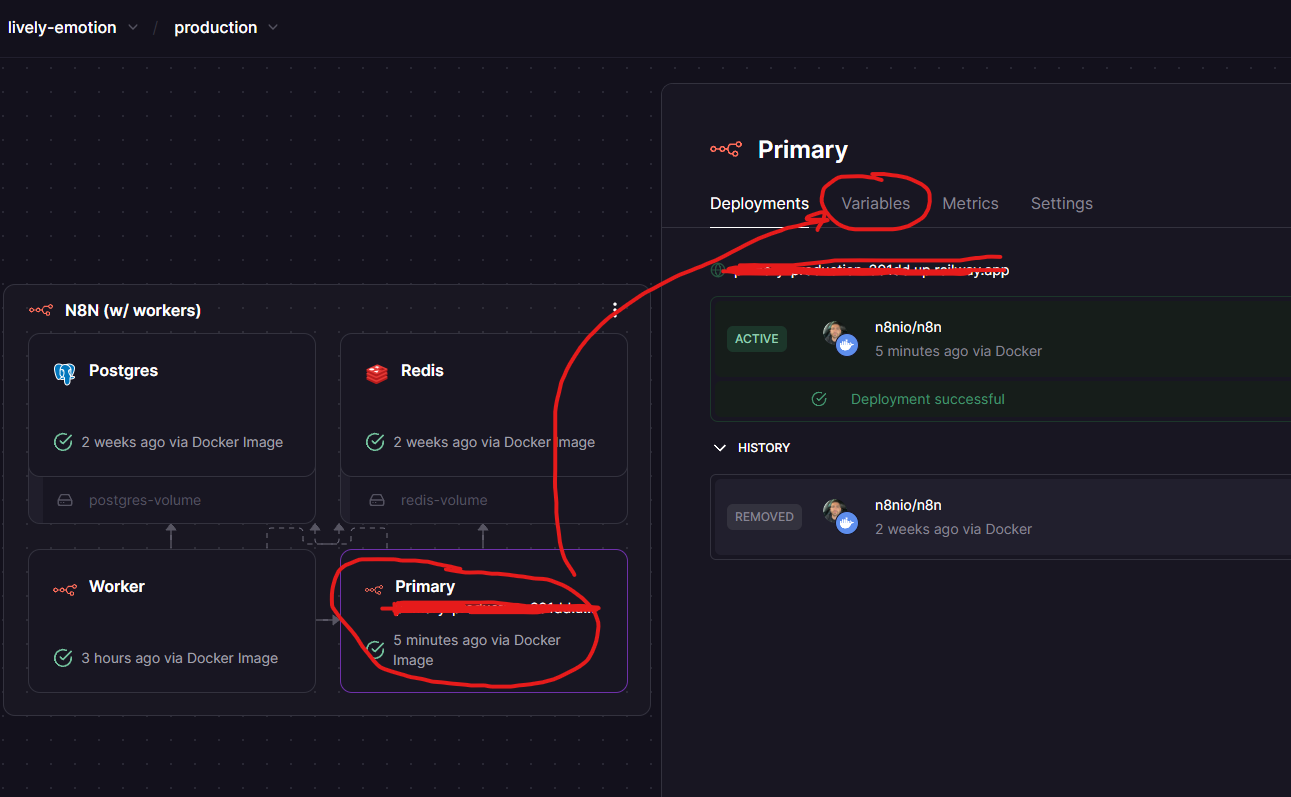
Go to your deployment instance (in my case it was named “Primary”).
Click on Variables;
Then Add new Variable: N8N_RUN_MIGRATIONS
Set the value to “true“
Deploy

Then you can remove that variable!

Thats what helped for me.

3 Likes

Hey @Trodi, how did you solve the issue? Did you run a command? I’m using Docker.

i just tried this but it didn’t work. Did you have to do anything else To stop getting that .”role” error?

I’m specifically getting it. When I’m trying to run the AI agent workflow.

could you solve it? i have the exact same problem :frowning:

I also have n8n on Railway. In my case adding new variable, redeploy and removing variable didn’t help ;/

@Recevia_Ai @Admin_Darkfunnels i tried a lot of solutions and i suppose that i found one. From 30 minutes everything works pretty cool and didnt crash.

What i did:

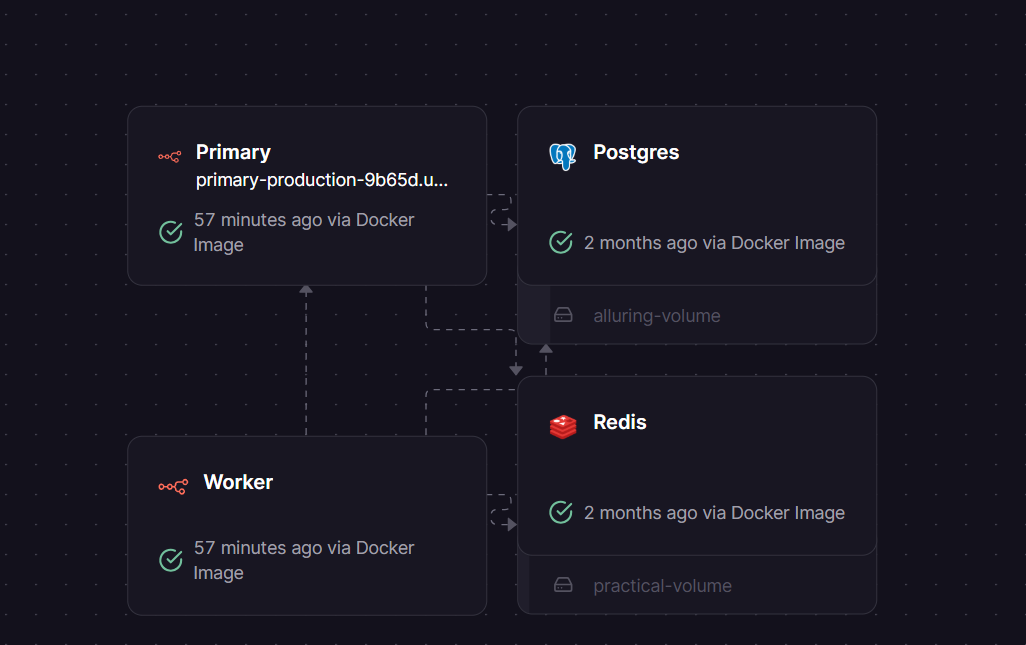
You have these blocks:

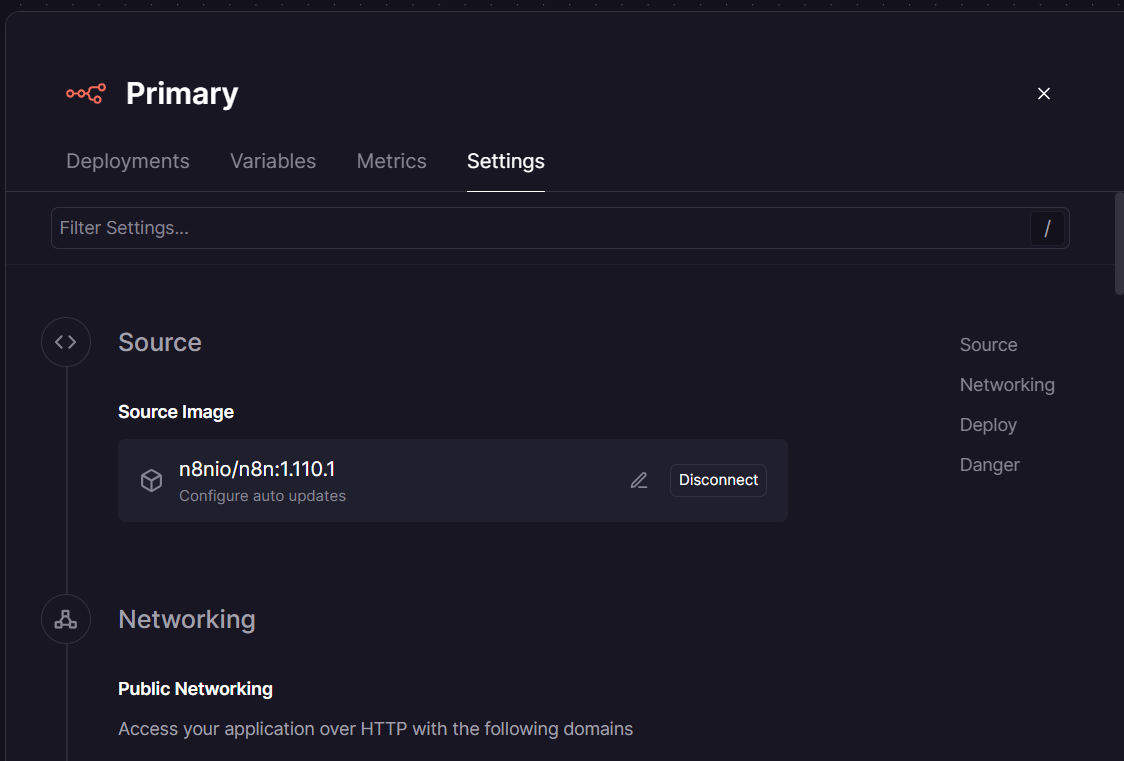
Go to primary → Settings and find section “Source image”. You should have n8nio/n8n. Change it on: n8nio/n8n:1.110.1

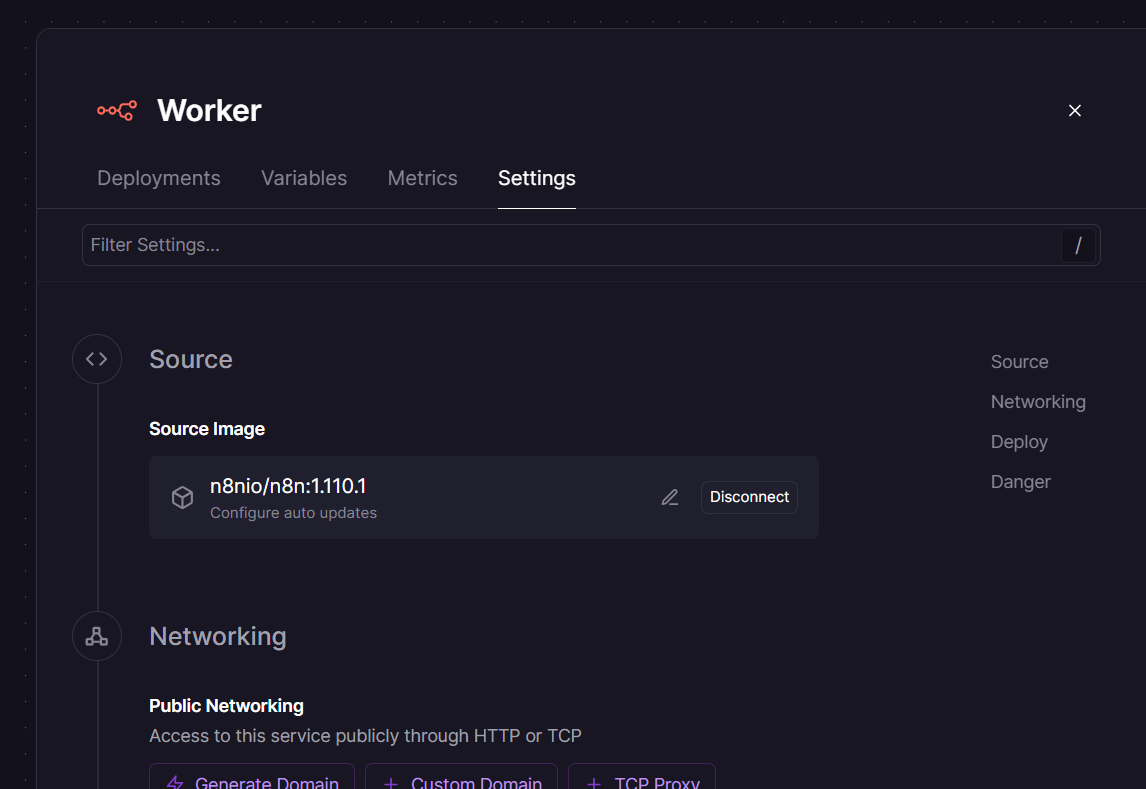
Do the same thing in worker. It should looks like this:

After that click Redeploy. I think (im not 100% sure) it help in my case. Everything still working. If it crash i’ll inform you

4 Likes

I can confirm redeploying my Worker fixed the issue

Man i love you <3 I was struggling with this 8 hours with gemini. Try out everything. And finally found your commentary. Its worked!!!

Hi! I have the exact problem here. How to solve it with NPM? I checked the user table in the database, and yes, there is no user.role column.

I have tried to downgrade my n8n version to 1.101.1, this is (I guess) the last version that is working fine before I upgraded to the latest version which is not working
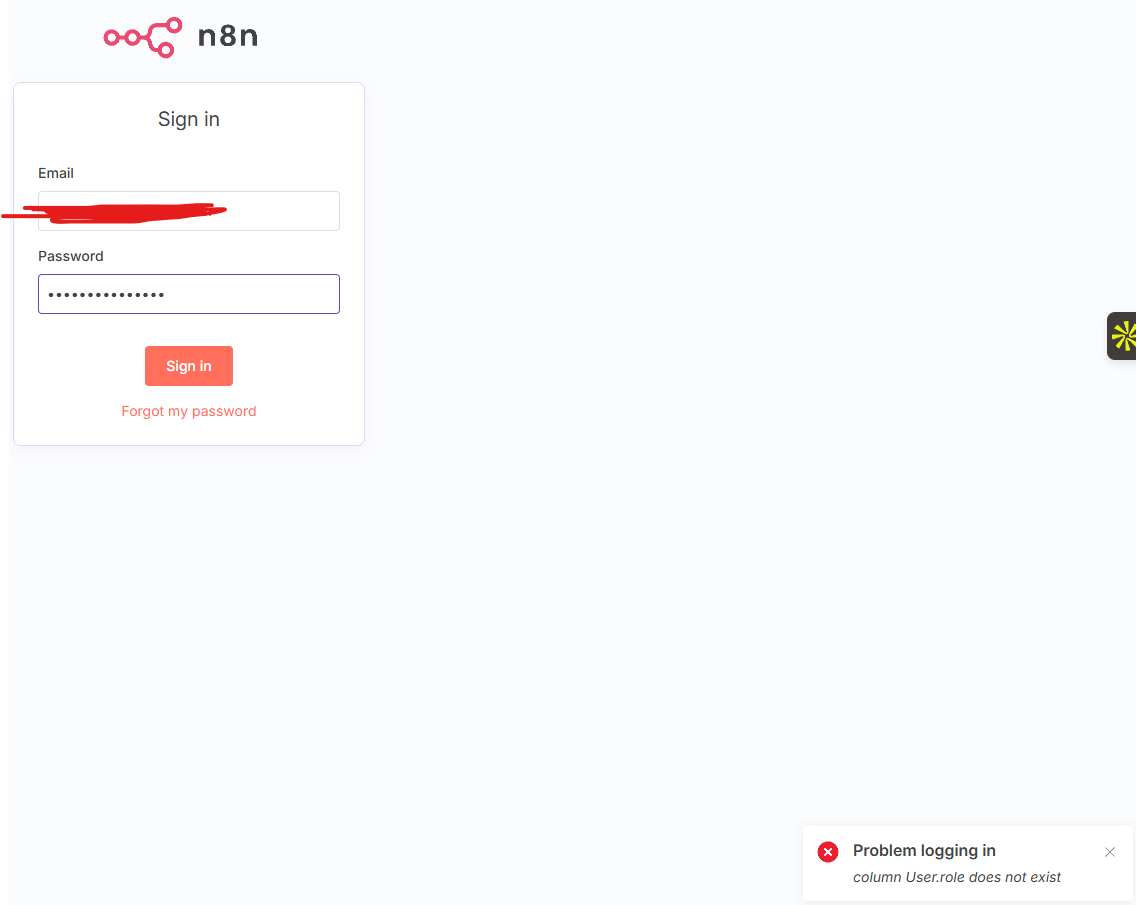
I solved it! Just alter the column name, from roleSlug to role

1 Like

This topic was automatically closed 7 days after the last reply. New replies are no longer allowed.