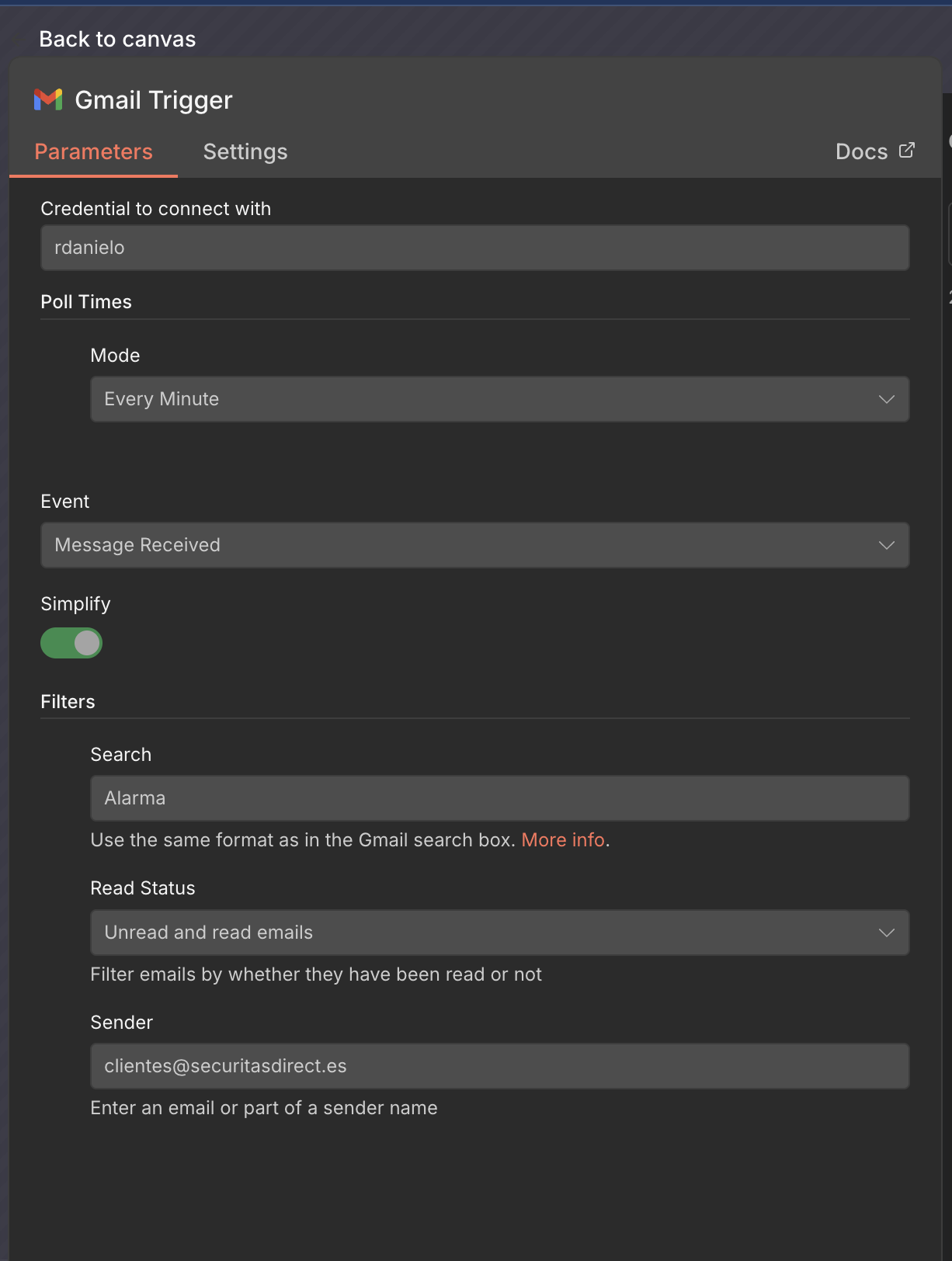
I had this working fine for a month or so, then suddenly stopped triggering on new emails. Last time it triggered was two days ago and I received at least 4 matching emails yesterday.
If I trigger the workflow manually, it works without any problem, so it is not a token or connection error.
If I am getting the emails without a problem and everything else works, how could it be an authorization problem?
Will try every 2 minutes. This is quite a time sensitive automation, and I want things to happen as soon as possible. 2 minutes doubles it anyway
If they were not matching the filter, then manually triggering it will not fetch them
I appreciate your help, but I don’t’ think that is any of the problems. I just configured it to run every two minutes and just after saving it immediately triggered. That means that everything in my setup is correct, this may be a problem with how N8N is connecting to Gmail.
I know google is very pesky with what their allow to access and how, even if it is your own data, which is very annoying.
The primary reason your manual tests succeed while the automated trigger fails is that background polling depends on stateful “static data” checkpoints and specific database indices that the manual editor UI bypasses. In n8n v1.123.10 with PostgreSQL, the trigger often “hangs” because it has ingested a malformed future timestamp from a spam email’s header, causing the system to wait for that future date before polling for new messages again. Furthermore, index corruption in the PostgreSQL credentials_entity table a known issue in Docker environments frequently prevents background workers from locating your credentials by ID, even though they remain functional in the UI. You should also ensure your Google Cloud OAuth project is set to “Production” rather than “Testing,” as testing tokens expire every seven days and require a browser-based manual re-authentication that the background service cannot perform. Finally, note that Gmail Trigger version 1.2 and later intentionally ignores emails sent to oneself (messages containing the SENT label) to prevent infinite loops, which may cause your own test emails to be ignored during automated polling.
-- 1. Deactivate workflow, then run this to clear "poisoned" future timestamps
UPDATE workflow_entity
SET "staticData" = '{}'::json
WHERE "id" = 'YOUR_WORKFLOW_ID';

-- 2. Fix index corruption to allow background workers to find credentials
REINDEX TABLE credentials_entity;
REINDEX TABLE workflow_entity;
Ok, that is the kind of technical explanation I was hoping for. Thank you. What you explains makes sense to me.
Previously I had it on testing, and indeed every 7 days the credentials were consistently failing, but then I moved to “beta-testing” or something like that and it has not been a problem since then, except for the situation I’m describing currently.
I will check the database to see if I see some “poisoned” entries. Do you have at hand any SQL query that I can run to get such states more easily?
@danielo515 You’re welcome. While there isn’t a single documented query for this exact scenario that i could find in this time, we can make educated guesses about where polling state might be stored.
Here are a couple of SQL queries for your PostgreSQL database that target common places where a stalled trigger or corrupted state might reside I got these from different sources although. I recommend taking a backup of the database before doing any kind of hit and trial.
Run these queries from your database management tool (like psql or pgAdmin), replacing 'Your_Gmail_Workflow_Name' and 'Your_Gmail_Node_Name' with the actual names from your workflow.
1. Check for Recent Executions or Stale Data:
This query looks at the execution data, which sometimes holds trigger metadata. Look for entries related to your workflow that have old timestamps or unusual statuses.
SELECT *
FROM execution_entity
WHERE workflow_id IN (
    SELECT id FROM workflow_entity WHERE name LIKE '%Your_Gmail_Workflow_Name%'
)
-- Look for 'error' status or very old 'createdAt' dates
AND status NOT IN ('success', 'running')
ORDER BY "createdAt" DESC
LIMIT 20;
2. Look for Trigger-Specific State (Most Likely Candidate):
Polling triggers often need to store the last checked ID (like a historyId for Gmail). This state might be in a table like workflow_statistics or within the workflow settings. This query examines the workflow entity’s settings for potentially corrupted JSON.
-- This inspects the workflow configuration itself
SELECT id, name, "nodes", "settings"
FROM workflow_entity
WHERE name LIKE '%Your_Gmail_Workflow_Name%';
What to look for: Examine the nodes JSON column. Find your Gmail trigger node (look for "type": "n8n-nodes-base.gmailTrigger"). Within its "parameters", check for fields like lastCheckedTimestamp or any ID field. If it looks incorrect or very old, it might be the issue.
I hope this targeted approach helps you resolve the lingering trigger issue.
It seems to be camel case. But in any case, I removed the initial where clause and I get no data:
SELECT *
FROM execution_entity
-- Look for 'error' status or very old 'createdAt' dates
WHERE status NOT IN ('success', 'running')
ORDER BY "createdAt" DESC
LIMIT 20;
0 Rows
I checked the other query you provided, and I see my flow there, but checking the nodes column I don’t see anything odd in the parameters:
It’s worth mentioning that I have other GMAIL flows that seems to work fine, so there must be some problematic thing on this specific trigger that I can’t find.
There 2 were other workflows using the gmail trigger that were working normally, and today one of those has started to show the same symptoms: if I trigger it manually it picks the right email and processes it, but it is not being trigger by itself. This one is set to run every hour and there is an email that matched yesterday, and it has not been processed yet.
This is very frustrating because I’ve looked into everything and I don’t see anything problematic
Have you tried using IMAP? If that works for you, that would be a great workaround meanwhile will at least give you something you can interact with gmail.
As we are talking about triggers, i do not think so that would cause any problem as it should get triggered every time there is a new mail, just make sure you are using the latest n8n version and if that does not work just switch to SMTP/IMAP
You can either update your current instance if you want or just install or buy a fresh n8n instance, depending on your use case if your n8n usage is 40/100 times then choose cloud pro, if your usage is 70> / 100 then choose self hosted.
Yes you can always point any n8n instance to any database you just need credentials.
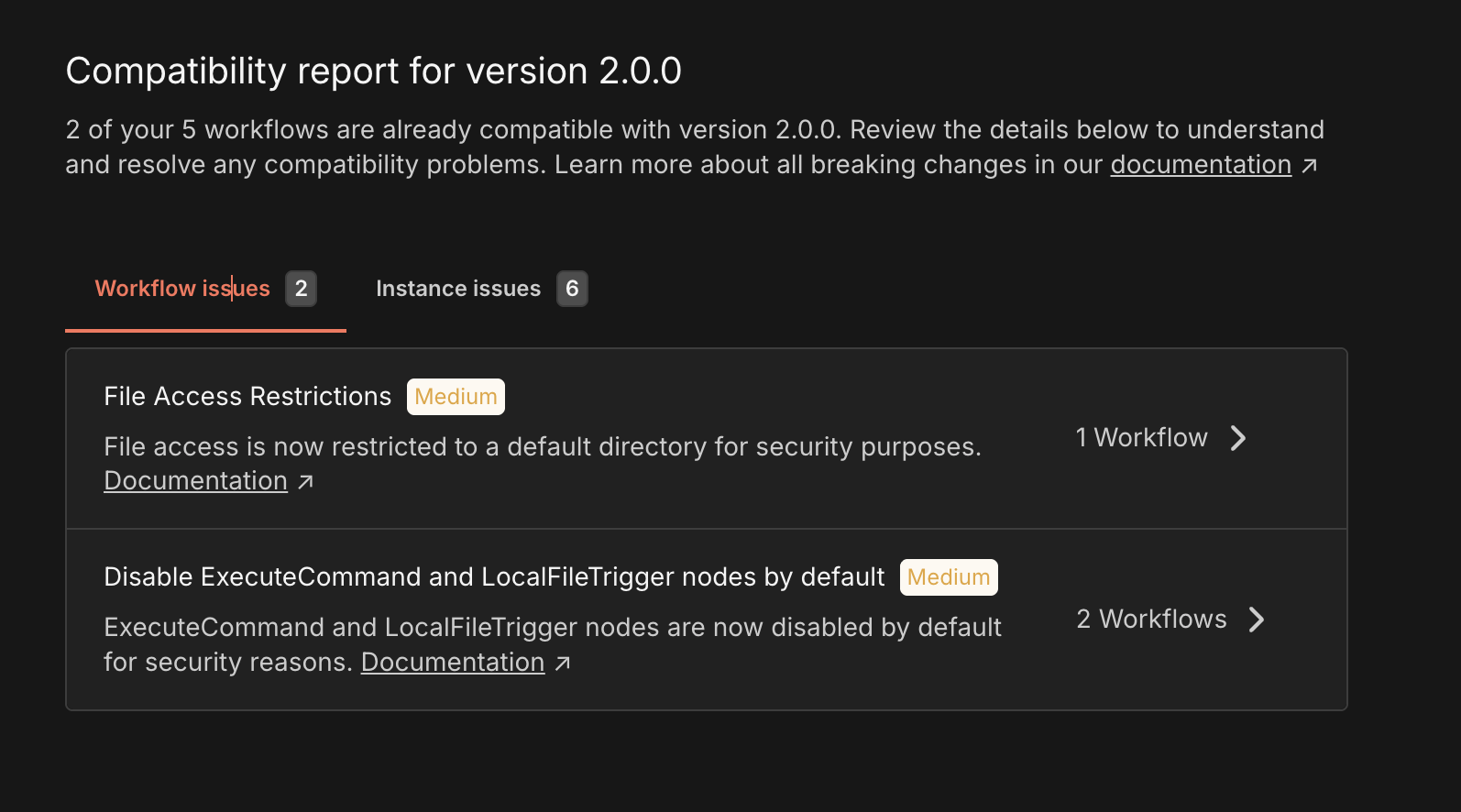
The file access restrictions can be easily fixed (I just use /tmp folders, I can point them anywhere else, not as convenient, but ok). But the ability to not be able to execute commands limits what I can do with external binaries. What is the official workaround?
@danielo515 n8n has not removed that , it is just has been disabled. You can always enable that:
If you do not want to use execute command node you can also try using some different machine to compute the binary files and access them via http or ssh, although if your use case is not at production scale you can use execute command node.