Thank you very much for looking into my request. I’m experiencing some
issues with webhooks in n8n. I have set up a webhook in Instantly ai,
but sometimes it does not fire. I checked with Instantly, and they
confirmed that the webhook fired from their back-end.
The workflow is live, and I’m using the production webhook. It sometimes fires, and sometimes not due to slow server response. What can I do about this?
They provided the following confirmation:
____
Hello Lorenzo, this is Artur. Jumping in for my colleague
I have checked the backend and can see the error :
The error “Exception sending webhook timeout of 60000ms exceeded”
means that Instantly tried to send a webhook, but the receiving server
did not respond within 60 seconds. This usually happens if the
receiving server is slow, unresponsive, or down. It can also be caused
by network issues or high load on the receiving platform. Instantly
has a retry mechanism, so failed webhooks are retried multiple times.
To resolve this:
Ensure your receiving server or endpoint is live and able to process
HTTP POST requests quickly.
Check for any network or firewall issues that might block or delay
incoming requests.
Monitor your endpoint’s response times and server health.
Webhooks are only triggered by real campaign events, not test emails,
and only for new activities.
If the campaign or event no longer exists, the webhook may not trigger
at all. Continue monitoring new events to confirm resolution.
____
I’d like to know if there’s anything that I can do from my side to
make sure the webhook fires every time. And if there’s nothing I can
do, I’d like to ask if there’s anything that n8n can do from their side
to resolve the issue.
The workflow is live, and I’m using the production webhook. It sometimes fires, and sometimes not due to slow server response. What can I do about this?
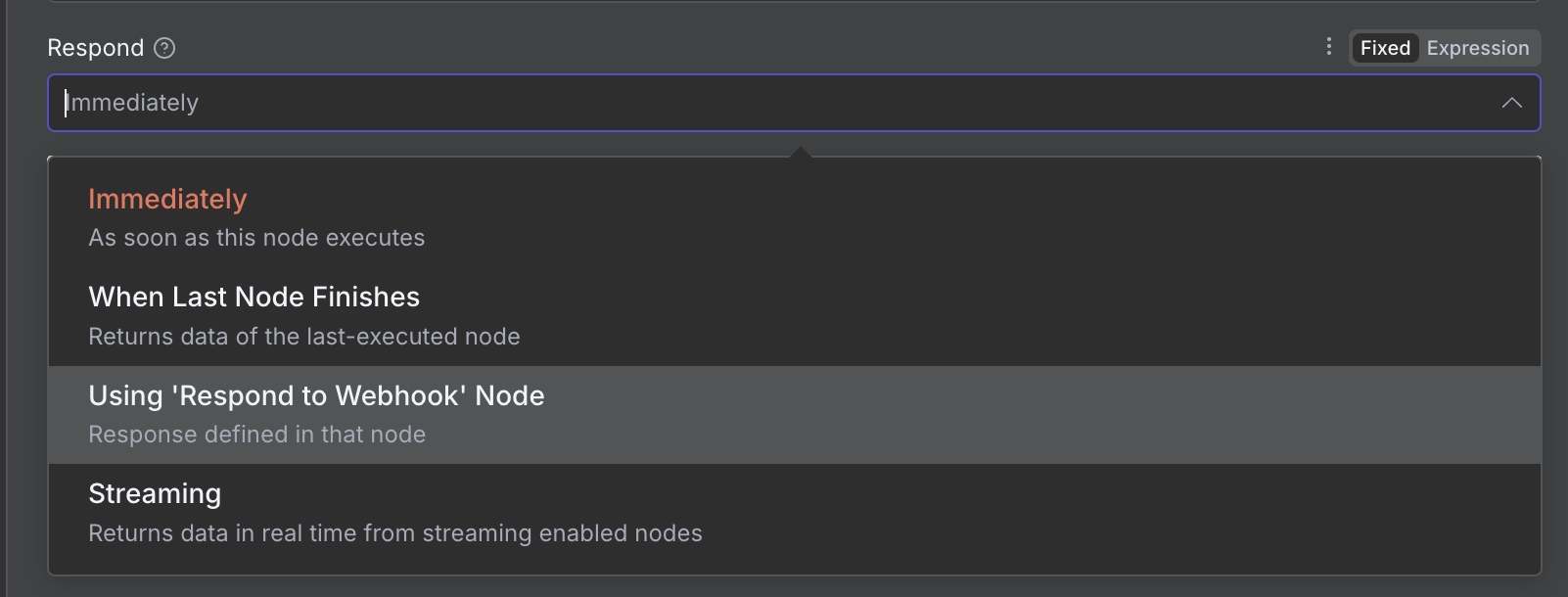
Try setting a bigger timeout value for your workflow as first solution.
If you still face the same issue, i propose the following solution (i have implemented it myself in such scenarios) :
You configure the webhook to return immediately with a simple payload ({ “status”: “accepted” }).
Meanwhile, the workflow continues in the background.
Instantly ai doesn’t wait, so no timeout.
If Instantly ai really needs the data later, you provide them:
– a callback URL (you send results later to them), or
– a job ID in the immediate response (they can poll another endpoint later).
Where can I find these settings? Would like to try that. Not sure how it would work if the webhook doesn’t receive anything. One time it does, the other time nothing… Thanks
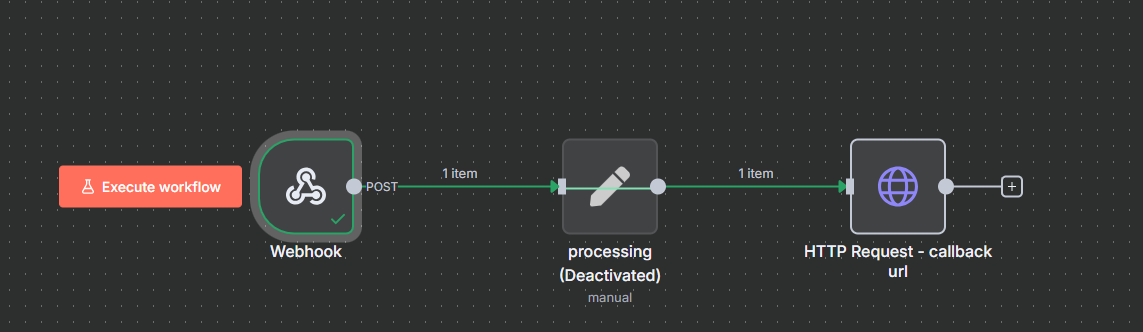
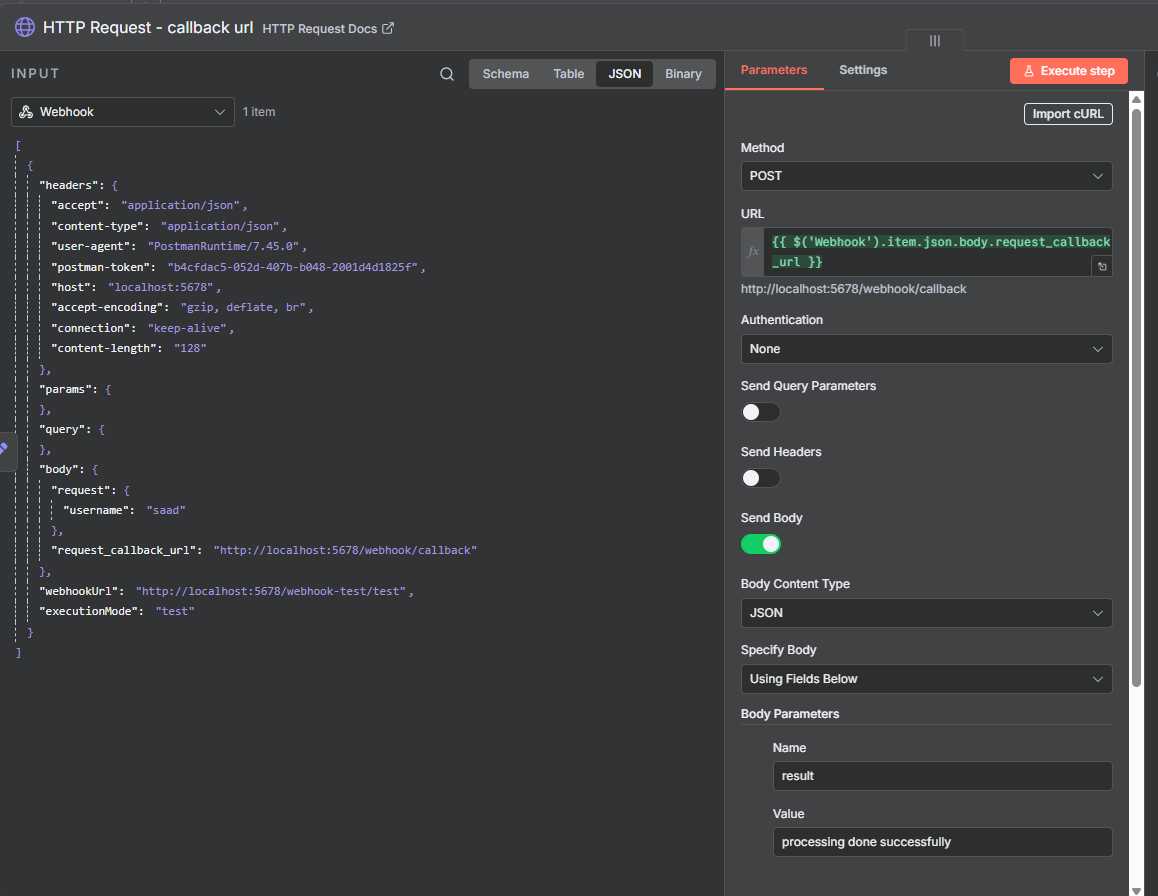
Your n8n webhook receives a request (e.g. from Instantly), and the request payload contains a field which is a callback url (its name can be anything, and in your case this will be an Instantly Webhook), e.g. in this sample workflow i created for you the request body is :
Then you do your processing, whatever your workflow logic is, and after that in the end you do an HTTP Request call to actually call the “callback url” you received in the input webhook, and respond with your desired output data/json to Instantly :
So this way, your Instantly webhook (that calls this n8n workflow) will get an immediate response and not a timeout (unless there is a network issue) > your n8n workflow will do all the processing > once its done it will notify the caller (Instantly AI in your case) with your desired output json. This is a basic asynchronous processing method for such system designs.
I hope you get the idea and it helps you solve your issue.
@Saad_Umair Hi there, thank you very much for taking the time to help me out with this. In the webhook output there’s no callback URL or request URL specified. The problem is that the webhook is not firing at all. So there’s no output to receive… Today, everything has been firing, so hopefully that streak will continue. If not, maybe I can reach out to you about fixing the issue. Also, more than happy to pay for a solution. Thank you for your assistance on the matter.