I’m not a developer by training, I don’t ask help now but if you want see the project asap, you will be welcome for a help.
I did almost all the interface, I work on functionalities
Hello,
I was very busy last weeks, I don’t make a lot of progress.
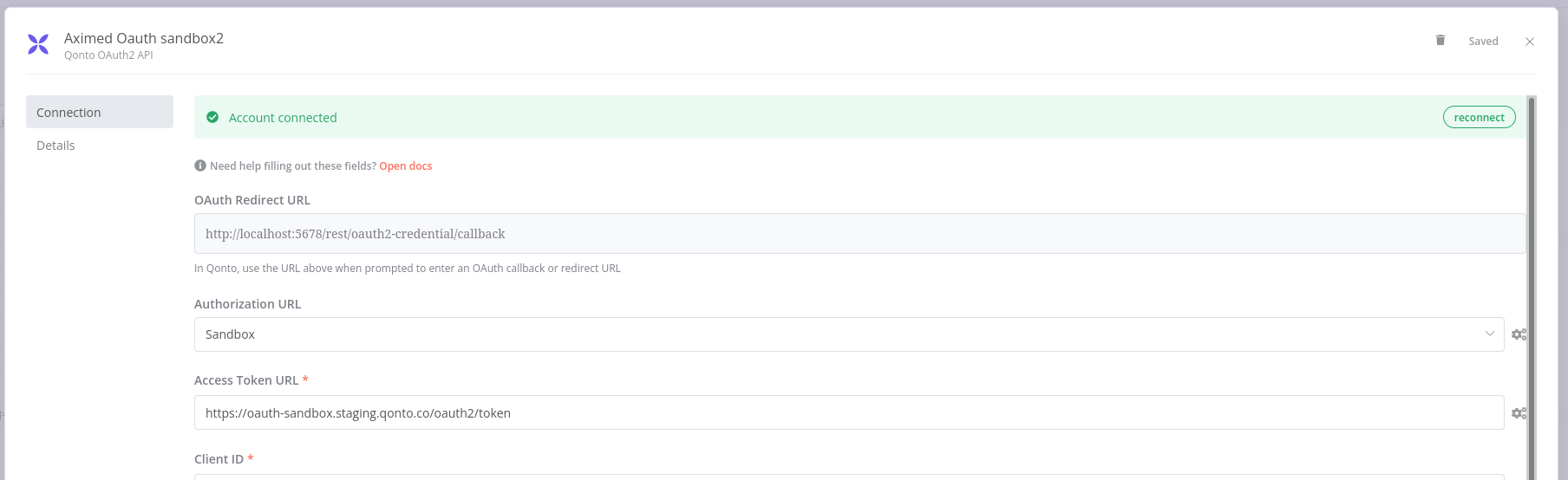
I have connect to sandbox successfully (but not PROD yet because of my localhost without httpS).
I’m in contact with the Lead Product Manager of Qonto (Qonto Slack)
Now I try to figure out how to handle access token.
I’m tired to work on it. I’m not able to develop more functions.
Please read the README for the status of this node.
Don’t use it on production, and be sure of what you do on you bank account (use sandbox first !)
Hello, I get a strange error when I try to connect. I am authorized only for the client_invoices.read scope and I input this scope in the Oauth registration form yet I receive an error message saying that I put attachlent.write as scope (I work in the production environment) :
Insufficient parameters for OAuth2 callback. Received following query parameters: {“error”:“invalid_scope”,“error_description”:“The requested scope is invalid, unknown, or malformed. The OAuth 2.0 Client is not allowed to request scope ‘attachment.write’.”,“state”:“eyJ0b2tlbiI6InZHVU5LTFVlLVV2YldLV1c2QkdfTUROcjFYdjJIeDk5S2tIUSIsImNpZCI6IjgifQ==”}
The issue is in the scopes but I could not make it work for my specific scopes. I used a personal automaton to make it work. I needed to automate the registration process for the renewal of the token within a separate workflow.
Happy to help if needed
Great news for Qonto users! A new version (0.2.0) of the n8n-nodes-qonto community node has just been published to npm.
First and foremost, I want to extend a huge thank you to the contributors who made this release possible, especially @KadDarem and @eddylackmann. Your work and patience are greatly appreciated!
My sincere apologies for the significant delay in getting these updates published. I will do my best to be more responsive in the future.
This new version includes several key features and fixes:
New: Filter Transactions by Bank Account ID: You can now list transactions by providing the Bank Account ID in addition to the existing IBAN filter.
New: File Upload to Transactions: It is now possible to upload an attachment (like a PDF invoice or a receipt) directly to a specific transaction.
Fix: Updated Parameters & Naming: Several request parameters have been updated and display names clarified to better align with the official Qonto API documentation and improve the user experience.
To get the latest version, please update the node in your n8n instance. Your feedback is always welcome.
@Dtneo Hi, thank for the hard job. I have an issue, I put the scopes in the credential form but they don’t appear in the validation popup. I tried only one and all scopes. The validation is ok but with no scope the node send error “no scope”.




 New: Filter Transactions by Bank Account ID: You can now list transactions by providing the Bank Account ID in addition to the existing IBAN filter.
 Fix: Updated Parameters & Naming: Several request parameters have been updated and display names clarified to better align with the official Qonto API documentation and improve the user experience.