I’m getting random `Received tool input did not match expected schema` errors with the AI Agent node using Google Gemini + tools on n8n 2.0.3 (Docker, self‑hosted).

The workflow is very simple:
- Previous node outputs JSON
- AI Agent node
  - Model: Google Gemini Chat
  - User message: `{{ $json }}`
  - A couple of HTTP tools enabled.

Sometimes it works perfectly, and sometimes, without changing anything, I get this error:
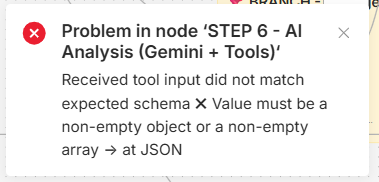
Problem in node ‘STEP 6 - AI Analysis (Gemini + Tools)‘
Received tool input did not match expected schema  Value must be a non-empty object or a non-empty array → at JSON
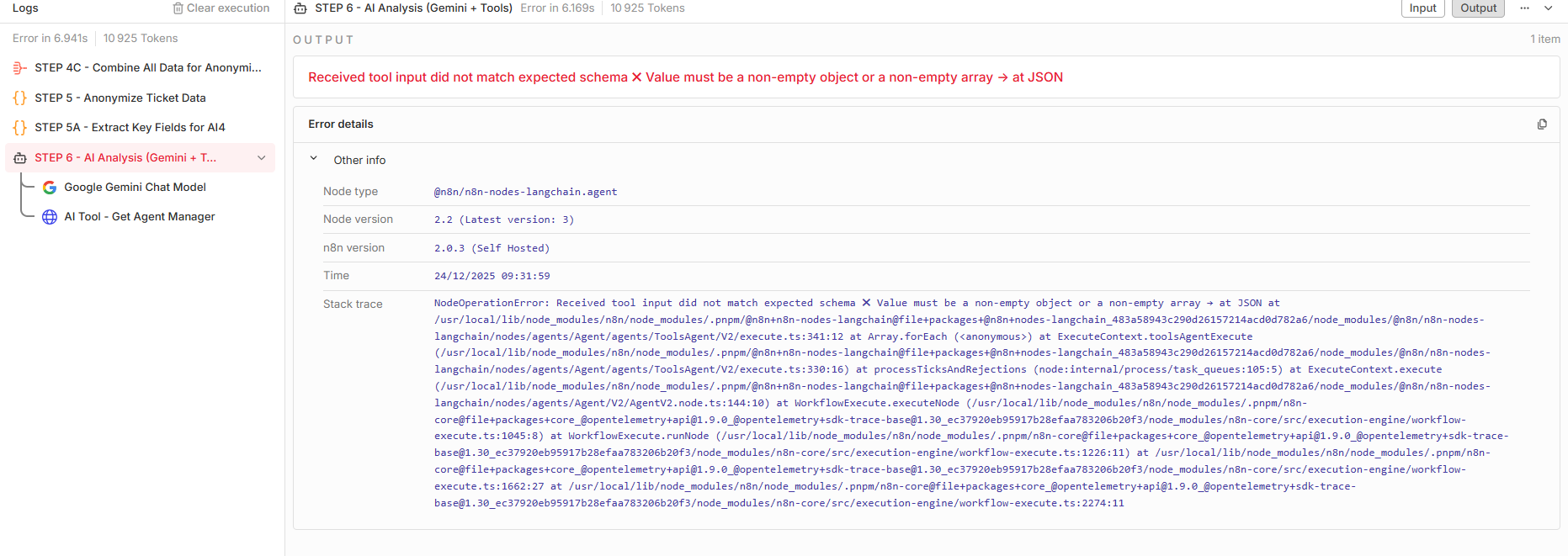
It’s completely random (just pressing Ctrl+R on the same workflow can alternate between success and failure). The tools themselves run fine when executed on their own.
For context, here is what the AI Agent + tools are supposed to do in this workflow.

The AI Agent receives a single JSON object describing an anonymised support ticket.
The JSON contains:

- Ticket information: title, description, status, priority, ticket reference.
- History: public log of user/agent messages and a private internal log.
- Assignment: an anonymised code for the assigned agent (e.g. AGENT_002) and the real Teams user ID of that agent.
- Timing: last update date, creation date, current datetime, and computed values like minutes / hours / days since last update.
- Reminder history: timestamps and counters for last reminder to the agent, to the manager and to the team, plus time since last reminder.
- Business context: team name, whether the ticket is new or already followed, whether we are inside business hours, day name, etc.

The system prompt describes a quite strict decision engine the model must implement:

- Always use the **timing** information (days / hours since last update) to decide if the ticket is late, with different thresholds per priority and per status.
- Use **cooldown rules** to avoid spamming: minimal delay between reminders to the agent and to the manager, depending on priority.
- Use the **number of past reminders** to decide if we simply remind the agent again, or if we should escalate to the manager (for example, escalation when the agent has already been reminded 5+ times).
- Use the **business‑time flag** to avoid sending reminders outside business hours, except for critical priorities.
- Keep all names in the ticket anonymised (AGENT_XXX, CLIENT_XXX), but use the real data for the manager returned by the HTTP tool (real name, real email).

The AI Agent is also required to call **two HTTP tools** before producing its final JSON:

1. A **Presence tool** calling the Microsoft Graph presence API for the assigned agent, with a JSON body like:
{ “ids”: [“agentTeamsId”] }
The model must parse the response (availability, activity, out‑of‑office flag and out‑of‑office message), extract whether the agent is available or absent, and, if absent, try to infer a probable return date and alternative contact from the out‑of‑office text.
- A **Manager tool** calling the Microsoft Graph manager endpoint for the same agent:
https://graph.microsoft.com/v1.0/users/{agentTeamsId}/manager
The model must store the manager’s real details (id, display name, email, job title, department) and use them when generating manager‑facing messages. Using all of this, the model must **always** return a single JSON object (no markdown, no prose) containing at least: - A structured analysis of why the ticket is late, who is blocking it, what the last action was, what is needed to unblock it, and the risk level. - A presence section with parsed presence data (availability, activity, out‑of‑office boolean, full OOO message, extracted return date / alternative contact if present). - A manager section with the retrieved manager information and a note indicating whether the manager data was successfully fetched. - A “reminder decision” section saying whether a reminder should be sent now, to whom (agent / manager / team), why, whether cooldown is respected, and how many reminders have already been sent. - A ready‑to‑send reminder message for the agent, written using only anonymised codes (AGENT_XXX, CLIENT_XXX, etc.). - A ready‑to‑send message for the manager, written with the manager’s real name and email, whose tone and content depend on the situation: - informational when things are under control or only a few reminders have been sent, - escalation when delays or reminder counts exceed the configured thresholds, or when the agent is out of office. - An escalation flag explaining clearly whether escalation to the manager is required and why. - A context section summarising key inputs (assigned agent code, team, priority, status, business‑time flag, reminder history). - A confidence score (0–1) with a short explanation of why the model is confident or uncertain. The system prompt also includes a checklist the model must mentally pass before replying (e.g. “did you call the presence tool?”, “did you call the manager tool?”, “did you respect cooldown?”, “did you return pure JSON only?”), to make the behaviour as deterministic as possible.
For reference, I first reported this as a GitHub issue here: https://github.com/n8n-io/n8n/issues/23588