I I’m trying to send an email using the Gmail node in n8n Cloud, but the email body keeps showing as undefined
In the Gmail node, when I use: {{ $json.emailBody }}, the email body shows as undefined
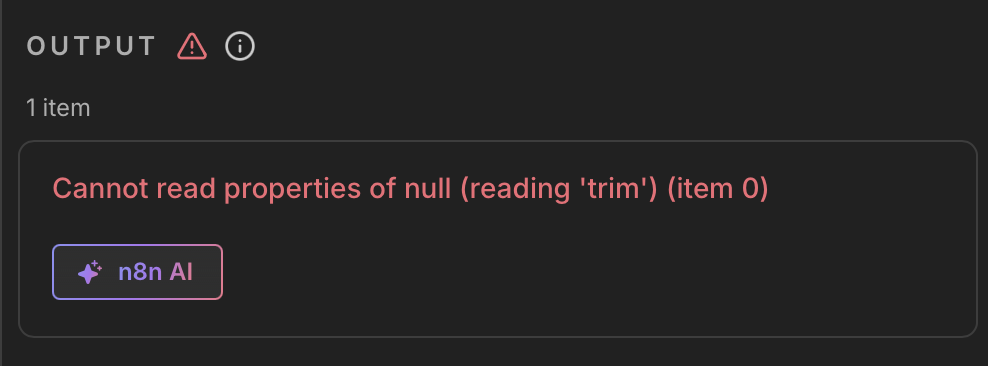
the error message shows Cannot read properties of null (reading ‘trim’) (item 0)
Hi @naosocool
This usually happens when the value you’re passing to the Gmail node is empty for at least one item, even if the workflow looks like it’s working.
The error:
Cannot read properties of null (reading 'trim')
means that emailBody is coming through as null or undefined at some point. Internally, the Gmail node expects a string and tries to call .trim(), which fails when the value is empty.
This often occurs when:
- An earlier node doesn’t return
emailBody for every item
- A conditional path (like an IF or Switch) continues execution without setting that field
- The value is only set in some executions but not others
How to fix it:
- Add a Set (Edit Fields) node right before the Gmail node and make sure
emailBody is always defined, for example:
{{ $json.emailBody ?? '' }}
- Or add a fallback directly in the Gmail node:
{{ $json.emailBody || '' }}
A quick way to confirm this is to execute the node right before Gmail and check whether all items include emailBody.
Once the field is guaranteed to always be a string, the error should stop appearing.
alright, thank you for explaining @tamy.santos ! as much as I do understand the problem, I’m still a beginner. I tried your solution however the results were the same, maybe I did something wrong?
@naosocool
thanks for sharing the screenshots , this makes the issue clear.
The error is not related to Gmail or AI. It happens because your Google Calendar node sometimes returns no items (for days with no meetings). When that happens, emailBody and the subject values are never created, so the Gmail node receives null and crashes when it tries to call .trim() internally.
This is expected behavior in n8n when downstream nodes run with empty input.
To fix it, you can either:
- Add an IF node after “Get meetings for today” and stop the workflow when there are no items, or
- Add a Set node right before Gmail and always define fallback values for the subject and message.
Once you ensure Gmail always receives strings (or doesn’t run at all when there’s no data) the error will stop.
1 Like