Hey @Gaurav_Dhiman, you can install it using this name: n8n-nodes-run-node-with-credentials-x
I have installed it, but got same issue than the colleges here: ‘Unrecognized node type’
Hey @Gaurav_Dhiman, you can install it using this name: n8n-nodes-run-node-with-credentials-x
I have installed it, but got same issue than the colleges here: ‘Unrecognized node type’
A must have feature. Looking for this ASAP
Would love this feature too
Yes, this feature is very necessary. I vote.
Damn we still don’t have dynamic credentials featured on n8n cloud? 
I keep revisiting the forums for the past year waiting for this feature to be released. Any word on it?
We need this!!
This will be a game-changer! Any updates?
This workflow supports dynamic credential injection, but they must be passed publicly.
That public data in the process is not good, but the script works perfectly, to me it solves the problem, thank you very much.
This could be a real game changer…
Hi @BramKn
Thanks for your community node.
However, i do not understand how to use it.
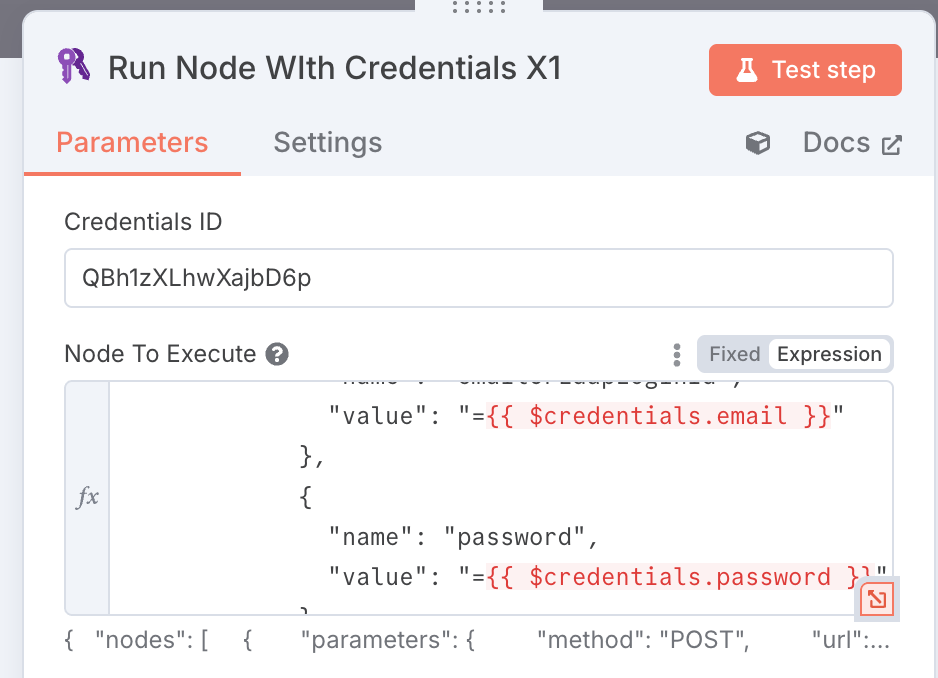
I well filled “Credentials ID” and “Node to execute”
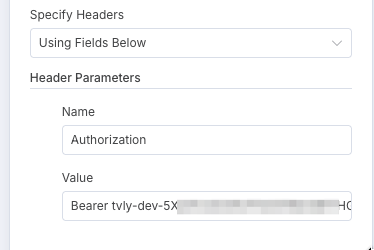
My need is to place inside de body the credentials, it’s not header auth.
And this does not work:
What do you think about it ?
Thanks in advance for your help !
Sorry @fxc I do not provide any support on this node.
+1 for this feature request.
Example where this could be used is a a HTTP request node where I need to manually put in an API key.
Using something like {{ $credentials.tavily... }} would be a great productivity and security benefit.
I created this custom node that should be able to handle this in most cases: Dynamic Node
You should be able to select any existing node, hit Ctrl + C, then paste that into the “Node JSON” input box of the custom Dynamic Node. From there, you can add in expressions on whatever element needs to be handled dynamically, including credentials.
Hi, I’d like to thank you for the community node. One question: would it be possible to use it with the chat model connected to the AI Agent?
Hi @dysruptor
I want to say a huge Thank You for your extension.
This thing have to be in the default nodes list  .
.
I’m still waiting for an official way to resolve this problem. 
+1 on this. Need an official way to access credentials via expressions. If there is a security concern, maybe we can give the user the ability to choose whether they want to make that credential accessible via expression or not using a toggle button, checkbox, etc. while creating/editing the credential.
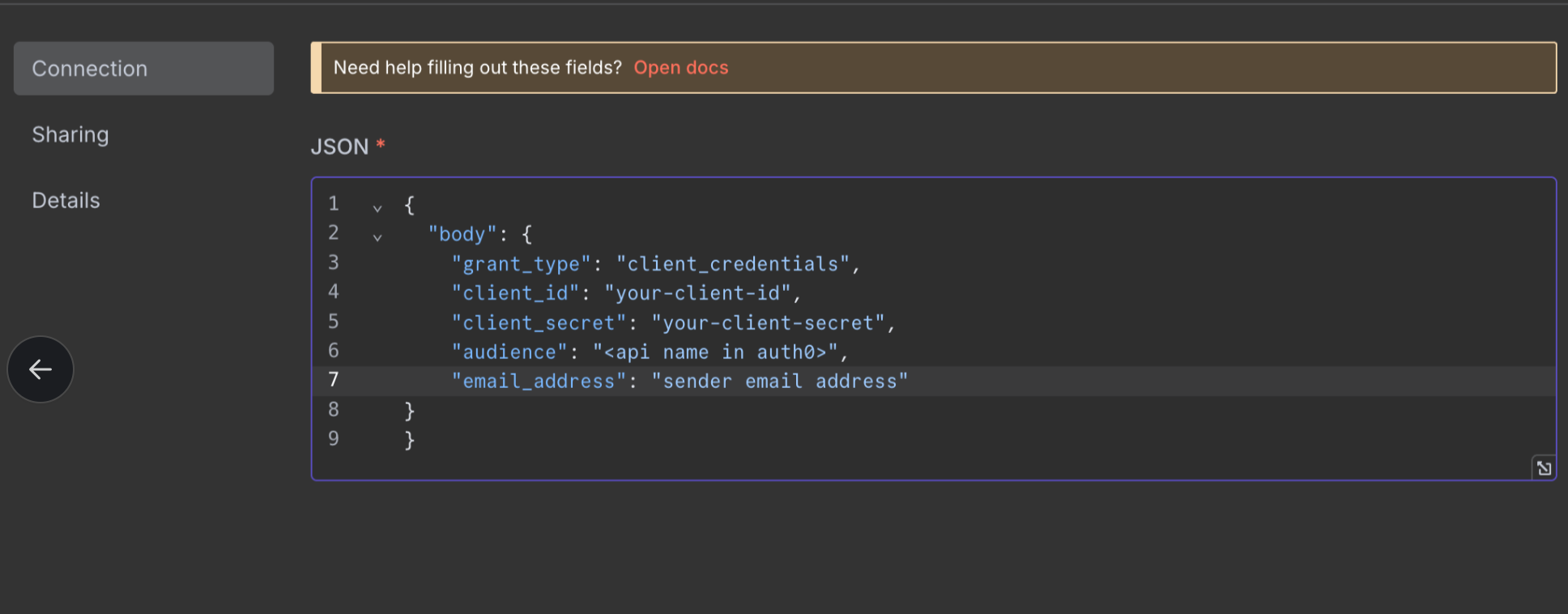
Although I figured out a way to send custom Auth credentials in the body via n8n. You can achieve that by creating Custom Auth credentials, and inside that add your body, which you want to pass for authentication. Please note that you need to pass your credential object inside the body key if your API is expecting the credentials inside the body mentioned in the snapshot as well. If you want to pass them in headers, you can use the headers key. Once done, select custom auth credential in your API as mentioned in the snapshot.
Still waiting for this feature 
Just got started with n8n, and having built a couple base workflows, find it hard to believe the normal way to deploy to multiple users is to duplicate the flow and manually hard-code the credentials.
Example: we have 50 user email accounts that need to be run through a work flow. It seems like doing a while loop over the users and passing credentials to the workflow is way more scalable than duplicating the workflow N times and hardcoding the credentials. (not to mention that a change to the work flow now needs to be handled N times as well.)
## Desired situation ###
set_of_users = [ user_1, user_2 … user_N]
while user in set_of_users:
	credential = user.credential
	execute workflow(credential)

## Existing situation ##
Instead of:
execute:
workflow_hard_set_user_1
workflow_hard_set_user_2
workflow_hard_set_user_3
...
workflow_hard_set_user_N
But as I mention at the top, I’m very new to n8n so perhaps I’m just unaware of a way to do the ‘while-loop’ style execution.