If i am using in specific body “using fields below” it is working fine but if i am using the “Json” then it will give an error why? what is the reason? I am giving all the required correct fields only but still it is not working in the error it says json = false but i am sending the body as json only why this happens in http request node? Help me as soon as possible?
3 Likes
Could you provide more details please?
It sounds like you might be sending invalid JSON. I’d recommend grabbing some example JSON you’re sending to the service, and then pasting it here:
…to make sure the JSON is valid.
If that doesn’t solve your problem, please post details of the service you’re using, the JSON you’re sending, and the error message you’re receiving back.
1 Like
the difference between ‘using fields below’ and ‘JSON’ mode in the HTTP Request node is that in JSON mode you’re providing the entire body yourself — so the value needs to be a valid JSON string or a JSON expression like ={{ {"key": "value"} }}. if you’re using an expression, the double curly braces are what tells n8n to evaluate it, and the inner {} is your actual JSON object. also worth checking: does the service require a specific Content-Type header like application/json? if that header is missing, some APIs reject the request even if the JSON itself is valid.
This is a common problem in the HTTP Request node, that happens when switching to “JSON” body mode. N8n expects that it will receive content as a proper JSON object.
-Usually your values have expressions that end up resolving to undefined or null. This may cause n8n to fail to serialize those fields creating “json: false” errors.
-Sometimes when you switch to JSON the Content-Type header isn’t always automatically set to ‘Content-Type: application/json’. You should try to add that header manually.
-The JSON ends up getting wrapped in quotes when the JSON body field is expecting a raw object.
-Something you could try is to quickly switch back to “Using Fields Below” and use the “Add Option > Send Body as JSON” if that is available, or manually map your fields.
What is your JSON body look like?
Hi @santhuvaddelli Welcome to the team!
Most likely it’s just invalid JSON or how it’s being sent.
Make sure your JSON is valid and not wrapped as a string. If you’re using expressions, ensure they don’t return undefined or empty values (especially your base64 field).
In n8n, JSON mode expects a full valid object, if you’re unsure, switch to “Using Fields Below” and let n8n build it.
Also double-check headers:
Content-Type: application/json and your Authorization header.
1 Like
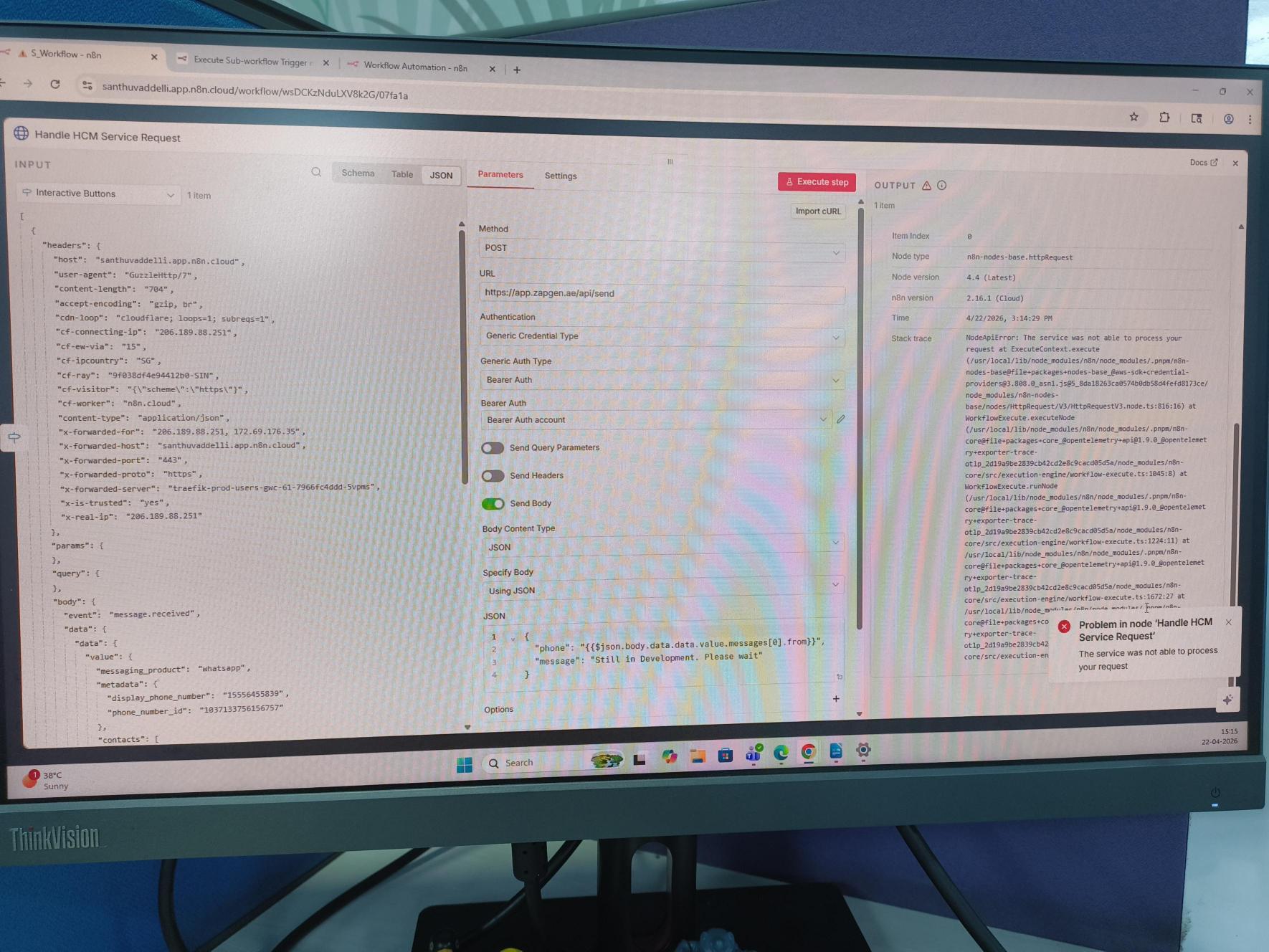
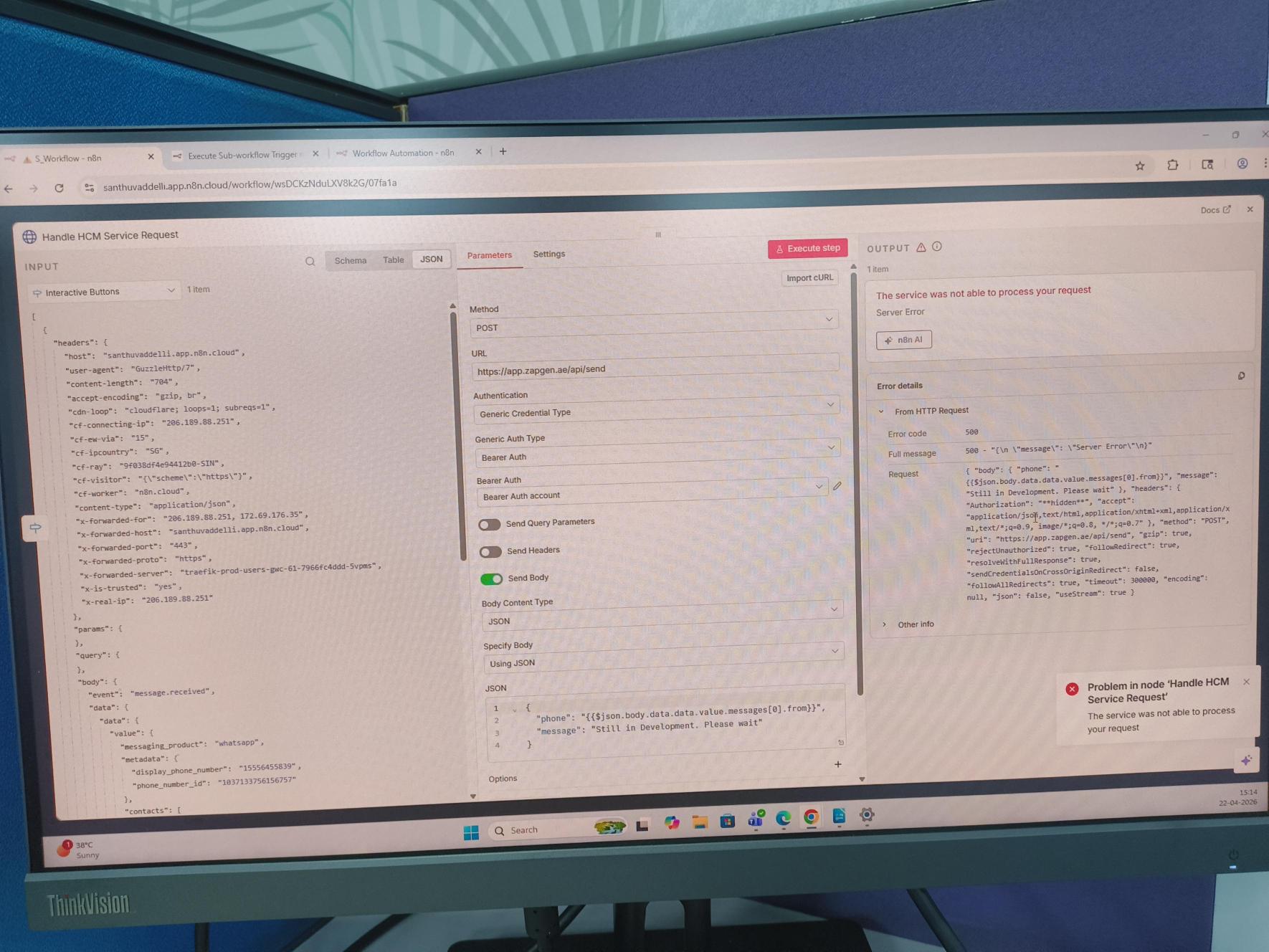
This is the error i got when i try to send the message or reply back to user whoever send message to my business whatsapp number.
My error json body is this →
{
“phone”:“{{ $json.body.data.data.value.messages[0].from }}”,
“message”:“Still in Development”
}
It is valid json body.
Also i want to mention that this json body is working whereas the above one is not working.
{
“phone”:“{{ $json.body.data.data.value.messages[0].from }}”,
“message”:“Please Select your preferred option:”,
“Header”:“Choose Service”,
“buttonLabel”:“HR Services”,
“sections”:[
{
“title”:“HR Services”,
“rows”: [
{
“id”:“get_employee_details”,
“title”:“Get My Details”
},
{
“id”:“available_leave”,
“title”:“My Leave Balance”
},
{
“id”:“hr_letters”,
“title”:“HR Letters”
},
{
“id”:“payslip”,
“title”:“Payslip”
},
{
“id”:“apply_leave”,
“title”:“Apply Leave”
},
{
“id”:“oauth_gettasks”,
“title”:“My Pending Actions”
}
]
}
]
}
What could be the reason i tried different options send content type in the header and i tried to send same json body through the postman it is working but not in this http request node why? Also i have to mention that error only occur when i tried to send the json body if i use the using fields below then it doesn’t show any error it working fine.
Anybody help me.
Note: I create two node with the same details like token and url and all are same but one is working another is not. if i copy paste the json body of working node into the error node it is working why? what is reason for that behaviour in http request?
Please solve this error as soon as possible. Thanks in advance.!!
@santhuvaddelli your error json body has $json.body.data.data.value.messages[0].from (double data.data) but the screenshot shows $json.body.data.value.messages[0].from (single data) — that wrong path resolves to undefined, sends an empty phone to Zapgen, and their API throws the 500. fix the expression path in your JSON body, here’s a minimal version that should work:
use JSON.stringify() in the expression so n8n builds a proper object instead of a raw string, plug in your bearer auth creds on the HTTP node.