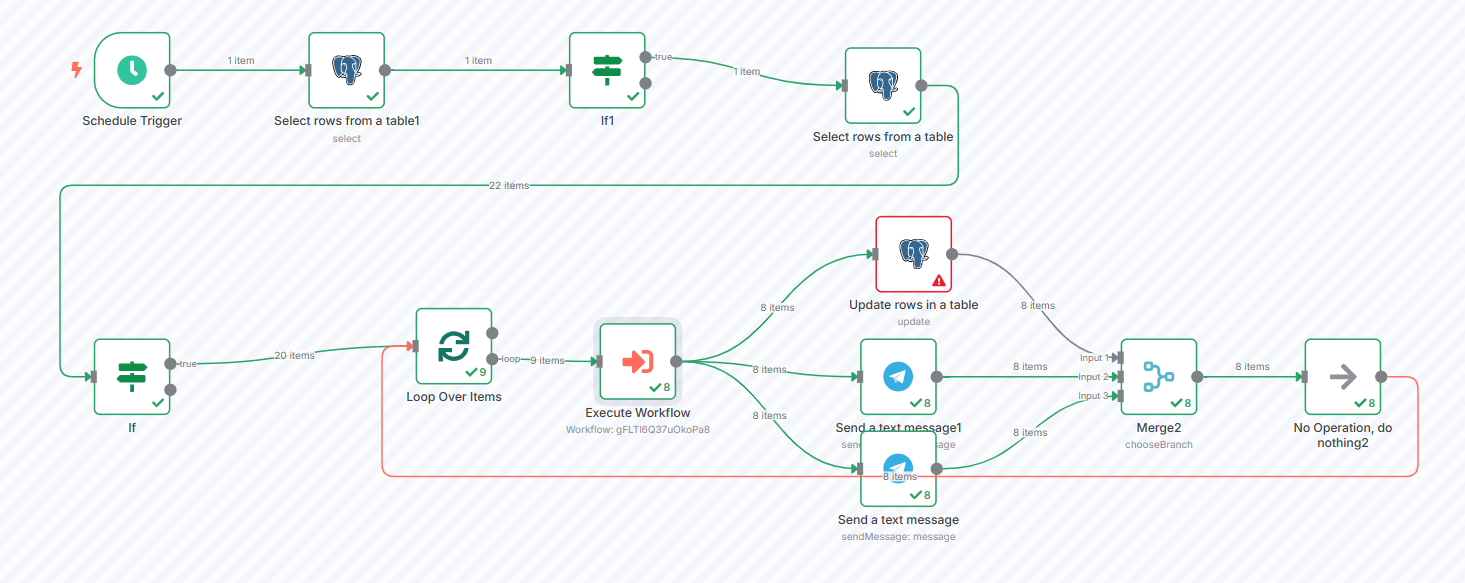
I use n8n to extract data from PDF files to text. I created a main workflow and a sub-workflow to perform the task.
Main Workflow: The main workflow periodically retrieves a list of PDF documents that need to be extracted and sends them to the sub-workflow.
Sub-workflow: The sub-workflow essentially converts the PDF files into PNG images and uses Google Gemini for Optical Character Recognition (OCR). Afterward, it uses a “Loop Over Items” node to iterate through the images. The output of the sub-workflow is the Google Docs document ID.
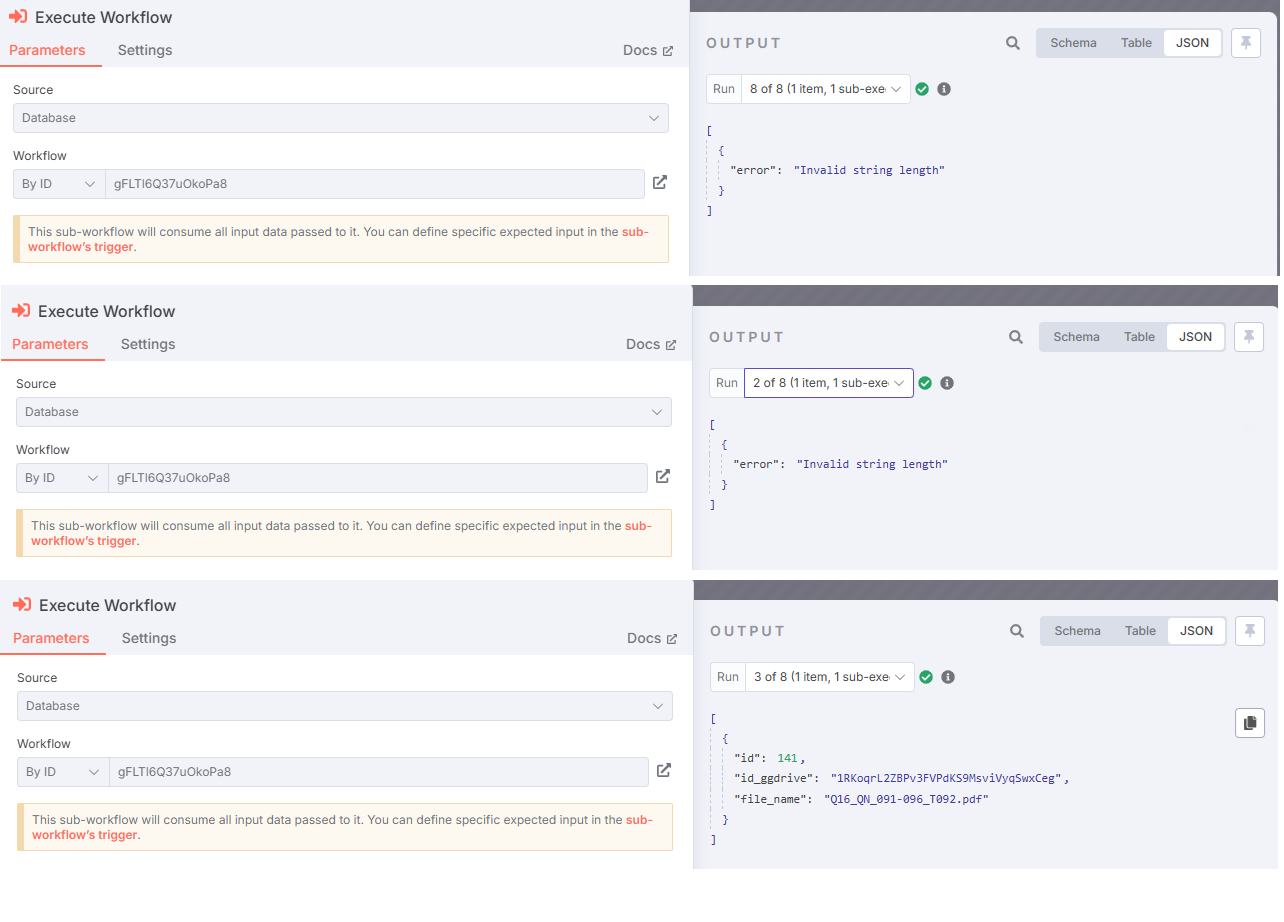
“My problem is that sometimes, during execution, the sub-workflow returns the desired results, but other times it throws an error: ‘Invalid string length’.”
Yes, I’ve checked the Google Gemini rate limits and don’t foresee any problems. My Google Docs output file confirms this, as it continues to receive all text extracted from images sent to the Gemini API.
But I can’t get the output from the sub-workflow to send notifications to the user upon job completion
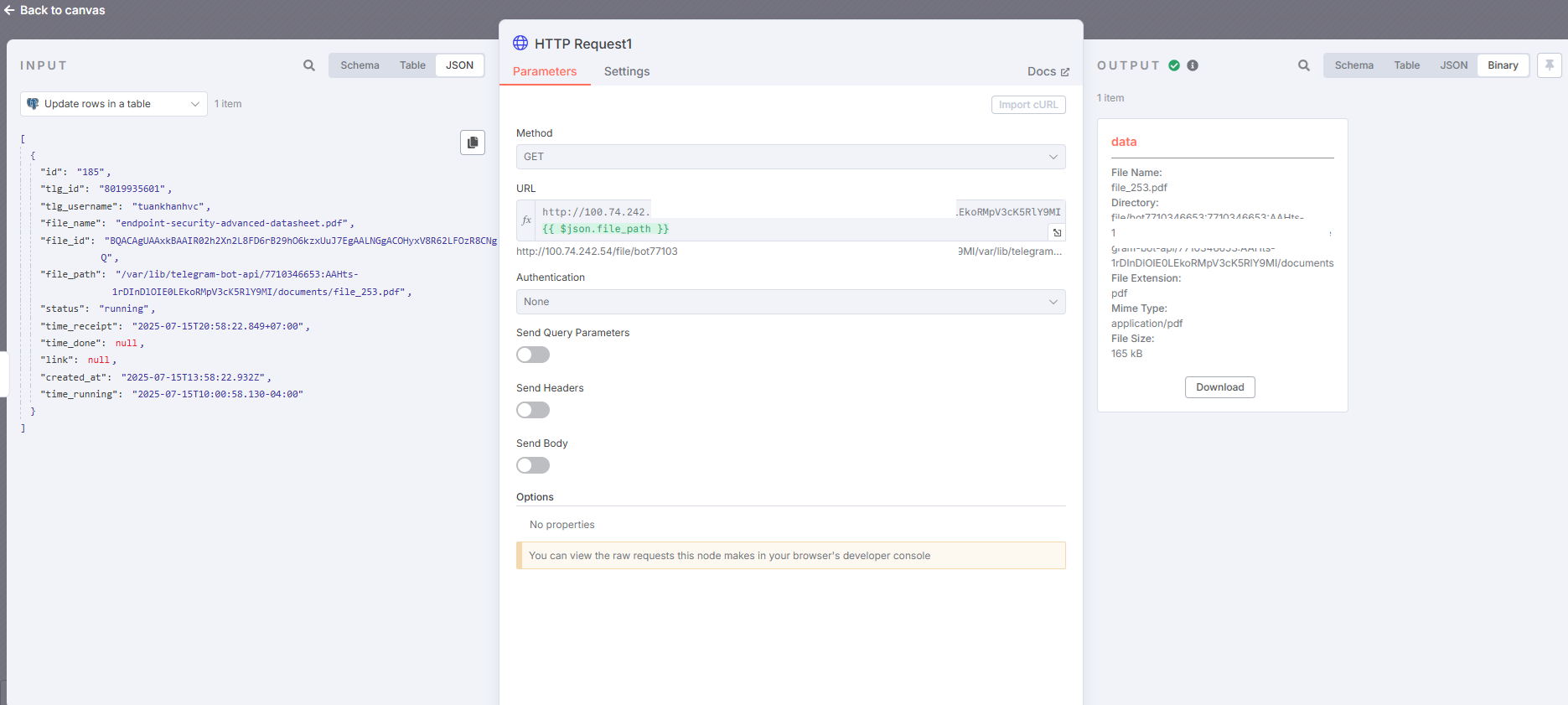
The issue you’re encountering with the “Invalid string length” error is happening because at some point in your sub-workflow, you’re passing or manipulating a base64 string that is too large for the JavaScript engine that powers n8n to handle. This doesn’t happen on every file because only some PDFs produce large enough base64 strings to trigger the limit. Here’s what I did to fix this in my case. First, I traced where the base64 string was being generated. In my case, it happened right after converting a PDF into images. I noticed that I was immediately transforming the image buffer into a base64 string and passing that along into other nodes including HTTP Request and Update Document. That’s where the problem occurred. The fix was to avoid converting the image into a base64 string too early. Instead, I kept the image in binary format and only converted it to base64 right before the node that needed it — in my case, a POST request to a custom OCR API endpoint. This drastically reduced the chance of memory overflow. Next, inside the Loop Over Items node, I avoided putting large base64 strings into Set nodes or directly into the JSON path because it made them very slow and prone to breaking. If I absolutely had to convert to base64, I used a Function node right before the API call, and I added a small safeguard like if (data.length > 10000000) throw new Error(“base64 too long”) to gracefully fail instead of crashing the whole run. I also ensured that Merge nodes or anything that tried to combine multiple outputs didn’t carry large base64 fields with them unless needed. After making those changes, the subworkflow stopped failing randomly and became fully reliable, even on larger files. The key learning here is that in n8n, you need to be intentional about when you convert binary to base64 and avoid pushing large strings through too many intermediate nodes, especially inside loops.