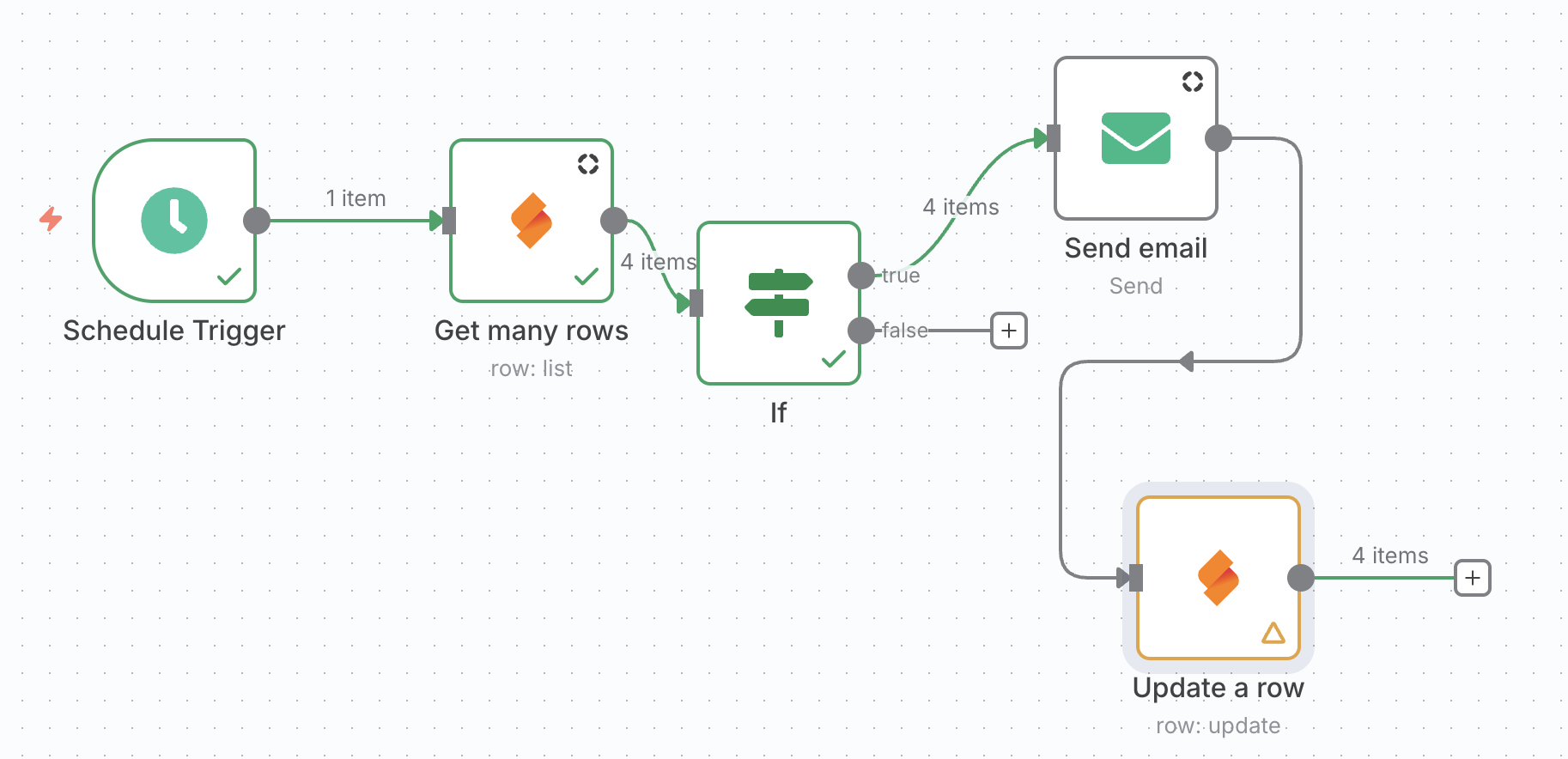
I’m working on an n8n workflow connected to SeaTable to automate email sending.
I use the Get Many Rows action and I can successfully read all my table columns, but I’m unable to get the internal Row ID in the returned data.
Without this ID, I cannot use the Update Row action dynamically — at the moment I have to select a Row ID in “Fixed” mode, which means it always updates the same row.
My questions:
How can I include the internal Row ID of each row in the “Get Many Rows” output in n8n?
Is there any specific setting in SeaTable or n8n to ensure this data is returned?
From my perspective, the missing row id from a trigger (or “Get many rows” action) makes the integration rather pointless for many use cases in which we want to update rows. I would consider the following a common use case:
If a row is added, retrieve row data, act on it, and update a field (e.g. “processed”) in the same row.
In order to know in which row to update “processed”, one needs to know the row id.
With get many, go to options. Turn on both options which are “Simplify” and “Column Names” , odly enough you have to turn off “Simplify” as a last step. Execute and you will see the hidden columns, amongst them “_id”. I did this on a local N8N and Seatable Server. Hope this helps.