I just discover n8n product, and it’s such a good product to automate many tasks !
As a technical profile in my company, I want to self host n8n on our specific machine using docker, very easy by using the tutorials, and my instance works perfectly (actions works)
But when I want to use the triggers (I try typeform and ActiveCampaign triggers), nothing happend (seems the triggers doesn’t detect that the action has been performed)
To be sure that the issue isn’t from the plugin, I try on n8n cloud and it’s works perfectly. Maybe there is a missing configuration to make it works ?
When you’re self-hosting in the local machine. There is no way for n8n to get data from the outside world.
Here is where the Tunnel comes in.
Tunnel lets you get data from the other applications. You can refer to the below documentation to enable it.
Please note that n8n Tunnel is only for testing and development purposes. Don’t use it in production. (Since it can be accessed by anyone with the tunnel URL)
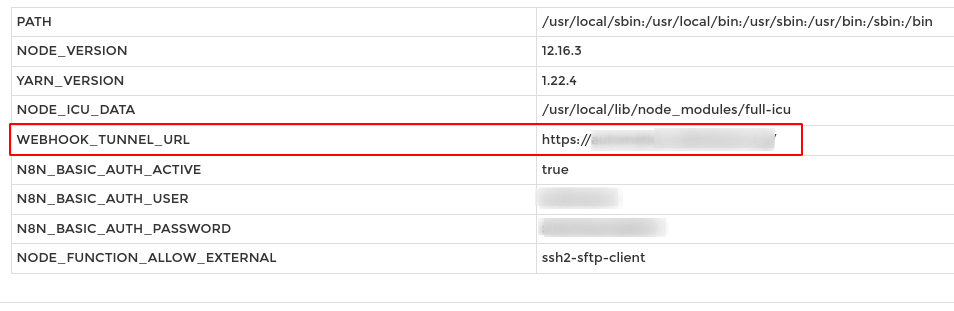
If you’re hosting in the VPS like Digital Ocean, Make sure you have WEBHOOK_TUNNEL_URL set to your n8n instance domain name in the enviroment variables.
I host n8n using docker-compose on AWS EC2 machine, but I found the issue yestarday evening.
The issue was caused by a not valid SSL certificate (because I run the docker before the DNS propogate so the Let’s encrypt validation failed)
Right now it’s fixed, but thanks for the tips about the tunnel !
I’m self-hosting n8n on a Hostinger VPS (Ubuntu 24.04) using Docker Compose. n8n version now shows 1.118.2.
Problem:
Schedule Trigger nodes do not fire at all on activated workflows (e.g., every 30s / every 1 min / every 11h 3m). Manual “Execute workflow” works; Executions list stays empty while activated.
What I already tried
Removed VPN, moved workflows to another laptop (so no browser/VPN variable)
Set workflow timezone to Australia/Sydney (also tried odd-minute offsets)
docker compose pull
docker compose down
docker compose up -d
n8n is up to date, but schedules still never run.
Hypothesis:
The background worker isn’t running (queue mode needed for cron). Hostinger’s one-click install may only run the main process.
Request:
Can someone please confirm that enabling queue mode + a worker service is the correct fix for this setup? Below is the proposed compose I plan to switch to. Does this look right/safe for 1.118.2?