Update: this seems to have been resolved, in the meantime. No change on our end. Original post below.
Hi All! We’re having issues with our Cloud instance of n8n, and we’re wondering whether it is specific to us, or whether this is more widespread.
Specifically, the UI looks “mangled” due to a few resources failing to load. A screenshot of what the personal Workflows overview looks right now:
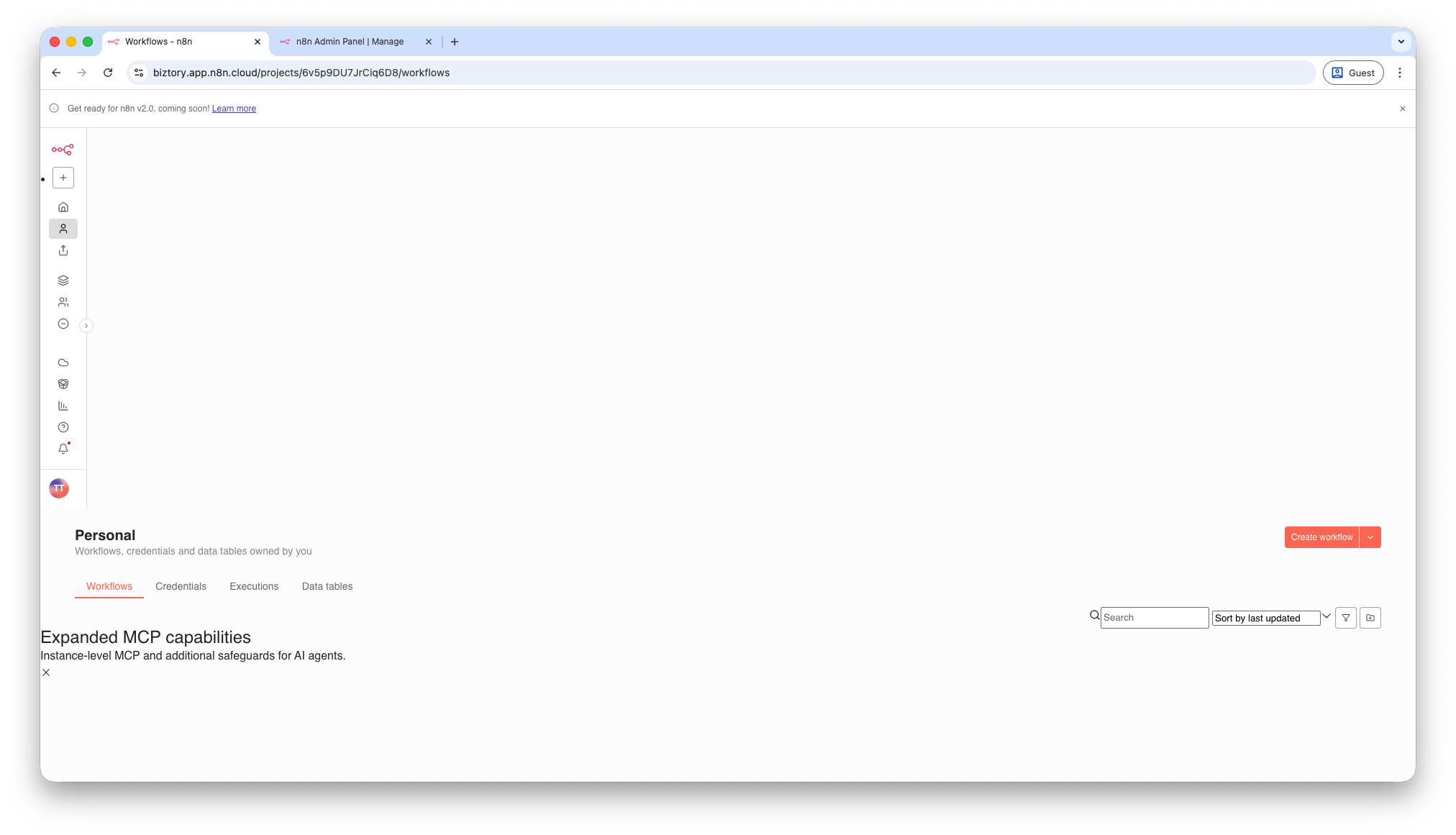
When using the browser’s DevTools Network tab, we find that a specific resource seems to have problems:
https://o1420875.ingest.us.sentry.io/api/4503960699273216/envelope/?sentry_version=7&sentry_key=abcabc… → 403 Forbidden error, no response body.
Which may or may not be what’s causing the strange layout, reminiscent of some missing CSS resources.
Additional info:
- We’ve restarted the workspace from the Admin Panel, no change.
- The same behavior has been noticed for various users, using different browsers and machines.
- Version:
1.121.3
Any help is appreciated!