Unable to execute any workflows in testing (and production fails)

Describe the problem/error/question

I am unable to test any workflows - they show no output and the execution log shows errors

This video shows what is happening.

What is the error message (if any)?

Workflow execution had an error

Error: Cannot read properties of undefined (reading ‘execute’)

Problem executing workflow
There was a problem executing the workflow.
Error: Cannot read properties of undefined (reading ‘execute’)

Please share your workflow

{
“nodes”: [
{
“parameters”: {
“formTitle”: “testing!!!”,
“formFields”: {
“values”: [
{
“fieldName”: “Name”,
“fieldLabel”: “Name???”
}
]
},
“options”: {}
},
“type”: “n8n-nodes-base.formTrigger”,
“typeVersion”: 2.4,
“position”: [
0,
0
],
“id”: “72ae949e-cefe-4294-a9bb-c029a0b65cb7”,
“name”: “On form submission”,
“webhookId”: “46e440d0-90ef-45b6-ba1d-9a26d5239291”
}
],
“connections”: {},
“pinData”: {},
“meta”: {
“instanceId”: “93568d9fc10d138894e8e6338e6bae605755cdef42c5d8bef8c87cd10344fbd5”
}
}

Share the output returned by the last node

n/a

Information on your n8n setup

  • n8n version: 2.1.4
  • Running n8n via (Docker, npm, n8n cloud, desktop app): Railway/docker
  • Operating system: MacOS

Hi @jonbstrong,

That is definitely strange. I just started up a new instance on version 2.1.4 and replicated your workflow and mine worked 100%.

How did you setup your self hosted instance? Was it a one click deployment from the host or did you setup n8n manually? Are you able to share any further details.

I suspect there is some issue in your config maybe

Hi, I tested this on my end in my self hosted instance and it is working fine. I notice that you have hosted it in railway app instance, it maybe possible there is a cors issue. When you are executing, check the browser console or make your workflow active and test the production url to see if it works then

sorry i am unable to attach my attachments otherwise would have attached a video

but here is a youtube video showing how it works for me so you are not doing anything wrong and it was supposed to work like that only: https://youtu.be/tYA6g76UaO4

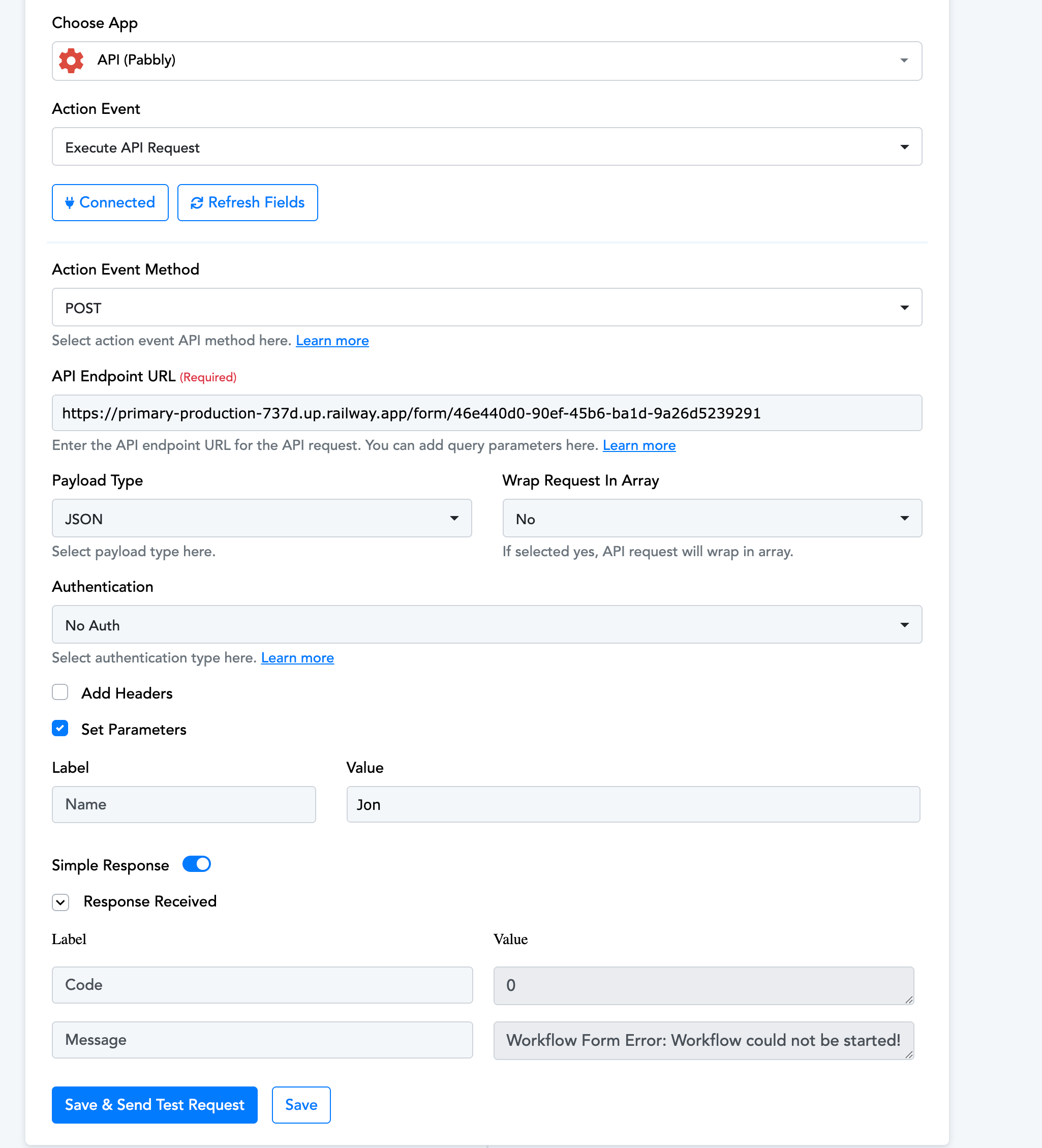
Thanks for your input @Wouter_Nigrini and @Shraddha_Singh, I think you’re both right - my guess is that the issue is with how it’s set up on Railway. I tried making it live and using the production url but it’s returning “Workflow Form Error: Workflow could not be started!”

I had a look at the logs on Railway and it also is showing errors:

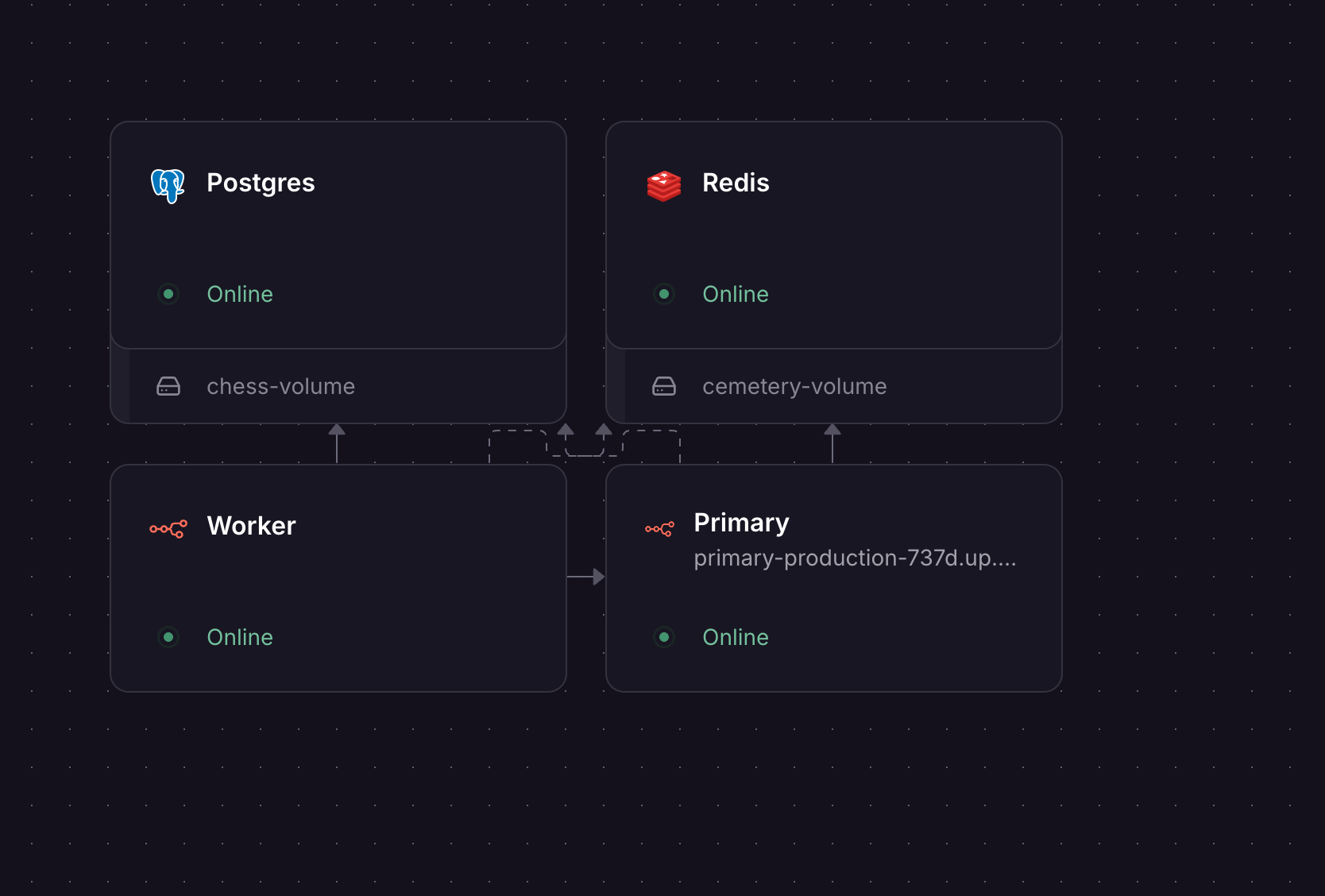
This is the current architecture for my n8n deployment on Railway:

the problem is in your worker node [intuition] , check if your worker has the same docker image/version as primary. Set EXECUTIONS_MODE=queue on both Primary and Worker

The UUID “undefined” error is a secondary issue likely caused by a corrupted session, clearing browser cookies for your n8n instance should resolve that one.

i can help you diagnose and get this working for you if you want in a remote session, otherwise i will try my best to help you here and you can try to follow steps. I specialize in self hosting, i can also provide you a better way to self host because if you are serious about using n8n, you are going to need self host a lot of things down the line or you will end up buying and paying for subscription for everything.

here is my website in case you are interested: https://www.zeroembed.com/

PS: after further digging i found that this is a known issue and was fixed in the release june 2025.

Use Shared Configuration Between Primary and Worker

Both services MUST use:

  • The same Docker image/n8n version

  • The same N8N_ENCRYPTION_KEY

  • The same database connection

  • The same Redis connection

  • N8N_REINSTALL_MISSING_PACKAGES=true on both Primary AND Worker

Worker Configuration

Make sure your Worker service has:

command: worker  # Not just "n8n worker"
EXECUTIONS_MODE=queue
N8N_REINSTALL_MISSING_PACKAGES=true
N8N_COMMUNITY_PACKAGES_ENABLED=true

Update to the latest version as the last step.

3 Likes

Thanks @Shraddha_Singh - making sure the variables were the same between the nodes and redploying both seems to have worked! Really appreciate you helping me troubleshoot this!
This topic was automatically closed 7 days after the last reply. New replies are no longer allowed.