Hi everyone,
I’m running into a strange issue with a self-hosted n8n instance (Docker) and webhook triggers.
Setup
-
n8n self-hosted using Docker (single instance)
-
Behind reverse proxy / API gateway
-
WEBHOOK_URLis correctly set to the public domain (not localhost) -
HTTPS is working
-
Not using Execute Node
-
Execution mode is not intentionally queue (no separate worker containers)
-
Using
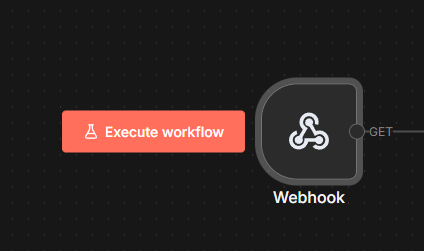
/webhook-test/...with “Listen for test event”
The problem
When I send a POST request from Postman to the test webhook URL:
https://<domain>/webhook-test/iis-agent
-
The webhook trigger does receive the request
-
I can see the incoming payload in the webhook output (headers, body, etc.)
-
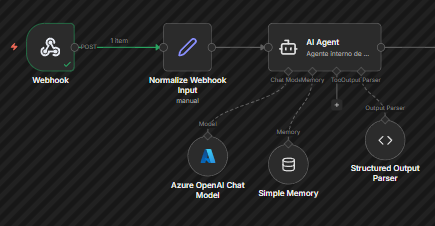
The next node (a simple
Setnode used to normalize input) does not execute -
The workflow execution stops at the Webhook trigger
-
No error is shown
-
The workflow just never advances to downstream nodes
Things I have already verified
-
WEBHOOK_URLis correctly set to the public domain -
Only one n8n container is running
-
Webhook is in “Respond to Webhook” mode (also tested with “On Received”)
-
Workflow is connected correctly (no missing edges)
-
The
Setnode is not executed manually (manual mapping only) -
Same behavior happens even without AI Agent / LLM nodes
-
Using “Listen for test event” correctly before sending the request
Observed behavior
-
The webhook trigger fires
-
Execution appears to stop immediately after the trigger
-
No downstream node is executed
-
Postman keeps waiting or receives no response (depending on response mode)
Has anyone seen this behavior before?
Is there anything else I should check at the Docker / environment / execution level?
Thanks in advance.