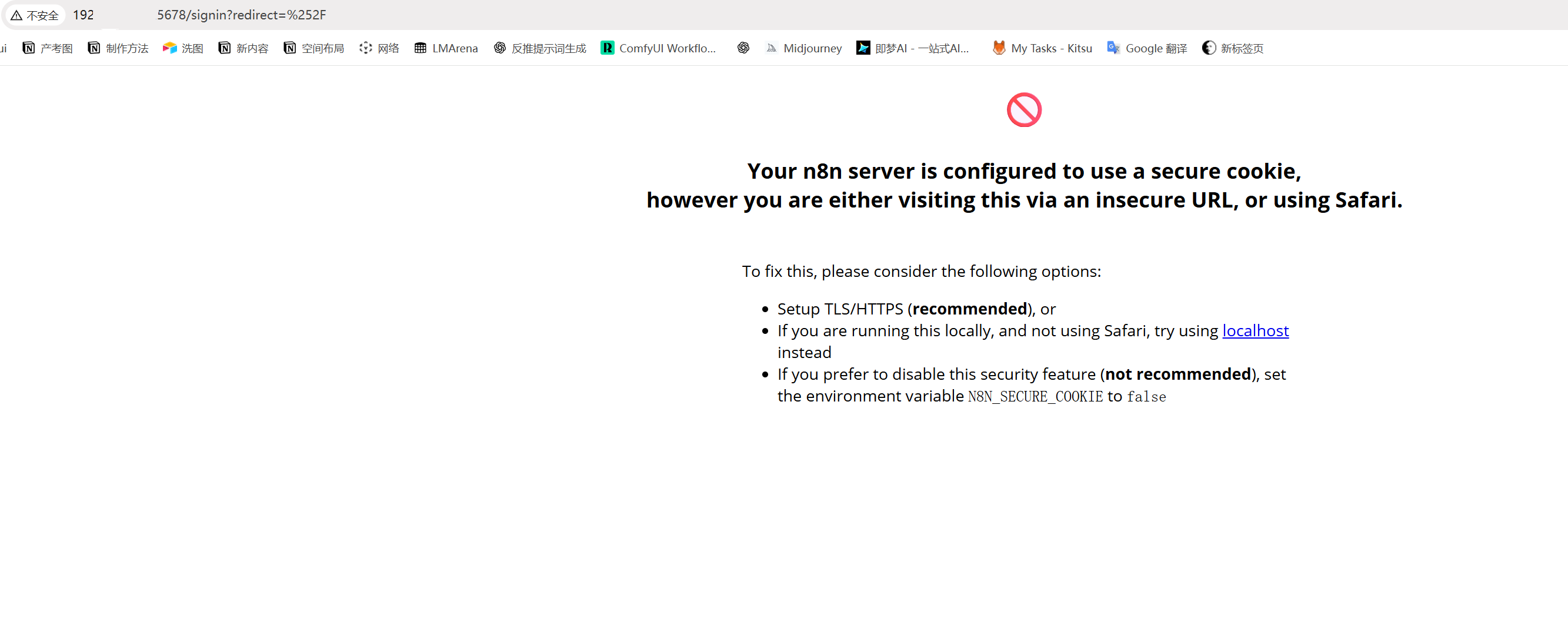
Why did Error after updating N8N occur after I updated N8N: “window.crypto.randomUUID is not a function” and cannot access the local WebUi. Then after I rolled back the version, I found that I couldn’t log in to n8n using ip:5678. I was able to access it normally before
Hi @GUFENG_WU this depends on which version you upgraded from, but a while ago there was an update which requires your connection to use secure cookies which is only possible over https and a dns record instead of an IP. To fix this, simply follow the error message and set the N8N_SECURE_COOKIE=false in your env vars, then try and reboot your n8n server. It should now allow you to access the web ui again
Hi , but now i use npx [email protected] this n8n version ,and set N8N_SECURE_COOKIE=false in my .env file, it still doesn’t work. Should I restart my computer?
If you’re using npx, then depending on your operating system you need to set your global system env. If you’re on mac or linux, it’s simple to run `export N8N_SECURE_COOKIE=false` before you start npx n8n. You can also set this var in your bash_profile or zshrc files depending on your setup.
final I use commands in the CMD “set N8N_SECURE_COOKIE=false&&npx n8n” solved this peoblem
1 Like
This topic was automatically closed 7 days after the last reply. New replies are no longer allowed.