Please, anyone has a workflow/connection with canva.com?
1 Like
It looks like your topic is missing some important information. Could you provide the following if applicable.
- n8n version:
- Database (default: SQLite):
- n8n EXECUTIONS_PROCESS setting (default: own, main):
- Running n8n via (Docker, npm, n8n cloud, desktop app):
- Operating system:
Hi @Hugokml
You can use the HTTP request node to connect to Canva’s API
Thanks @ria … Yes… My question wasn’t very well 
Please, you or anyone know that’s API endpoint/documentation? Has an example of using these endpoints?
Alas can’t help there (but looks like you’ll have to publish a public app as private apps are only allowed for enterprise, unless you have that already).
But in case your usecase is “fill in variables into a template and output graphic banners”, then can recommend bannerbear - have used it myself and we do have an integration for it. No affiliation with them (though Jon their founder is a real nice guy).
1 Like
Hey man! Trying to build something with Canva too! Already did something?
I was looking for this too - Zapier and Make have pre-built connections, N8N doesn’t and sadly Canva API is for public apps (you have to go through a publication process) or Enterprise customers only, for anyone else looking!
4 Likes
Ahah Simon, I see you everywhere!  … Same on my side! I’ve looked into it too, and the process is a nightmare! Just as complicated as the LinkedIn API T.T I gave up!
2 Likes
you have to try with placid.app. Better for api than canva
You can also use Google Slides API to automate most images task using variables
This can be achieved now - Autofill - Autofill - Canva Connect APIs Documentation
Hey everyone I was also trying to figure this out.
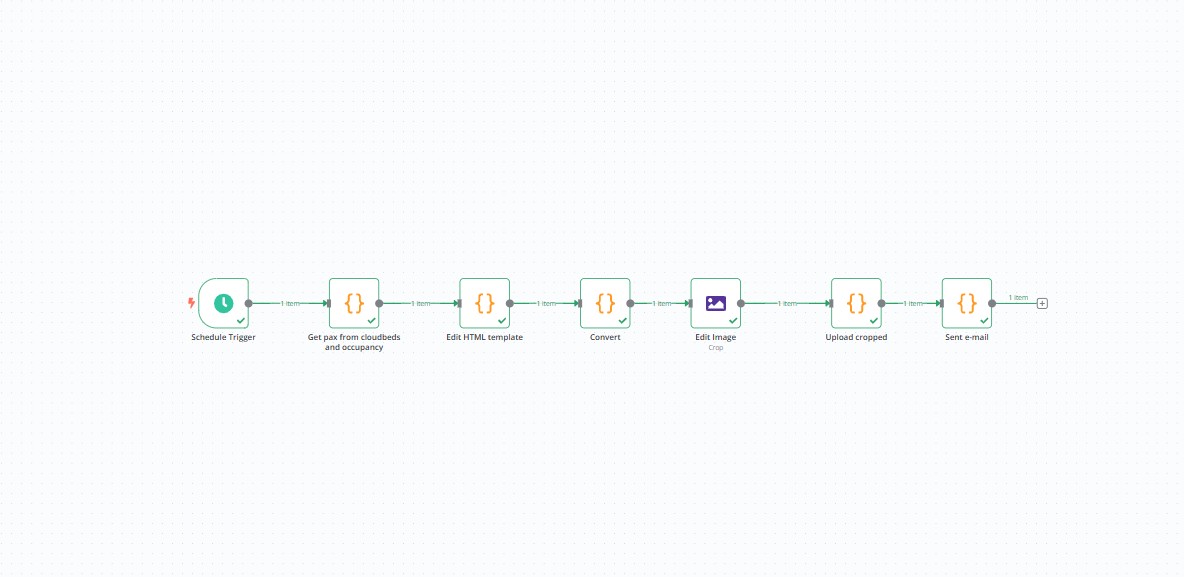
What I did is:
- Make design in Canva
- Work with cursor to replicate in HTML
- Then work with code and cursor to change the HTML design dynamically
I used the https://cloudconvert.com/ api to convert it from HTML to JPG.
Not the easiest flow but works great once it’s done.
1 Like
Can you share this somewhere to take a look? It’d be much appreciated!
This topic was automatically closed 90 days after the last reply. New replies are no longer allowed.