Workflow problem: Auth produces access token - but Sharepoint-node does not accept it

Hi, can somebody please help me?

Ultimately, I’m trying to upload some files to a folder. But I am not there yet…

If the Sharepoint-node is not connected, the Auth produces a bearer-token.

But if the Sharepoint-node is connected, I cannot choose from a list inside Sharepoint, and the entire workflow fails!

  • I’ve created the App in MS Entra and given it the rights for the application
  • Normally, “set config” works fine - only for posting it here I’ve removed the Secret…
  • What’s my mistake with the Sharepoint-node? Why can’t I get a list to choose from? There is a list in the Sharepoint…
  • Alternatively: what do I need to do to get the ID? Google tells me to get it either via the gear and to choose “site information” - this option is not there. Or via site soure code. With this I get “o365shellwcssframe” and “requirelastJS” - neither of which is helpful

hello @tontaube

The sharepoint node doesn’t work with inline credentials. You have to use either the credentials from the node or an HTTP node instead of the sharepoint one.

Hi barn4k,

thank you!

I cannot use the Sharepoint node, because there is a mismatch between my registered Entra-app (with the necessary rights) and the subdomain.

The app is created via thesafezone.eu. However, the Sharepoint is on thesafezonevr.eu (as thesafezone was alreade taken).

Leading to “The client has requested access to a resource which is not listed in the requested permissions in the client’s application registration.”

Via HTTP-node: can you please tell me what I am missing now?

(Note: The secret is not correct - but during the trial it was, and I got a bearer token).

However the last step bings an error:

I’ve asked the assistant, but the answer is wrong…

Could you please tell me step-by-step what I need to do to get authenticated and get the list?

FileIDs, Files etc. I think I can figure out…

Now:

The credential claims it works:

However:

Forbidden means the app is missing some permissions.

As for the HTTP node:

Check the url, it either should be _api/web or _api/lists, not _api/web/lists

Get to know the SharePoint REST service | Microsoft Learn

Plus check the method, POST is for creating a list, but you didn’t provide any body for it

Hi Barn,

it seems I’m stupid. It simply does not work:

If I connect the HTTP-Request - I get “forbidden - 403”. Even though the permissions are Files.Read.All and Sites.Read.All . Even though it comes directly from Authentification. But: the workflow and the authentification only works if the HTTP-Request is not connected…

At various times I also got “malformed header” - even though the Bearer-token came directly from Authentification…

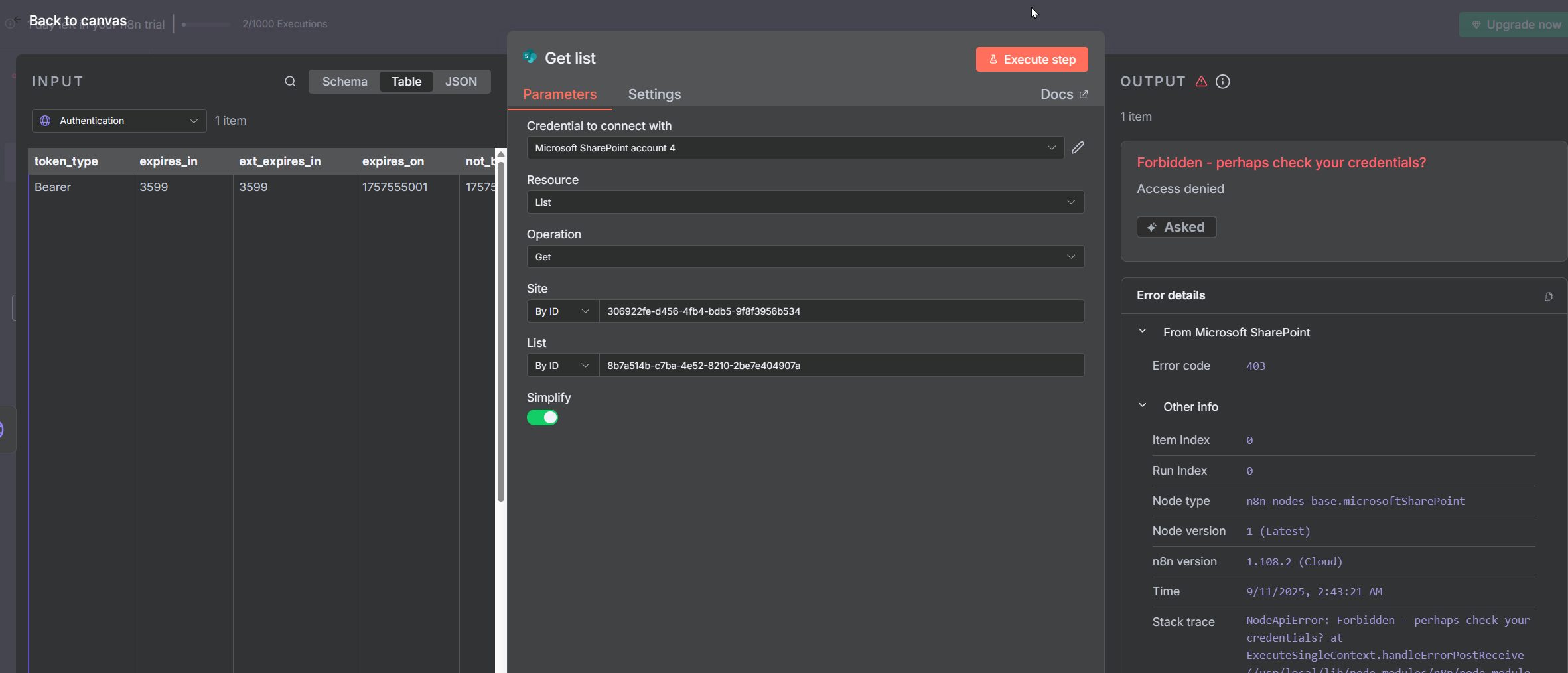
If I connect the Sharepoint-node - I get “Access denied - check your credentials”. The Connection is valid, the permissions are Files.Read.All and Sites.Read.All

I’ve asked the AI - but to no avail…

Here are some “interesting” Screenshots:

malformed header:

Credentials: working, reconnected works, everything is green, permissions are granted…

ids are correct:

lists are got - but not via n8n…

the sharepoint node uses only these scopes:

`openid offline_access https://{{$self.subdomain}}.sharepoint.com/.default`

As for the HTTP node, you didn’t set the Expression mode. Try this node

2 Likes

Thank you very much!

This topic was automatically closed 7 days after the last reply. New replies are no longer allowed.