Workflow Setup RAG Sales Agent - losing metadata from supabase vector store

Describe the problem/error/question

Hi,
i am relatively new to n8n and have no coding experience.
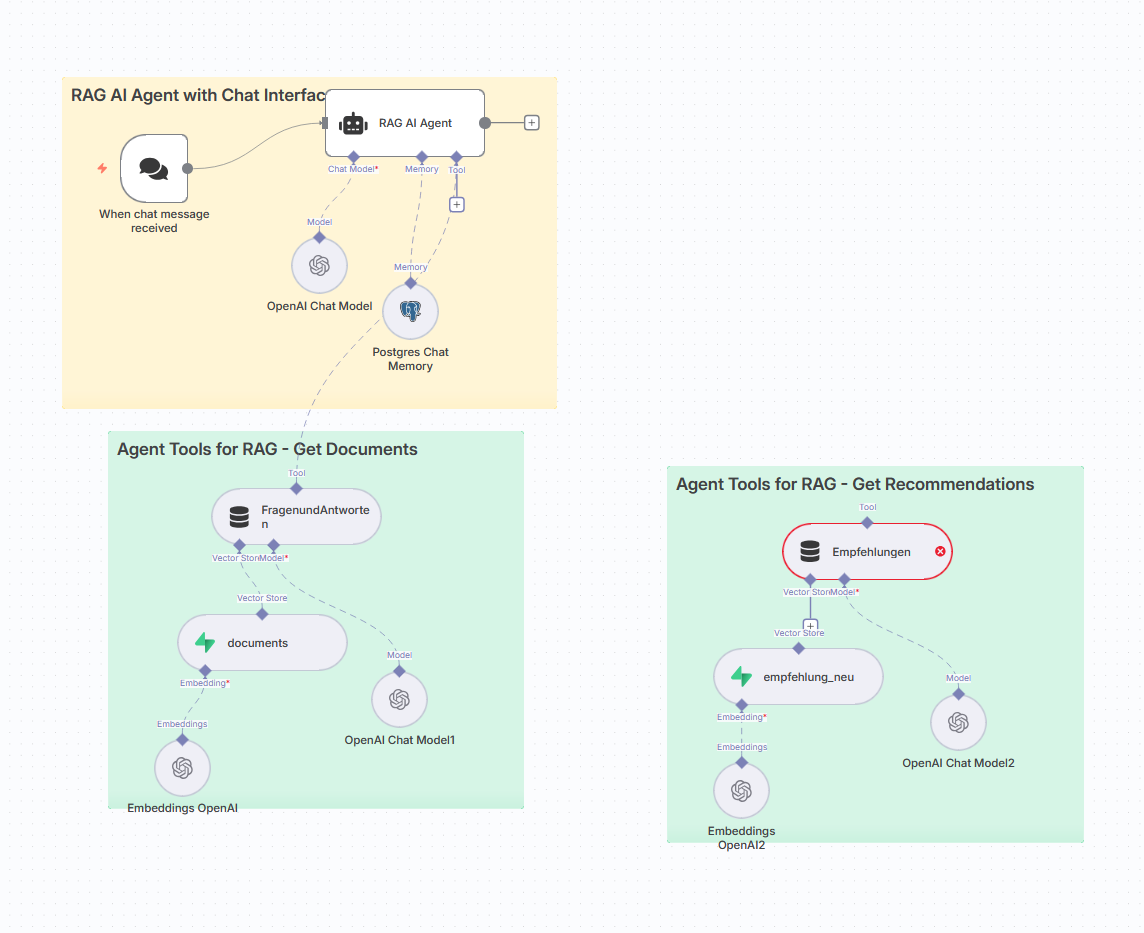
I try to build an ai sales consultant. The setup is attached.

Goal:

  1. User types in chat message
  2. RAG AI Agent finds the right answer to his questions, reply and asks the user if he likes to get a product recommendation (data is stored in supabase vector store; table documents - vector and 1-n chunks per question) –> Already Working
  3. RAG AI Agent finds the right products for recommendation (data is stored in supabase vector store; table recommendations)
    The connection between the two tables is the question_key [frage_key)

So far so good.

How could i solve this? Is my setup maybe not good

Idea would be:
Ask the user if he likes to have a recommendation, then show him the available products.
The thing is how to get the right question_key.

What is the error message (if any)?

The challenge:

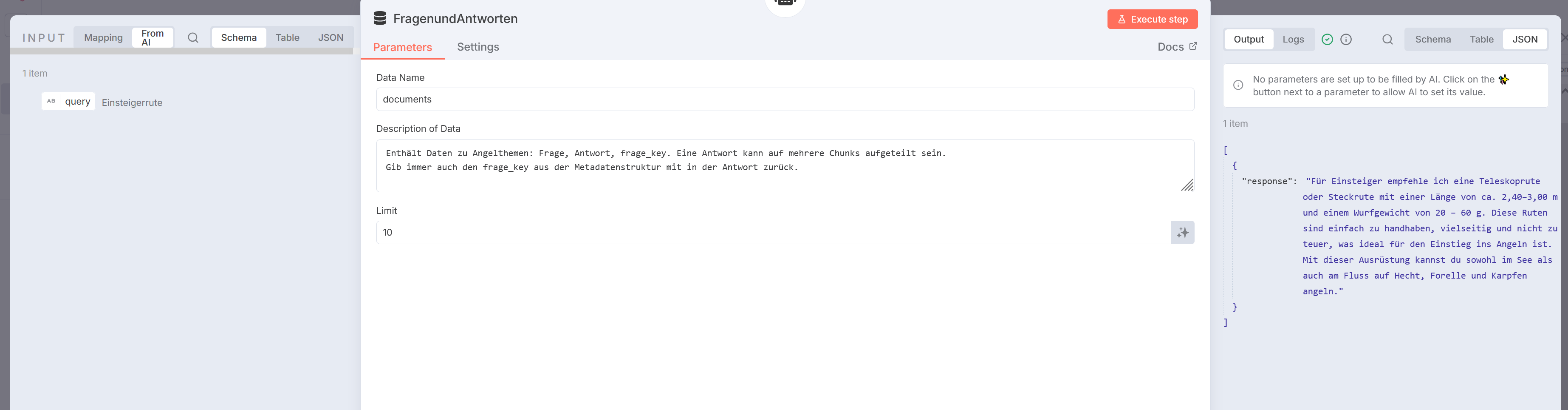
  • The superbase vector store returns the metadata (i need the frage_key, which is the key to find the relevant products (recommendations) in the table recommendations) → the vector store question and answer tool only has the response as an output

  • For the recommendations tool to work properly i need to have the [frage_key]

Please share your workflow


(Select the nodes on your canvas and use the keyboard shortcuts CMD+C/CTRL+C and CMD+V/CTRL+V to copy and paste the workflow.)

Share the output returned by the last node

Information on your n8n setup

  • n8n version: 1.109.2
  • Database (default: SQLite): supabase
  • n8n EXECUTIONS_PROCESS setting (default: own, main):
  • Running n8n via (Docker, npm, n8n cloud, desktop app): n8n cloud
  • Operating system:

Hey, you can create a structured output node and also instruct the AI in its system message to always output the frage_key. Something like this:

Hi @krisn0x ,
thank you very much for your answer, but i tried and it is not working.
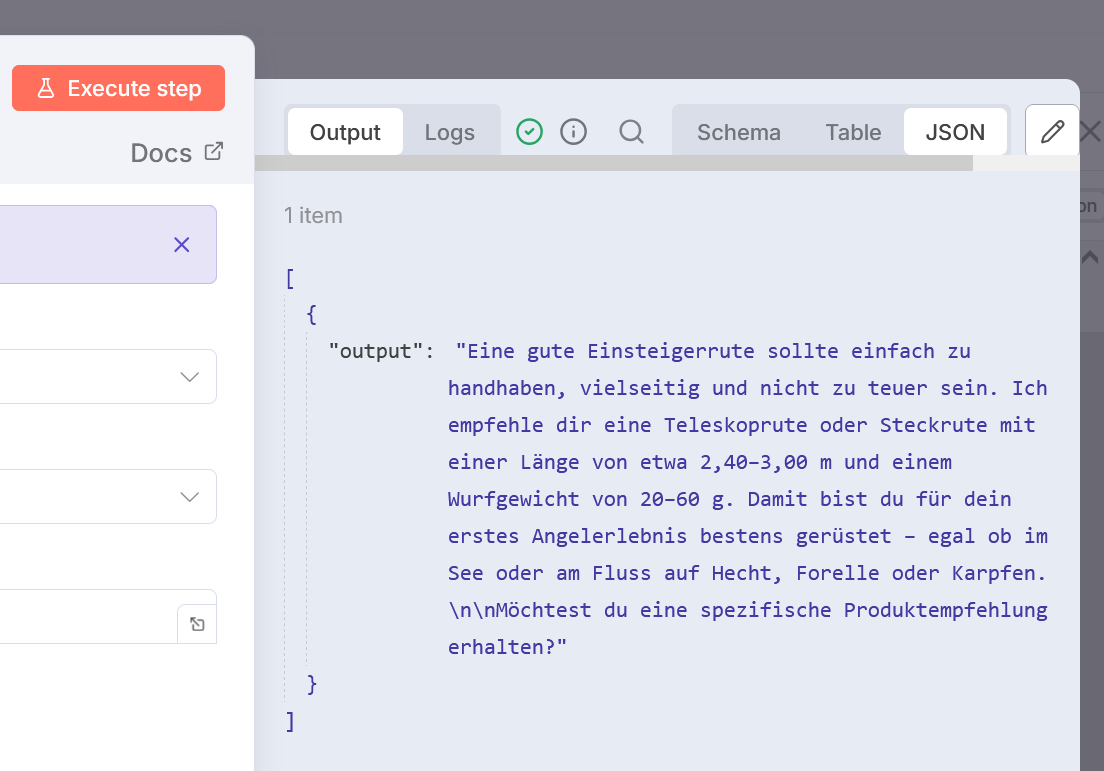
The Vector Store Question and Answer Tool only gives the response, no frage_key is sent to the RAG AI Agent.

Hey, you need to connect the Structured Output node. First, enable Require specific output in the AI node and connect them, then try again.

there is still the error. connected it before, but there are issues with the format:

Model output doesn’t fit required format

To continue the execution when this happens, change the ‘On Error’ parameter in the root node’s settings

  • changed system prompt in RAG AI Agent
  • used structured output parser

Hey, this is now either a prompt issue or issue with the agent finding the frage_key. I think the first one’s more likely.

Can you change the structure in the schema to add descriptions:

{
    "type":"object",
	"response": {"description": "Your description here",
                 "type":"string"},
	"frage_key": {"description": "Your description here",
                 "type":"string"},
}

And in your prompt you must be VERY specific:

  • use words like ALWAYS output the frage_key associated with the output info
  • tell it where to get the frage_key from (use the name of the tool)
  • don’t define the schema in the prompt, it can confuse it as it’s already in the Output Parser
  • disable the output parser for testing, so you can see how the output changes when you adjust the prompt

This will require prompt tuning above all else

Hi,
so i tested your suggestions:

  • Structured Output Parser connected: no result → same error like before
  • Structured Output Parser not connected: answer is right, still only output → it does not contain the frage_key information
    • my research last week said it is due to the “Vector Store Question and Answer Tool”
    • can you maybe think of another solution to get the frage_key to use then the recommendations tool?

results from supabase vector store:

FragenundAntworten Tool:

Ok, so, I can’t really test this for you as the setup is not reproducible without your vector store. What I would do next is this:

  • Test with extremely basic prompt. Something like
Consult the <vector_tool_name> and query for X. The JSON you will receive from the <vector_tool_name> also contains a key called "frage_key". Output only the "farge_key" value.
  • Try other models like Gemini and see if they accomplish the task. Your primary goal is to find out if any model can output the farge_key and nothing else matters (excuse the pun) for now.
  • Once it can output the farge_key (if possible at all), get your prompt and pass it through another AI to refine it. Explain your issues and needs, so it can design it for you. I translated it to check it and see a lack of clarity around certain tools and sentences. Of course, keep the part that successfully printed the farge_key at the top and unchanged.

These are the tips I can think of right now. It’s a bit of a pain to fiddle with prompts on AI nodes, I know. Crossing fingers it takes less time rather than more!

This topic was automatically closed 90 days after the last reply. New replies are no longer allowed.