After apply the N8N_PUSH_BACKEND=see, under the logs I see the following message:
Collaboration features are disabled because push is configured unidirectional. Use N8N_PUSH_BACKEND=websocket environment variable to enable them.
Version: 1.86.1
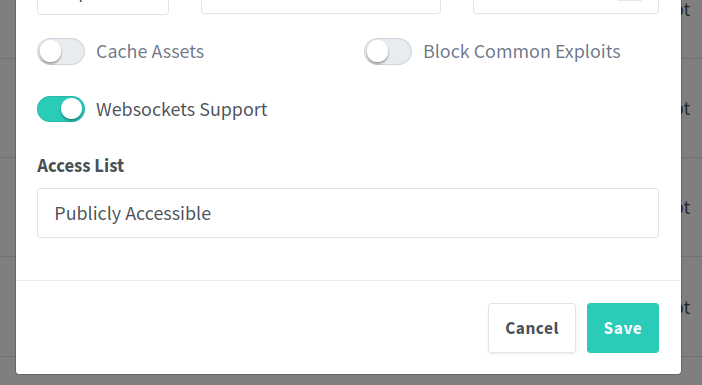
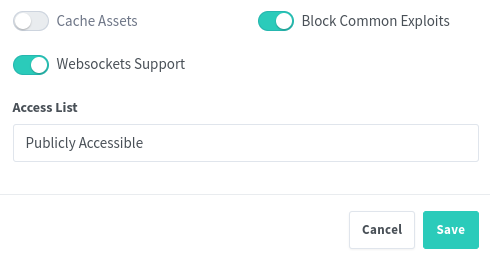
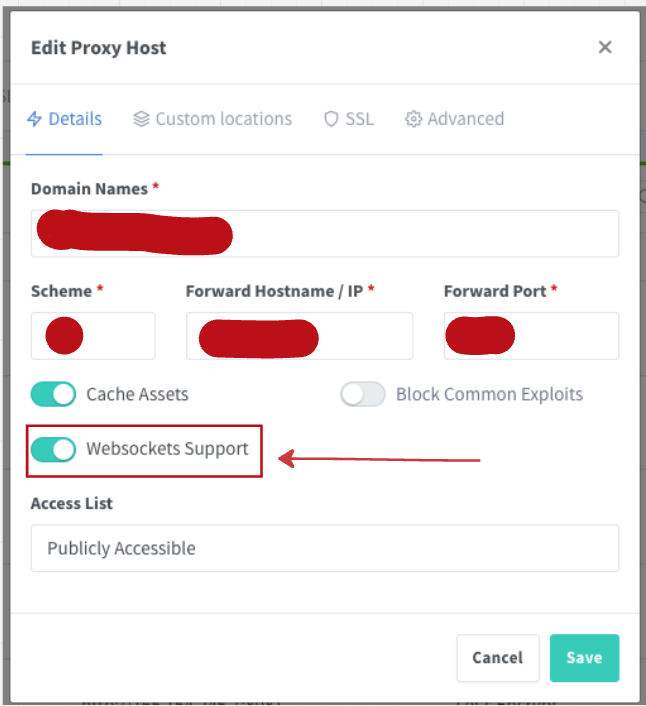
What does it mean? I have activated the Websockets Support under my proxy manager
I actually got rid of this issue in the past, but now I downloaded the next (1.88) version and the issue is showing itself again. However, I cloned the container that worked (using docker on synology ds923), but I keep getting the Connection lost issue. Anyone else facing that switching from latest to next version?
For me the issue was solved switching the SSE to websocket in the N8N_PUSH_BACKEND environment. (and enable proper websocketing settings on my Synology DS923 NAS)
I got it to work by putting the script hereunder in the nginx manager and changing the manager and N8N_PUSH_BACKEND both to websocket. But after that I got enough of this recurrung problem and with the prompt help of claude.ai I got a YML script for traefik and in no time I eliminated the use of nginx once and for all.
I had the exact same issue. In my case, since I’m using Nginx Proxy Manager, the solution was to enable the “Websockets Support” option in the proxy host settings.
I have successfully fixed it! “Connection lost” error happens from n8n version 1.79.3 and above. Solution: downgrade to n8n 1.78.1 + fix WebSocket proxy settings in Nginx. Then restart Nginx — the issue will be resolved.
Solution as given is not perse the right one, as reverting to a previous version should not be needed.
As mentioned by multiple people replying here, the issue is that WSS needs to be enabled in the reverse proxy.
Hi, guys.
I upgraded from version 1.78.1 to 1.90.1 and had several problems. To help you out, I’ll share what worked for me:
First, upgrade through the versions.
I went to 1.80.1
in NGINX:
proxy_http_version 1.1; # Required for WebSocket
proxy_set_header Upgrade $http_upgrade; # Required for WebSocket
proxy_set_header Connection “upgrade”; # Required for WebSocket
Here is my command line as a final example after running
docker run -d -it --rm --name n8n -p 5678:5678 -e WEBHOOK_URL=https://DOMINIO.COM -v n8n_data:/home/node/.
n8n docker.n8n.io/n8nio/n8n
Thanks to everyone here because with your help I was able to do everything.

 “Connection lost” error happens from n8n version 1.79.3 and above.