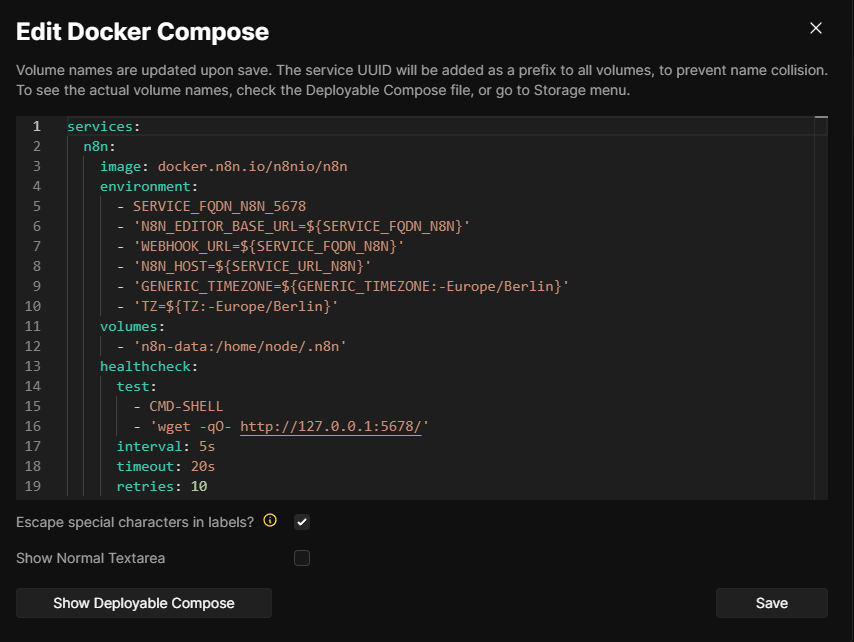
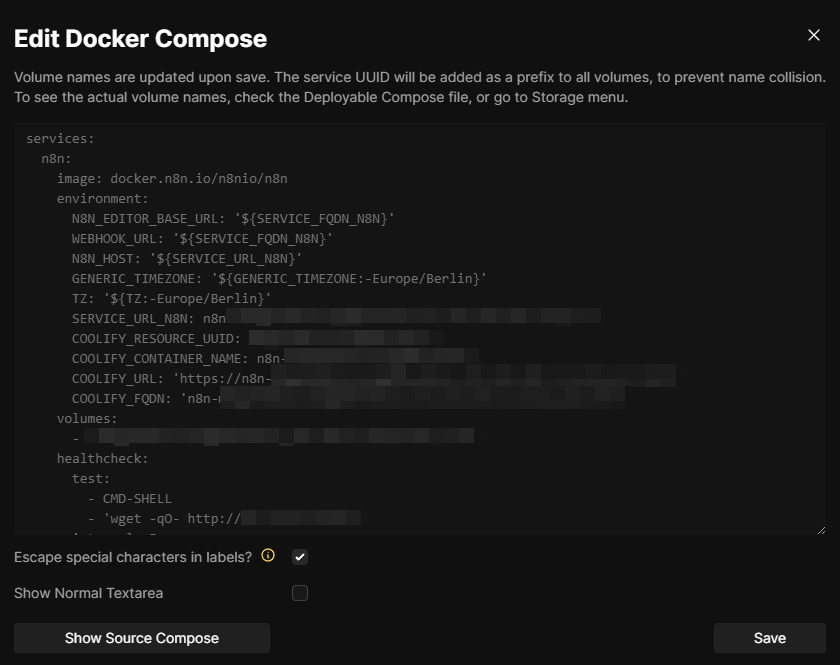
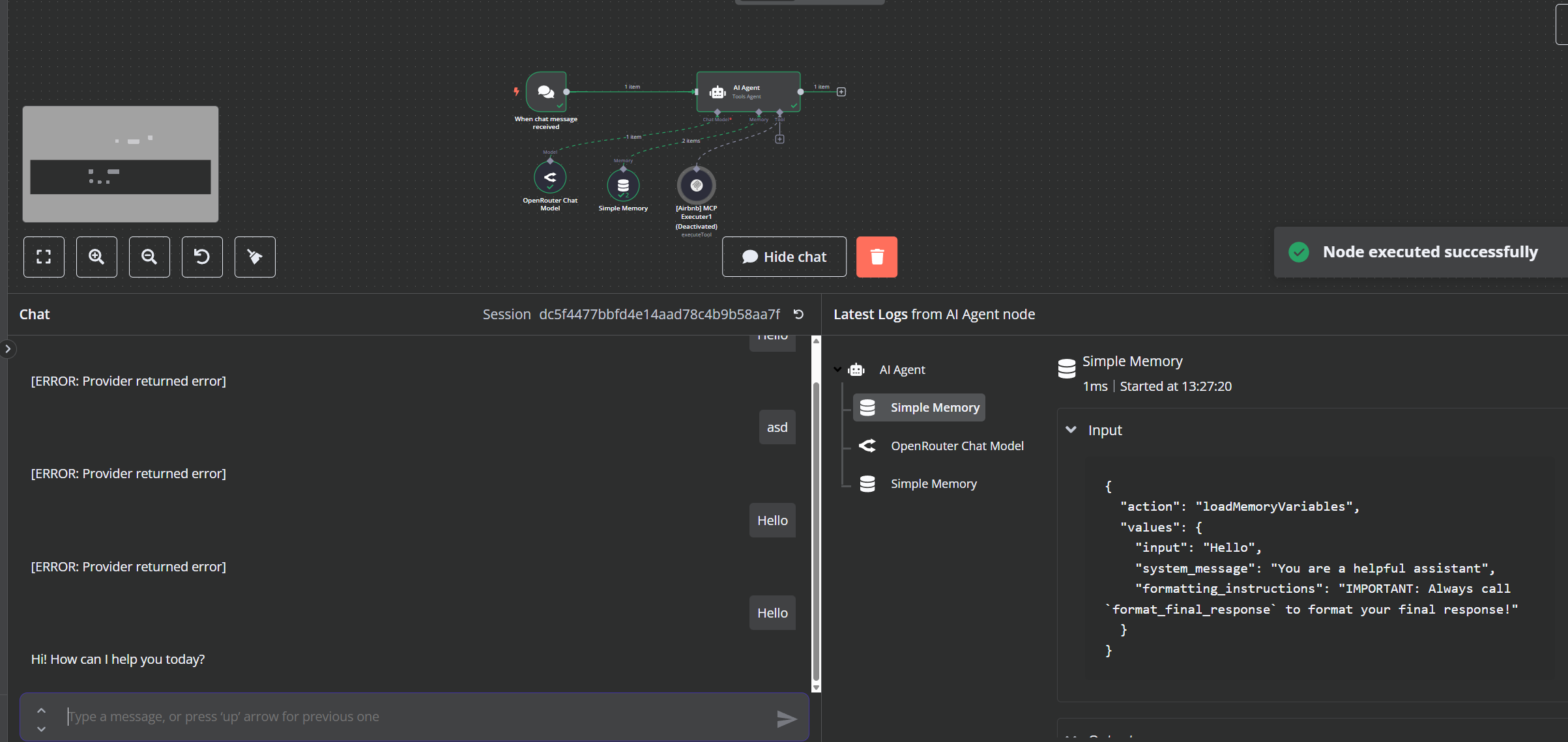
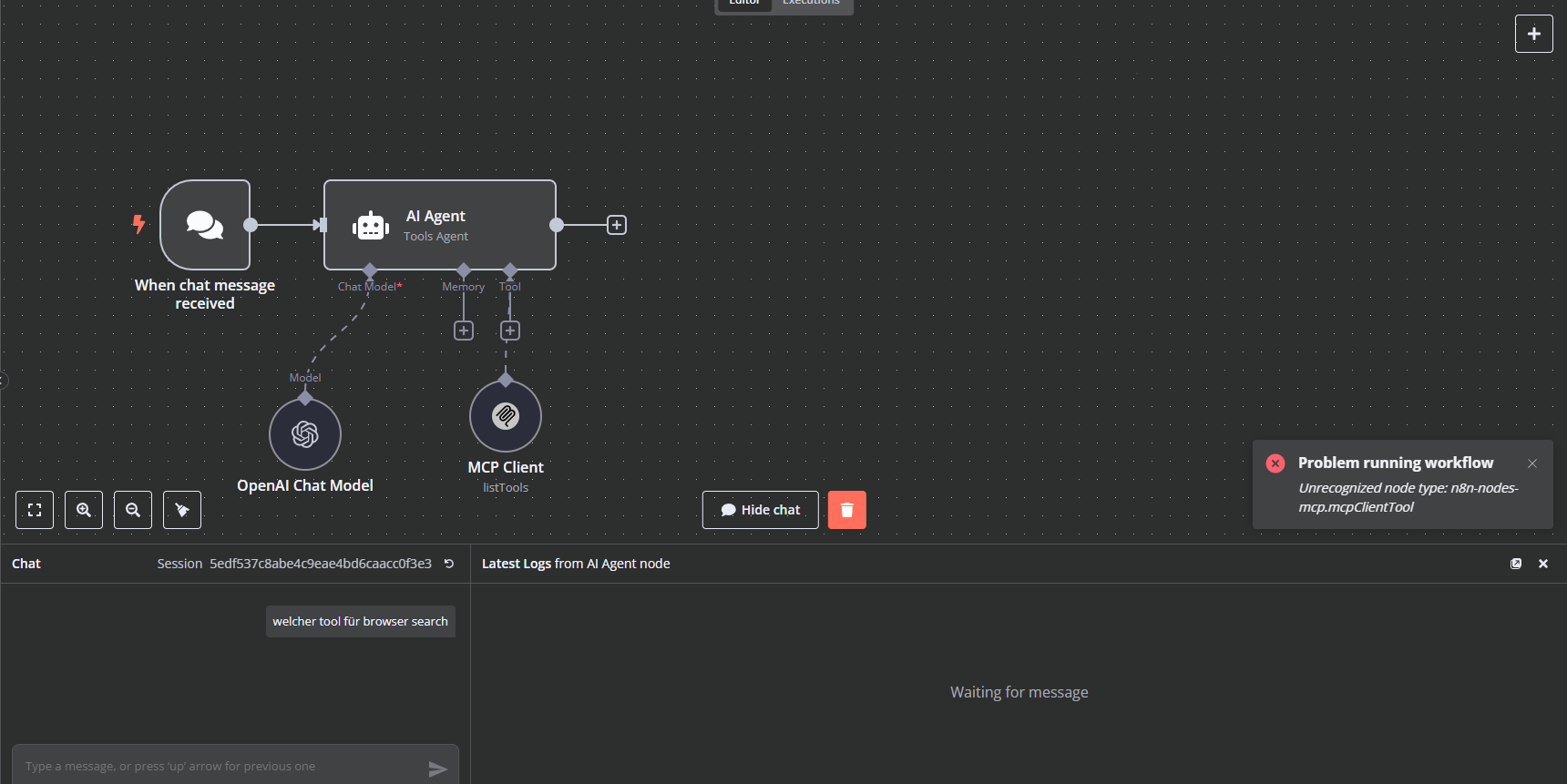
@netroy You meant here?
I have two ways of rendering it (editable but Redacted) and Deployable
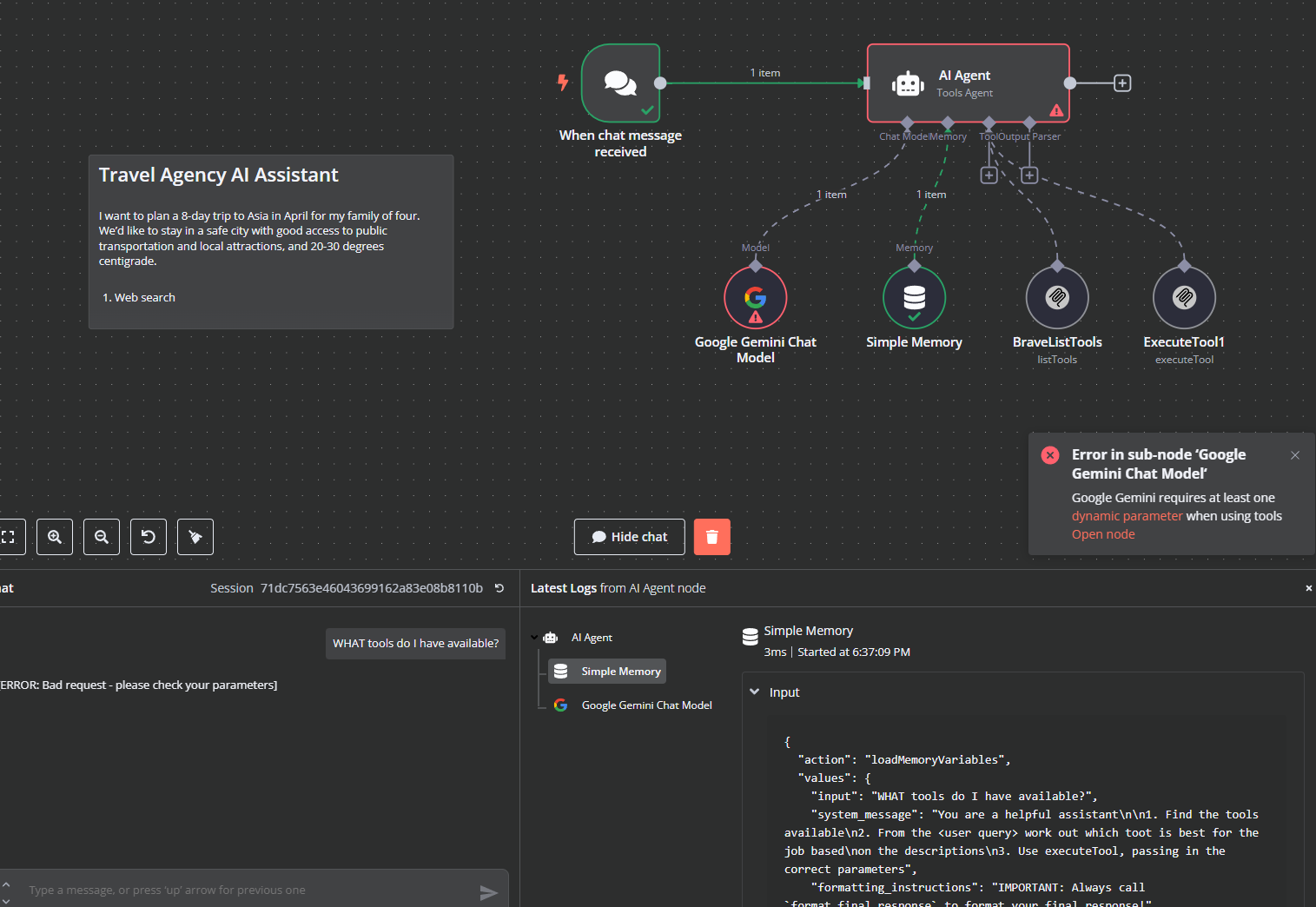
@netroy I tried what you suggested… and, at least, the behaviour changed! 
Now it seems there is another problem that probably was already there due to the blocked MCP Clients.
I’m not familiar enough with Coolify.
Maybe add it everywhere. One of the places should work 
I’m not familiar enough with Gemini either. So, can’t help with that.
Maybe start a new thread for that, and keep this thread for the MCP community node issue.
Here is an existing thread. maybe check there.
@netroy I appreciate it! 
Had the same issue in Coolify and solved by adding to the n8n environment: N8N_COMMUNITY_PACKAGES_ALLOW_TOOL_USAGE=true
Considering how well some of the community nodes are already working as tools, I think we’ll remove this env variable and enable this feature by default in the next release.
So, if any of you are still struggling with the env variable, maybe wait until 1.85.0 that goes out next Monday.
Coolify user here, I can confirm that this works!
Starting 1.85.x (to be released next week), this env variable won’t be needed anymore. Here is the PR to enable this feature for everyone.
I have the same problem @Anthony_Lee has ( super thanks to bring this up )
Even get the correct result as @netroy suggested ( thank you too ) :
" 0 , [empty], true ". but still get the error on Brave-MCP Tool : Unrecognized node type: n8n-nodes-mcp.mcpClientTool
Thanks so much for taking the time! I will try it right away and let you know how it goes. 
@netroy You were indeed correct!  I have it working now. Thank you very much!
I (with the help of Cursor) updated the env variables in both blocks to ensure it would pass. I also created a directory for custom nodes and installed the MCP server node there, also mounting into the Docker container through the compose file.
In case this helps anyone else: I have n8n on my local machine inside a Docker container, with a Cloudflare tunnel. The modifications I made to the env variables inside my Docker compose file were conflicting with the env variable you need to allow for community nodes to be used as tools. Ultimately, I created a directory inside the self-hosted-starter-kit folder for custom nodes. This is where I installed the MCP node. I mounted it to my n8n Docker container in the volumes section of my docker-compose file. I’m providing my compose.yml file here:
volumes:
  n8n_storage:
  postgres_storage:
  ollama_storage:
  qdrant_storage:

networks:
  demo:

x-n8n: &service-n8n
  image: n8nio/n8n:latest
  networks: ['demo']
  environment:
    - DB_TYPE=postgresdb
    - DB_POSTGRESDB_HOST=postgres
    - DB_POSTGRESDB_USER=${POSTGRES_USER}
    - DB_POSTGRESDB_PASSWORD=${POSTGRES_PASSWORD}
    - N8N_DIAGNOSTICS_ENABLED=false
    - N8N_PERSONALIZATION_ENABLED=false
    - N8N_ENCRYPTION_KEY
    - N8N_USER_MANAGEMENT_JWT_SECRET
    - OLLAMA_HOST=host.docker.internal:11434
    - N8N_RUNNERS_ENABLED=true
    - N8N_COMMUNITY_PACKAGES_ALLOW_TOOL_USAGE=true
    - N8N_COMMUNITY_PACKAGES_ENABLED=true
    - N8N_COMMUNITY_NODES_ENABLED=true
    - N8N_COMMUNITY_PACKAGES_INSTALL_TIMEOUT=60000
  volumes:
    - npm_global:/home/node/.npm-global

x-ollama: &service-ollama
  image: ollama/ollama:latest
  container_name: ollama
  networks: ['demo']
  restart: unless-stopped
  ports:
    - 11434:11434
  volumes:
    - ollama_storage:/root/.ollama

x-init-ollama: &init-ollama
  image: ollama/ollama:latest
  networks: ['demo']
  container_name: ollama-pull-llama
  volumes:
    - ollama_storage:/root/.ollama
  entrypoint: /bin/sh
  environment:
    - OLLAMA_HOST=ollama:11434
  command:
    - "-c"
    - "sleep 3; ollama pull llama3.2"

services:
  postgres:
    image: postgres:16-alpine
    hostname: postgres
    networks: ['demo']
    restart: unless-stopped
    environment:
      - POSTGRES_USER
      - POSTGRES_PASSWORD
      - POSTGRES_DB
    volumes:
      - postgres_storage:/var/lib/postgresql/data
    healthcheck:
      test: ['CMD-SHELL', 'pg_isready -h localhost -U ${POSTGRES_USER} -d ${POSTGRES_DB}']
      interval: 5s
      timeout: 5s
      retries: 10

  n8n-import:
    <<: *service-n8n
    hostname: n8n-import
    container_name: n8n-import
    entrypoint: /bin/sh
    command:
      - "-c"
      - "n8n import:credentials --separate --input=/backup/credentials && n8n import:workflow --separate --input=/backup/workflows"
    volumes:
      - ./n8n/backup:/backup
    depends_on:
      postgres:
        condition: service_healthy

  n8n:
    <<: *service-n8n
    hostname: n8n
    container_name: n8n
    restart: unless-stopped
    ports:
      - 5678:5678
    environment:
      - WEBHOOK_URL=https://your-domain.com/         # Replace with your domain
      - N8N_HOST=your-domain.com                     # Replace with your domain
      - N8N_PROTOCOL=https                           # Ensures secure webhooks
      - N8N_COMMUNITY_PACKAGES_ALLOW_TOOL_USAGE=true
      - N8N_COMMUNITY_PACKAGES_ENABLED=true
      - N8N_COMMUNITY_NODES_ENABLED=true
      - N8N_COMMUNITY_PACKAGES_INSTALL_TIMEOUT=60000
    volumes:
      - n8n_storage:/home/node/.n8n
      - ./n8n/backup:/backup
      - ./shared:/data/shared
      - ./n8n/custom-nodes:/home/node/.n8n/custom
    depends_on:
      postgres:
        condition: service_healthy
      n8n-import:
        condition: service_completed_successfully

  qdrant:
    image: qdrant/qdrant
    hostname: qdrant
    container_name: qdrant
    networks: ['demo']
    restart: unless-stopped
    ports:
      - 6333:6333
    volumes:
      - qdrant_storage:/qdrant/storage

  ollama-cpu:
    profiles: ["cpu"]
    <<: *service-ollama

  ollama-gpu:
    profiles: ["gpu-nvidia"]
    <<: *service-ollama
    deploy:
      resources:
        reservations:
          devices:
            - driver: nvidia
              count: 1
              capabilities: [gpu]

  ollama-gpu-amd:
    profiles: ["gpu-amd"]
    <<: *service-ollama
    image: ollama/ollama:rocm
    devices:
      - "/dev/kfd"
      - "/dev/dri"

  ollama-pull-llama-cpu:
    profiles: ["cpu"]
    <<: *init-ollama
    depends_on:
      - ollama-cpu

  ollama-pull-llama-gpu:
    profiles: ["gpu-nvidia"]
    <<: *init-ollama
    depends_on:
      - ollama-gpu

  ollama-pull-llama-gpu-amd:
    profiles: [gpu-amd]
    <<: *init-ollama
    image: ollama/ollama:rocm
    depends_on:
     - ollama-gpu-amd

  cloudflared:
    container_name: cloudflared
    image: cloudflare/cloudflared:latest
    restart: unless-stopped
    user: nonroot
    entrypoint:
      - cloudflared
      - --no-autoupdate
    command:
      - tunnel
      - --no-autoupdate
      - run
      - --token
      - ${CLOUDFLARE_TOKEN}  # Replace with your Cloudflare token
    networks:
      - demo
This worked for me! thank you
For people who still have this error, Update n8n to the latest version. It solved my problem. ( N8N local -docker )
This option did not work for me. I update my docker-compose.yml file and restarted my container. I still get the same issues.
I’m not sure if anyone is experiencing the same issue. I am hosting n8n on a docker container and I added the allow community tool usage environment variable.
the mcp works perfectly fine as a node but not as a tool. so any fix so far?
n8n 1.83.2
railway
N8N_COMMUNITY_PACKAGES_ALLOW_TOOL_USAGE = True
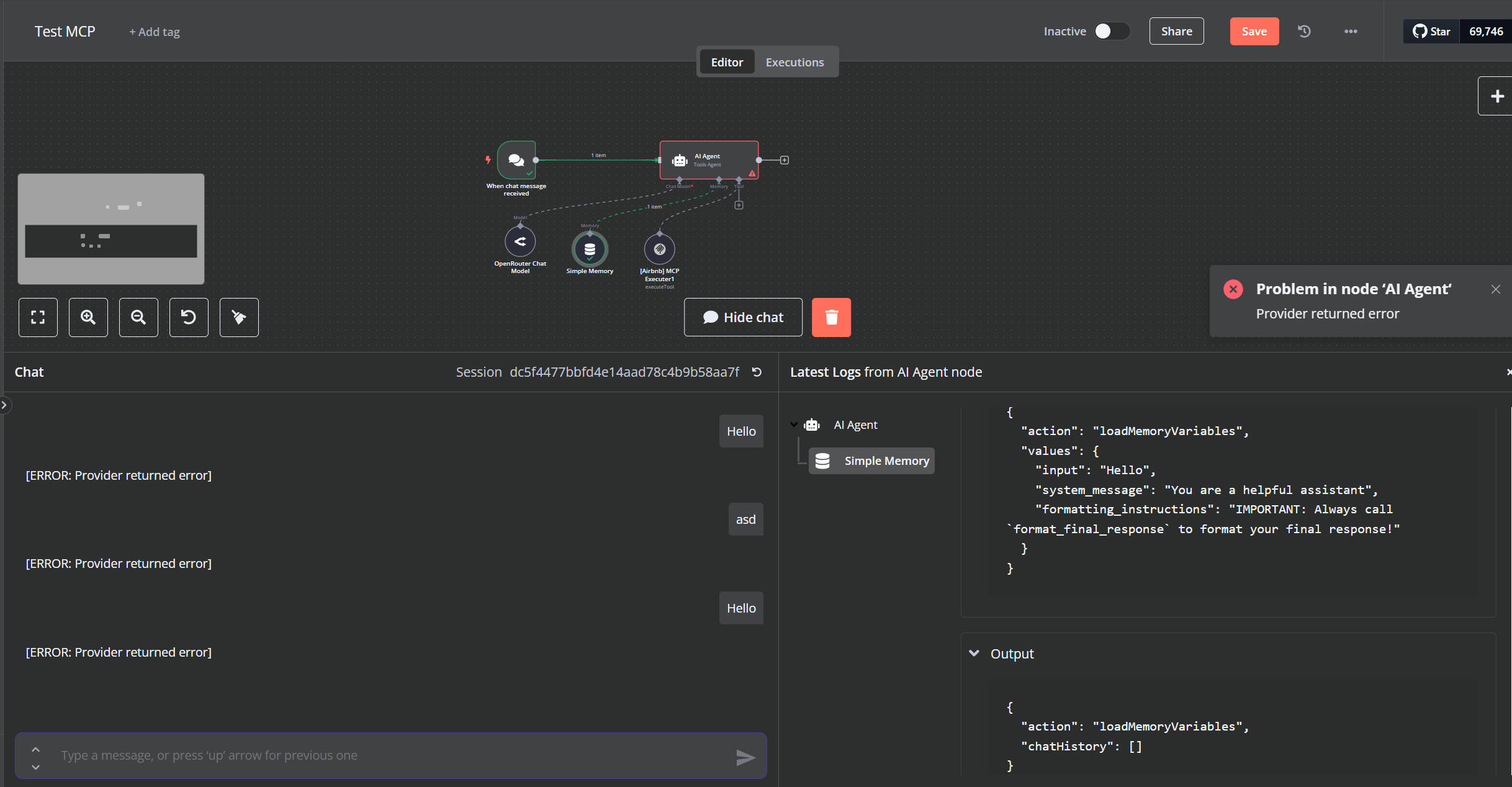
I have this error; Problem in node ‘AI Agent‘ - Provider returned error
(Images) Node MCP Connected
Node MCP Disconected
Do you have the same problem? Thanks!
Im using n8n through hostinger, they use docker as well.
After adding the environment variable in the docker-compose.yml file
I just had to run the following command in order to restart the service :
docker-compose down
docker-compose up -d
Otherwise the new environnement variable is not taken into account
I had it too and I use coolify to host n8n. in env variables in coolify I set N8N_COMMUNITY_PACKAGES_ALLOW_TOOL_USAGE=true and then tried it again, but it failed. I then went to edit compose file and saw in the env section that N8N_COMMUNITY_PACKAGES_ALLOW_TOOL_USAGE=true wasnt set so i did it myself. After restarting it finally worked out!