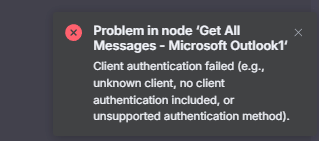
also I tried to reconnect my outlook account and got this error on the outlook side, so reconnecting is not possible too
Error: Client authentication failed (e.g., unknown client, no client authentication included, or unsupported authentication method).
please advise, it seems I cant fix it on my side and its on n8n cloud side
Not sure if n8n has been alerted but here is how our organization worked around this issue.
First we were getting generic client ID expired error messages. Once we upgraded our cloud n8n instance we no longer got client ID expired error messages but instead got further in the OAuth2 handshake, and got a prompt from Microsoft to have logon approved. Once we put in reason and request approval I.T. admin on our side got the email, approved, and the the OAuth2 handshake completed successfully. Then I went back n8n integrations and switched to new credectials. and all worked.
Both n8n credentials setup used the same account, but I could never get my old one to reconnect. New one worked like a charm.
I know not ideal, and hope n8n has fix, but this may get you working. It worked for us
100% I hope this gets n8n’s attention to fix. I saw your past thread and this looks to be a certificate they need refreshed on their side? If that’s the case shocked this is still an issue in 2025.
I saw another thread created today from users also impacted.
This is the same as before, we did recreate the app a couple of months ago and updated the secret but as the secret is stored with the credential just reconnecting won’t solve it and a new credential needs to be created.
To make things a bit worse this time we made a new app with updated permissions, I have flagged the previous issue again internally as going through this every 2 years won’t be good.
for anyone seeing this issue you will need to make a new credential just reconnecting wont work.
Hi, the issue
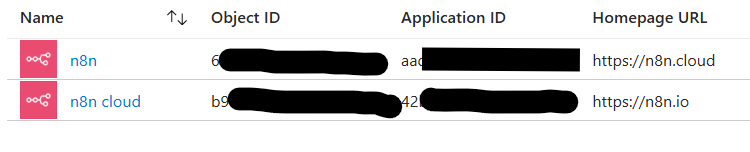
you guys at @n8n didn’t adjusted your app certificate!! When you create a new app, you also have a different app ID!! That means that you did simply create a new external app to be connected, but you let the old app depreciate Crazy
Restart or refresh of your credentials won’t work as the “old” nodes are pointing to the old app that n8n didn’t refresh the oauth access and certificates (btw, that’s also why we all see it in the enterprise apps only of course).
Go to n8n → https://“your-tenant”.app.n8n.cloud/home/credentials → click on top right for create credential → search for the microsoft oauth → note that this will trigger new app consent as this is under a new app ID that n8n obviously released and didn’t tell us. That’s why only set of users experiencing it that are on the old app nodes. All new users are having the “new app” that someone inside of n8n decided to create and didn’t think of merging those in the nodes
Once consented, save the credentials, name them accordingly and it’ll work like a charm
As so many I am having the same issues. I deleted all credentials and deleted the enterprise applications within entra, after which i re-added the credentials. Adding them went fine, got check marks. However some of my werkflows error now if they are run, only to work perfectly smoothly if i then simply copy them to the editor and have them run in the test environment or if i just rerun them.
How do I solve this? Do i now need to for every single one of my workflows go over all the microsoft nodes and manually remove credentials and re-add them on my account lvl only afterwards?