Need reliable method to clean and structure complex Apify Skip Trace JSON for OpenAI

GOAL: I am setting up a high-volume lead enrichment workflow. My goal is to extract clean contact data (personal phone number, personal email, etc.) from raw skip-trace results.

THE DATA CONFLICT: I’m pretty sure the problem is caused by the Apify Skip Trace HTTP request returning a massive, complex JSON object which includes the main profile, but also nested arrays of contradictory data (relatives, associates, multiple addresses, 5 different phone numbers, etc.).


THE PROBLEM

I need help creating a reliable way to transform the raw, messy JSON data from an Apify Skip Trace actor into a clean and prioritized list using the OpenAI Node (GPT-4o-mini).

The goal is to automate the judgment AI (GPT-4o-mini) to find the personal phone numbers and emails.


1. The Input Problem

The raw data coming from the Apify (Skip Trace) node is, I think, one large JSON payload with too many options and conflicting information:

  • Multiple phone numbers (Phone-1, Phone-2, etc.) — some are landlines, some are wireless.

  • Multiple email addresses (personal and corporate).

  • Nested arrays containing related people and previous addresses, which makes parsing difficult.


2. The Required AI Logic (The Judgment)

My primary difficulty is instructing the AI to judge and rank the data based on quality. I need the AI to perform the following comparison and sorting:

Output Field Data Priority (Highest to Lowest)
Phone 1 (Best) Wireless (mobile) + most recent “last reported” date
Phone 2 (Backup) Next best phone (reliable landline or older mobile)
Email 1 (Personal) Domain is private (e.g., Gmail, Yahoo)
Email 2 (Work) Corporate domain (e.g., @company.com)

3. Output Goal

I need the AI to return only the prioritized fields in a clean, structured object that can be imported directly into my workflow.

The final output should contain:

  • Name (already available in my data)

  • Title at the Company (already available in my data)

  • Company Name (already available in my data)

  • Phone 1 — the phone number the AI determines is most likely to be the person’s primary personal day-to-day phone number

  • Phone 2 — a secondary personal phone number, if one exists — based on the AI’s ranking

  • Email 1 — the most likely personal email address (ex: [email protected])

  • Email 2 — the second-most likely personal email address

  • Work Email (already available in my data)


In short:

How can I get the AI to reliably read skip-trace data and then make an informed judgment to identify the most likely personal phone numbers and personal emails?


4. Field: What is the error message (if any)?

The AI (GPT-4o-mini) either returns fictitious data (e.g., “John Doe”) or fails to produce valid JSON. I’m not sure why, but it could be because the input data is too large and ambiguous.

5. here is a screenshot of my workflow:
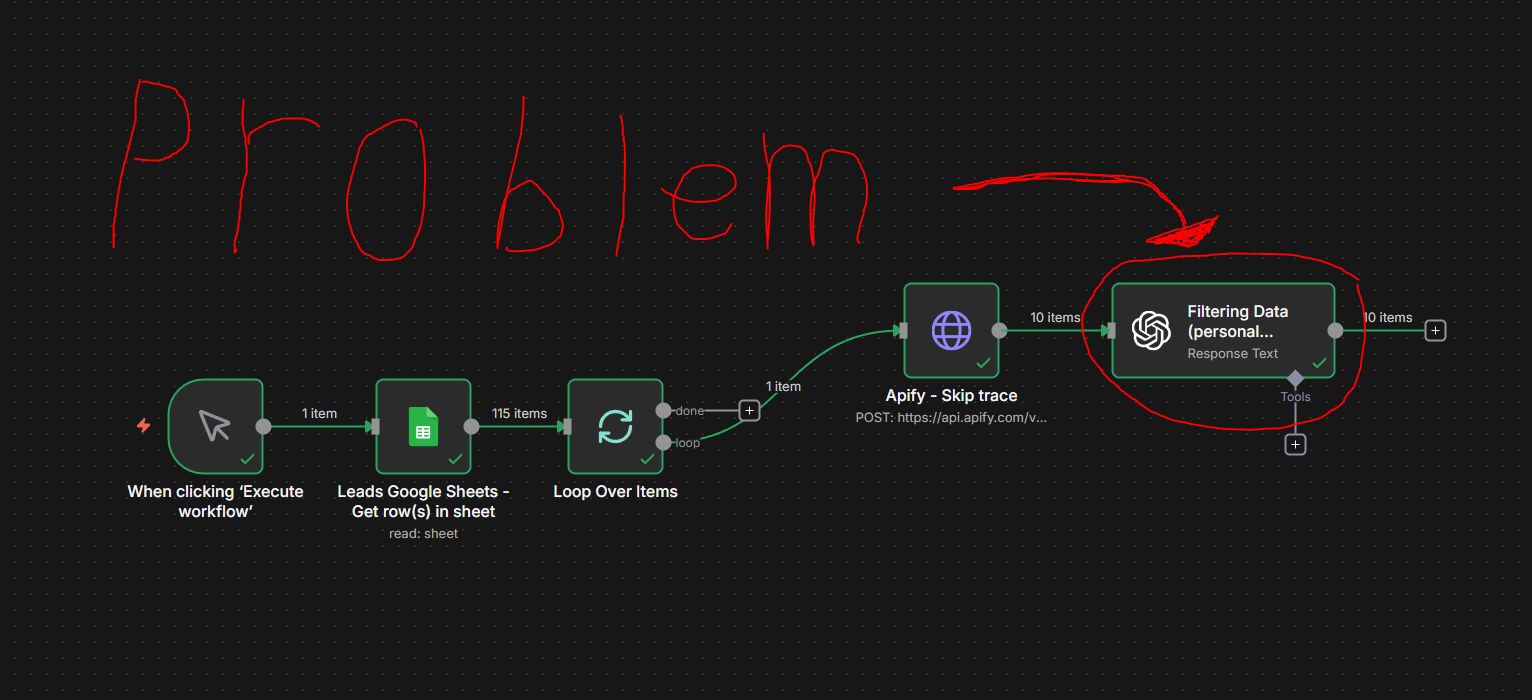
Please reach out if you need any clarification on anything. Any help is appreciated, and thank you so much in advance.
Hi @Oliver_Beier please can you share your workflow in a code block. Please also pin all data after running a manual execution so we have some sample data to work with. This will also save us from having to setup API accoutns for apify.

I’d like to see what the data looks like before I can give you an answer. You might not even need to use an AI node if its just a simple mapping issue.

Hi Wouter_Nigrini,

Thank you so much for your quick response and guidance on this challenging workflow. We have completed the full execution for one item as requested.

1. Workflow & Data Links:

  • Workflow JSON: (Find it above)

  • Execution Data (Pin): This URL contains the full execution history (all node inputs/outputs) for the single test lead: http://localhost:5678/workflow/huyz8052D1kjL2UV/history/e15a1968-5100-42ef-9dd5-36802e572109

2. Important Notes for Debugging:

  • Danish Comments: Please note that you may find a few comments in Danish (//...) within the Code Nodes and Prompts. I added these for personal clarity, but they can be safely ignored; they do not affect the JavaScript execution.

  • Current State: Since I wrote the last message, I’ve managed to get the AI to receive the input correctly, but I’m still struggling to improve the quality of its output. It also doesn’t seem to use a credible reasoning pattern to find the personal phone number and email, which I expected it to based on the prompt. Honestly, I’m not completely sure whether this is the real issue, but that is my best prediction.

i look forward to your review of the data and any suggestions you have for the final filtering solution.

Thank you for your time!

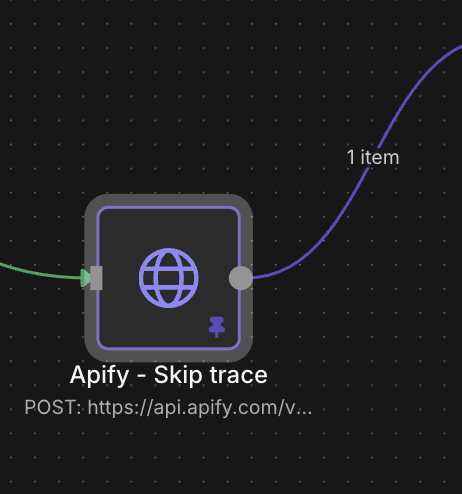
Hi @Oliver_Beier, unfortunately you will need to pin the data after one execution, then copy them. This will include the pinned data. To pin data, select the google sheet and apify nodes, then press the “p” key on your keyboard. The nodes should turn purple like this:

The workflow you paste is missing the execution data and the url you gave will not work for me as it is a localhost execution on your pc.

IMPORTANT: Please note that you copied the API token in the apify url and you should rather go invalidate that token as soon as possible to avoid anyone else abusing your apify credits.

Hi Wouter_Nigrini, I’m a bit confused about how to share my workflow with you. I want you to be able to see everything, but keep my Apify token secret.

It’s tricky because before I had the token in the URL, but that made it visible to everyone. How can I share the workflow so you can review it, but without exposing the token?

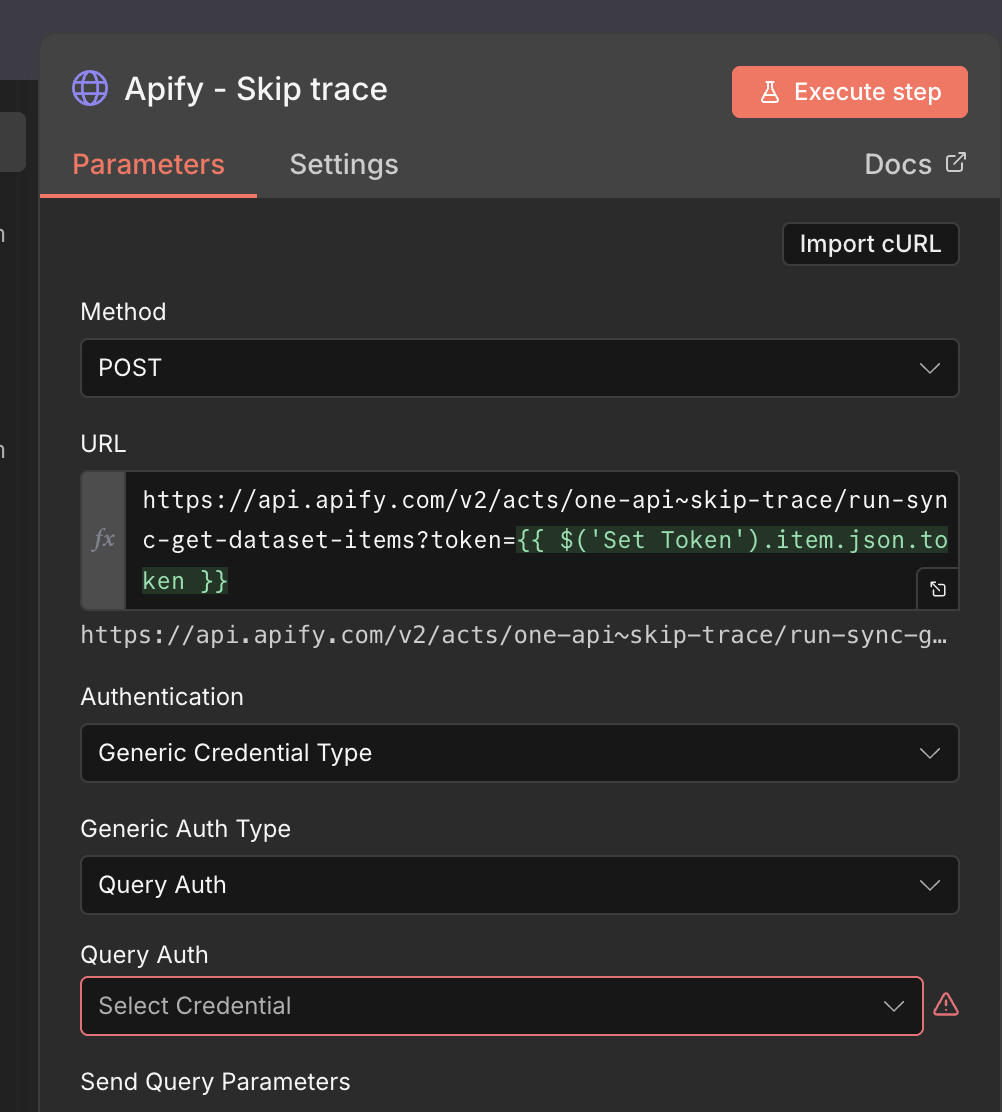
things like where do i put the token how do i set it up and all of that right now i have just done this:

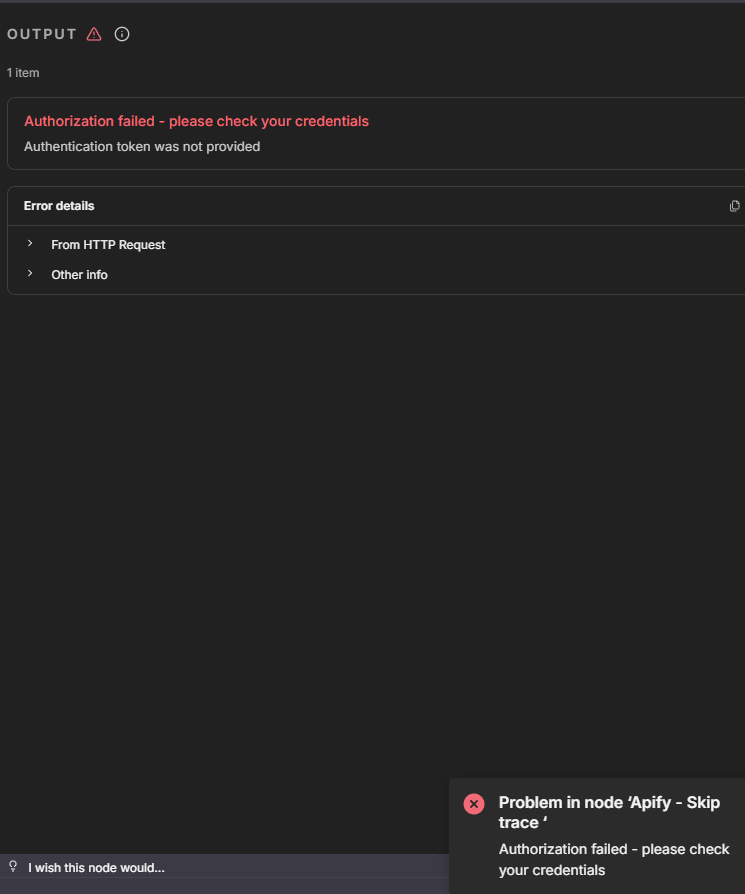
but this errror comes:

For now set the new token in the Set node like I did here and then you just reference it in the http request node. Then after you run and pin the data, only select the nodes AFTER the token set node. That way you only copy the nodes I need to see.

Can you also share the data from the google sheet? Or at least give me the search criteria you used for the Apify record. Im assuming you want to find best match out of the various results given?

Would it be possible for you to quickly guide me on how to set up the API token?
If I just ignore this problem, I could have a fixed workflow that works, but there would be no way to actually use it.

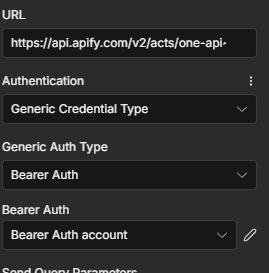
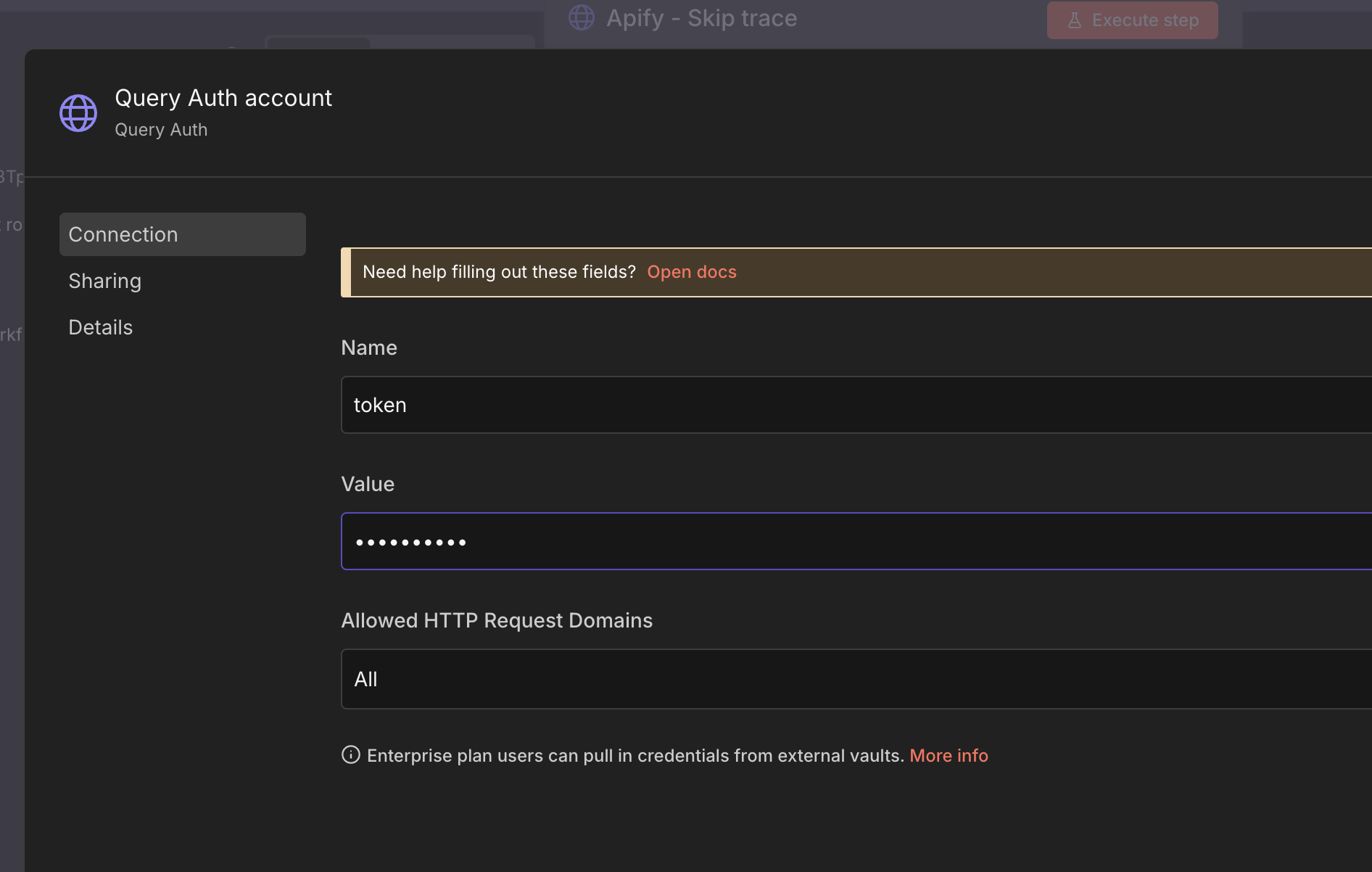
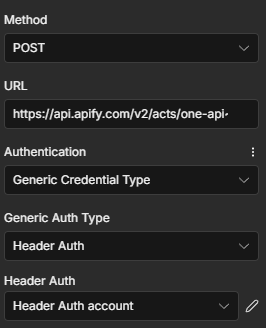
Could you share your expertise on where and how I should configure the API token? Here’s how I have it set up.

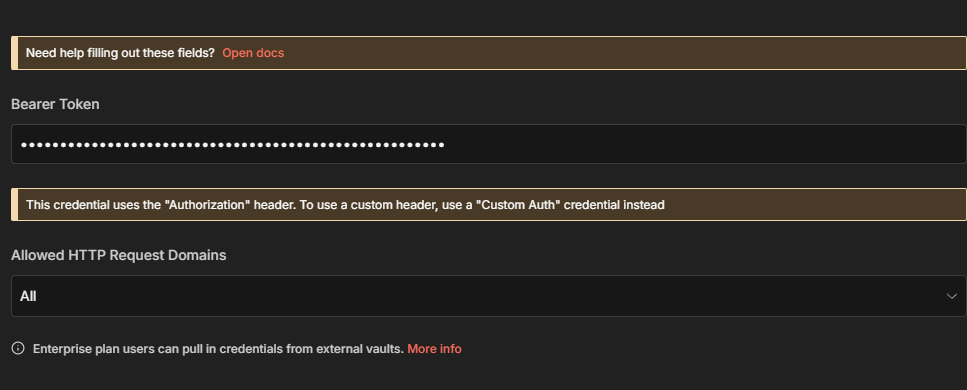
and i have put the API token inside the Bearer Auth thing like this (and yes it is the right api token)

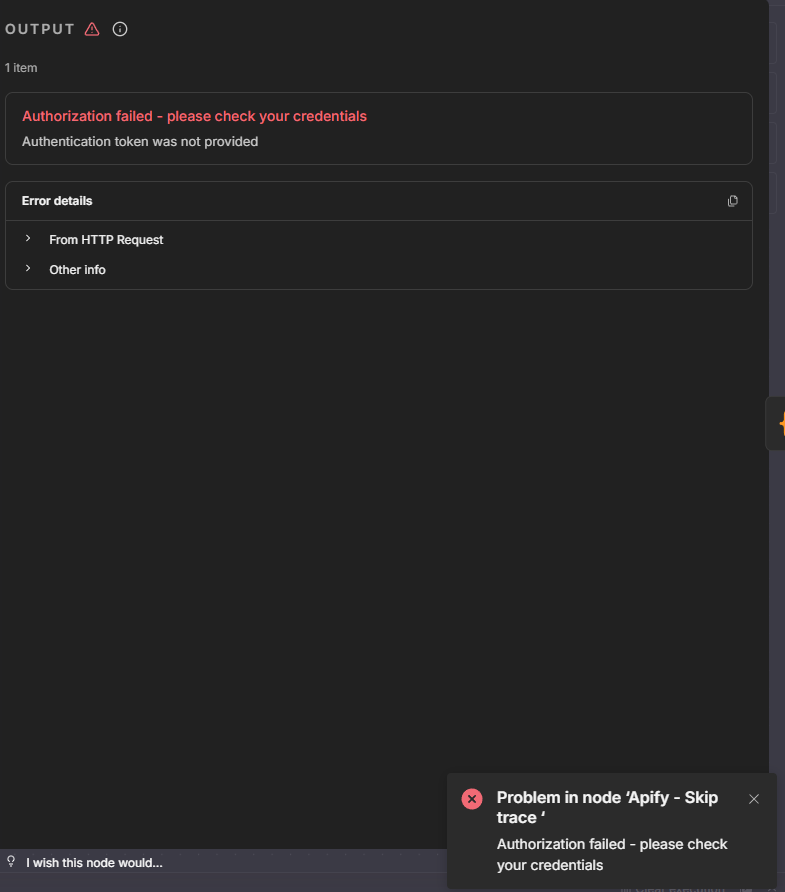
but im getting this error:

Oh apologies, I never pasted in the workflow I was referring to. See below workflow:

As per your last reply, yes you can also try using Query auth, NOT Bearer. This will actually be a better solution

Just remember to then remove the token query string from the url:

https://api.apify.com/v2/acts/one-api~skip-trace/run-sync-get-dataset-items

Hi Wouter_Nigrini,

I think I’ve figured it out, but when I try to send it, I get an error saying it’s over 3200 words or characters.

Paste it into a text file and upload to google drive. This forum has a size limit. It’s because of the pinned data

Here i think this should be good just let me know if it’s not right

Yes that helps a lot. I’ll have a look at the Apify data and see how best we can solve your issue

Hi Wouter_Nigrini,

thank you so much for the help.

Just for clarification on what I want for this workflow, so you know this information is here:

GOAL (for clarification):
I’m building a high-volume lead-enrichment workflow. The purpose is to extract clean, reliable contact information (personal phone numbers, personal emails, etc.) from raw skip-trace results.

What the workflow should output:
I need the AI to return only the prioritized fields in a clean, structured object that can be passed directly into my workflow.

The final output should include:

  • Name (already in my data)

  • Title at the Company (already in my data)

  • Company Name (already in my data)

  • Phone 1 — the number the AI determines is most likely to be the person’s primary personal, day-to-day phone

  • Phone 2 — a secondary personal number (if one exists), based on the AI’s ranking

  • Email 1 — the most likely personal email (e.g., [email protected])

  • Email 2 — the second-most likely personal email

  • Work Email (already in my data)

In short:
I need the AI to reliably interpret skip-trace data and make an informed decision about which phone numbers and emails are the most likely personal contact details.

Last question:
Do you know how long it might be before you can report back to me about the workflow? No stress — and I really appreciate your help — I just want to optimize my own time and plan ahead for when I might be able to have the workflow working.

This is actually a much more complex solution you’re asking for here. To get accurate results, we’ll need to go a little deeper into what mobile numbers typically look like for the country you’re trying to extract. Which domains specifically do you deem as “personal” like gmail etc. The more rules we can give the agent, the better it will get the job done.

Now based on the sample record you gave, this is not enough for me to help you determine if my tests are accurate. Is it possible to DM me your apify key and share the google sheet which has your search criteria so I can also look at a few other examples of inputs vs results.

In the meantime though, I would change the openai node for something more specific like the Information Extractor node:

that sounds nice how do i DM you

Click on my name and then “Message”

Hey Wouter_Nigrini

im very sorry i dont see the option for “message”

i see this when i click on your name

and this when i click into your name

can i just email it to you

Hi Wouter_Nigrini

i have tried to fix the problem my slef with the infomation extarctor but it dosen’t seem to work the error is this “ Problem in node ‘Information Extractor‘

Text for item 0 is not defined” but how can i send you the token so we can get this workflow fixed

Hi @Oliver_Beier. I’m the maintainer of an n8n node called everyrow (github) that I think should be able to solve your problem out of the box. You can use it to deduplicate, rank, screen, or merge your data or just apply generic LLM calls/agents at scale (e.g. one for every data entry). I’m happy to help. And if you give me an example snippet of your data (and what the output should look like) I can create a workflow template for you.