I am using n8n self hosted in AKS Azure Kubernets. My database administrator has created a Databricks Postgres instance and provided the hostname, db user and password configuration details.
I used the same to connect using DBeaver to validate connection parameters and they are verified and working.
The same I am trying to replicate in my n8n self-hosted instance but when connecting to the Postgres Node I am getting:
Couldn’t connect with these settings Invalid protocol version. Protocol version: 196608
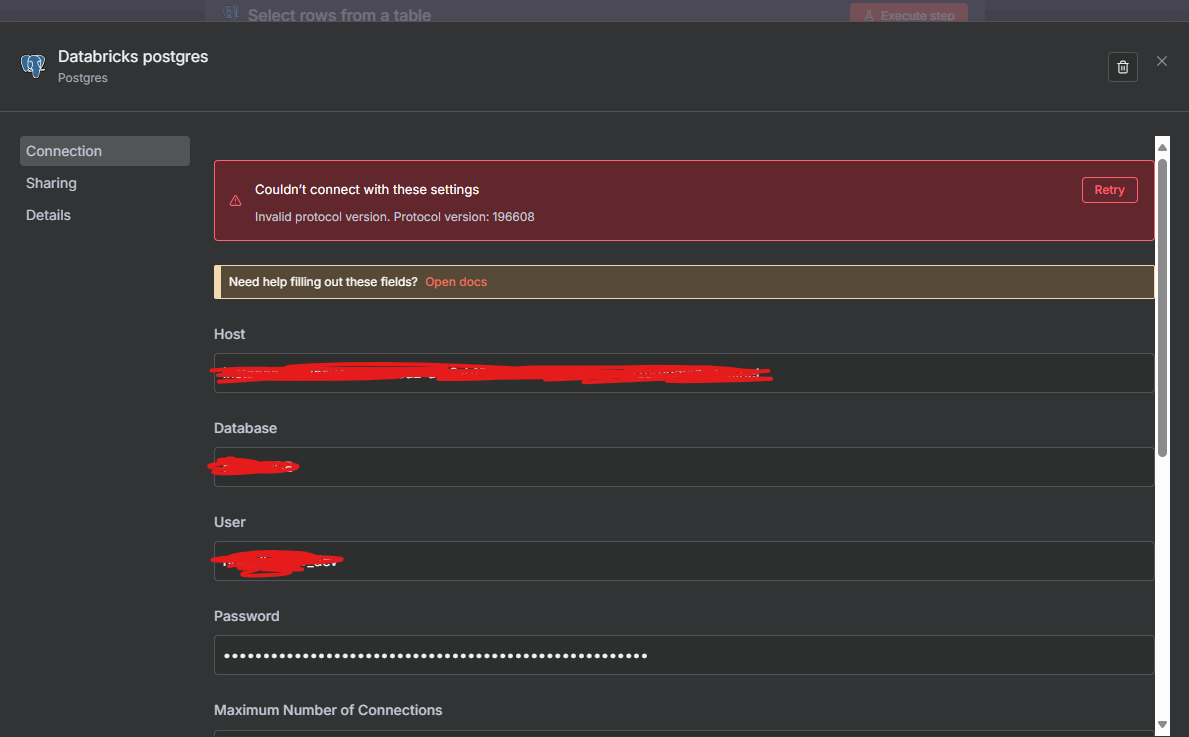
hey! so that “Invalid protocol version” error with Databricks Postgres is a known one - usually means the connection’s getting confused about what it’s talking to.
couple things to try:
**1. SSL/TLS settings** - databricks postgres almost always needs SSL. in your postgres node config:
- toggle SSL to “always” or “require” (not “disable”)
- sometimes you need to set “Reject Unauthorized” to false if they’re using self-signed certs
**2. the port** - databricks uses 5432 like normal postgres but double-check your DBA gave you the right one. sometimes they use a different port for security
**3. try the connection string approach** - instead of filling in individual fields, some people have better luck with a connection URI in the format:
**4. postgres driver version** - this is the annoying one but sometimes databricks endpoints have quirks with certain postgres drivers. since you’re self-hosted, you could check what version of the postgres driver n8n is using and see if there’s a known issue with databricks
**real talk** - if DBeaver works but n8n doesnt, it’s usually a driver or SSL config difference. the “protocol version 196608” specifically suggests the client and server arent handshaking right, which points to SSL config or a mismatch in how the connection is being initiated.
lmk what your SSL settings are set to right now and if bumping it to “require” helps